Forum Discussion

Re: Invisible barrier

@Twikii I suspect that your removed mods/cc may be the issue - the remnants/effects. If you remove the whole folder and have the game create a new one it will be all fresh (the mod config file can get corrupted also), then you can delete the localthumbnailcache.package file then run a game repair and see if this helps.

Please do so as follows: 

  • Delete the mods folder and the localthumbnailcache.package file in your 'The Sims 4' folder and restart the game and so that the game will re-create the folder.
  • Then run a game repair [ Open Origin, click 'Game Library' then right-click Sims 4 > Repair Game ]. After that, please see if the issue has stopped. 

Also, (first) please make sure there are no cc items on the lot.

11 Replies

  • Twikii's avatar
    Twikii
    Not applicable
    7 years ago

    Unfortunately, no. It didn't work. I don't understand how the roof keeps the door from working.

  • Twikii's avatar
    Twikii
    Not applicable
    7 years ago

    Oh, my god. I tried rebuilding the house, on a different lot, from scratch. Completely new build. And the same thing is happening! I built a different shaped house and everything works fine. What kind of insanity is this?

  • SheriGR's avatar
    SheriGR
    Hero
    7 years ago

    @Twikii Perhaps somehow when you place room by room something gets reset in the build? Didn't you say you got the issue to go away by doing that? You are right, that is crazy that the issue is re-appearing with a new build! What is the shape of the build you are having issue with?

    If you try the above I would love to hear your results, but I am also wondering if you could please do two things for me also:

    1. Provide me with a screenshot of the issue, and...
    2. Upload the version of the home giving you the problem to the community gallery with a name like "error test" or similar and provide me a link to the gallery upload and a description (and the screenshot) of exactly which room and wall is having the error so I can download the lot, identify the correct area, and test it in my game.

    Thank you for your patience.

  • Twikii's avatar
    Twikii
    Not applicable
    7 years ago

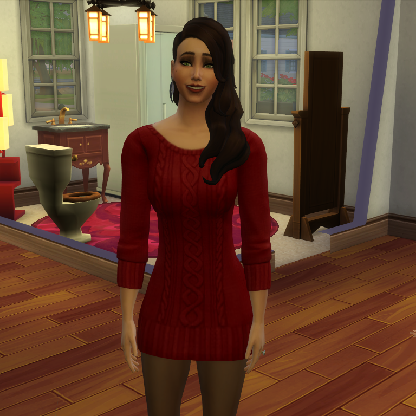
    I don't know how I would get a picture that captures the issue - it would just be my sim waving at the camera. The reason the piece by piece test worked was that I hadn't put the roof on, yet. Through tons of trial and error, I've narrowed down the cause to the right eve on the roof. If the eve is there (on any of the different types of roofs), the invisible barrier prevents movement past the wall. If the eve is pushed back or if the wall height is raised, everything works fine. It's very confusing. I'm posting the house as "Error test - barrier".

    https://www.ea.com/games/the-sims/the-sims-4/pc/gallery/C424CEF680E811E98CF355401F3B2214?category=all&searchtype=ea_origin_id&sortby=downloads&time=all&searchquery=twikii&max=50&maxis=false

  • SheriGR's avatar
    SheriGR
    Hero
    7 years ago

    @Twikii Nice troubleshooting! Yes, a screenshot of your sim waving by the right wall would work as long as I know which wall it is. Maybe add red paint to the wall before taking the screenshot and pan back just enough for me to see the layout of the upstairs so I know where the wall is located. Thanks!

  • SheriGR's avatar
    SheriGR
    Hero
    7 years ago

    Hmm... so far I can't see it in the gallery. What is your ID there?

  • SheriGR's avatar
    SheriGR
    Hero
    7 years ago

    @Twikii Okay... I have found that there seems to be some type of glitch in the section of roof that is above the door. I found that if I delete that part of the roofing (on the left), make a copy of the section of roof on the right, and add this section to the left area and adjust it to fit properly that the sim can now use the door. Please see this in this screencast/video and let me know if you are able to reproduce this in your game. Thank you!
    https://youtu.be/ORtl3IJRvh8

  • Twikii's avatar
    Twikii
    Not applicable
    7 years ago

    When I first attempted it, it wasn't working and I was about to slip into despair. But then I watched your video again and saw that you didn't adjust the roof height after placing the new roofing, so I went back and raised mine up the extra click and VOILA! Free movement. This is the weirdest glitch. Thank you so much for all your help. You've saved my house!

  • SheriGR's avatar
    SheriGR
    Hero
    7 years ago

    @Twikii I'm so pleased! Yes glitches can make us nuts sometimes! Your house is very nice and I am happy to hear it is working properly for you now. Have a lovely evening! :eahigh_file:

  • Twikii's avatar
    Twikii
    Not applicable
    7 years ago

    Thanks for the compliment. :eahigh_file: You have a great night, too!