[READ FIRST] Unrecognized video card
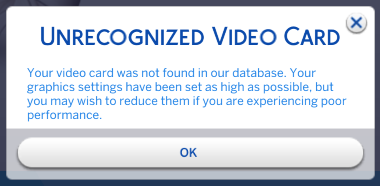


Hello! I tried the fix above but it's still coming up as 0 found on the config :-(
Here's my info, please let me know if I left anything out! Thank you :-)
=== Graphics device info ===
Number: 0
Name (driver): AMD Radeon (TM) Graphics
Name (database): [Found: 0, Supported: 1]
Vendor: ATI
Chipset: Vendor: 1002, Device: 15e7, Board: 0c271028, Chipset: 00c5
Driver: aticfx64.dll, Version: 31.0.21024.5, GUID: D7B71EE2-56A7-11CF-9D73-077E6AC2D235
Driver version: 5
Monitor: \\.\DISPLAY1
Texture memory: 1955MB
Vertex program: 3.0
Pixel program: 3.0
Hardware TnL: 1
Opt. features: +sab +a8l8 +rgba16f +r32f +bc4 +bc5 -rawz +intz

Purchased a new Dell G16 laptop and I'm having the same issue. Has anyone figured out why this has happened. On my old laptop, it recognized it. On the new laptop, it does not. No amount of troubleshooting has worked. Has EA not updated the database for Windows 11 to recognize the new graphics cards.
Here is mine for the new laptop.