Forum Discussion


5566332200
7 years agoNot applicable
Come on guys please help me i feel like i threw 139.94$ in a trash bin!

jpkarlsen
7 years agoHero (Retired)
I would recommend you try to see if you can get a refund. You need to contact Support. https://help.ea.com/en/contact-us/?product=the-sims-4&platform=pc&category=technical-support
- 55663322007 years agoNot applicable
Fine... I will uninstall the game ☹️
 HarleyQuinn29227 years agoNot applicable
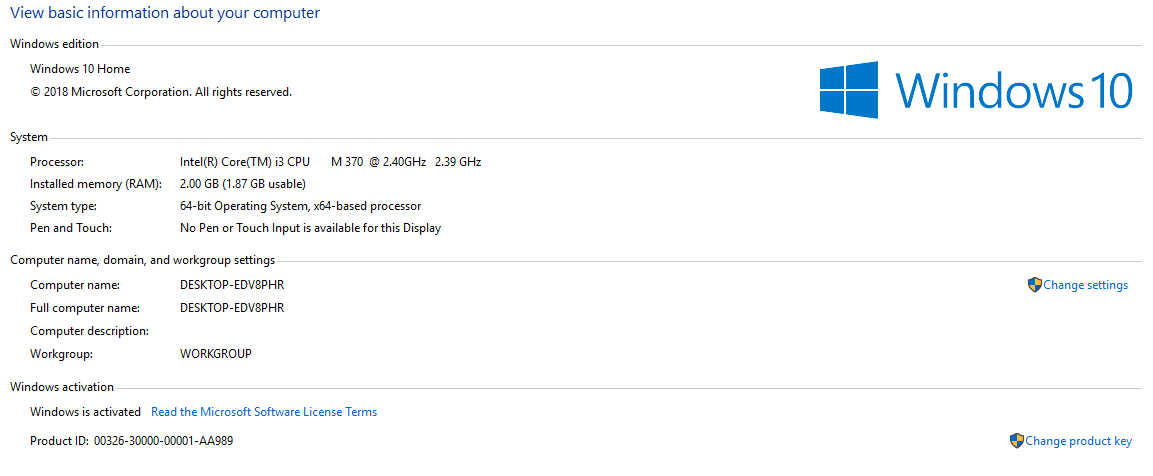
You can also buy a GPU that fits the other components in your PC.
Since the game has some minimum requirements to run, and your PC is under them, upgrades are required :3. I know, some more money to invest, but it's for the better since you'll be able to play the game for some other years further ^_^.
- In the DxDiag, your CPU (the processor) is not shown. You can read the Microsoft's advice regarding this:
- Or you can install IObit Driver Booster, which will find the driver for your CPU and recognize it.
https://www.iobit.com/en/driver-booster.php
After finding your CPU model, you can go to your local store to let them know what you'll like to buy and what components you currently have. They should know what to recommend. As a side note, getting more opinions will help you decide what to buy and what's better. You know, they need to be compatible with each other.
I know it is not the answer that you were expecting because you'd really love to play, but if the PC specs are not high enough for the minimum req, then as many solutions as we'd give, it won't solve it ☹️.
Wishing you a lovely weekend ^_^!
 holger14057 years agoHero+
@5566332200 has a Laptop, it cannot be upgraded.
Featured Places