Forum Discussion


marthekristin06
2 years agoRising Novice
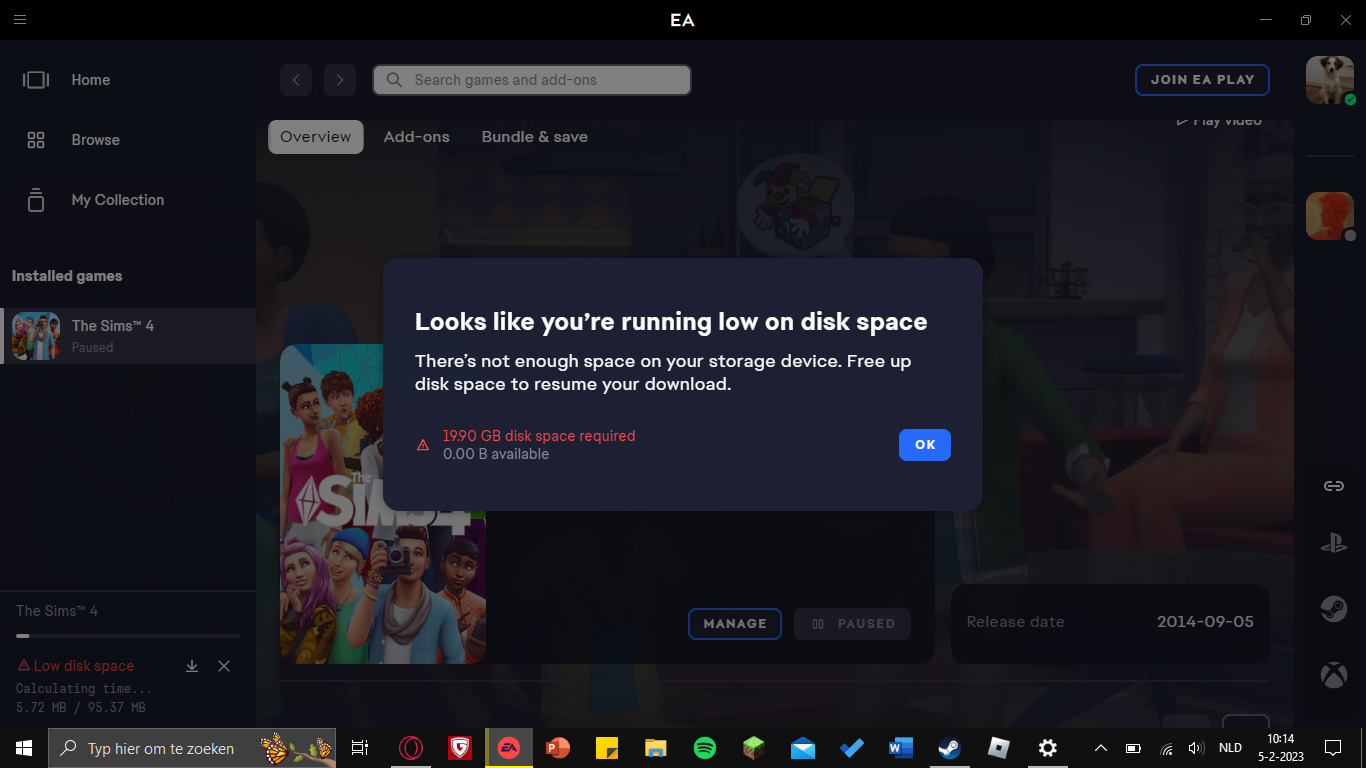
Hi! I am having a problem with downloading the latest The Sims 4 update which came out this week. When I am updating the game it says that the update only takes upp ca 500MB. The problem isthat when it's done with the downloading and it is applying the update it takes up way to much space. When I start the update I have about 17GB free space on my computer, and when the update has been downloaded I have about 15GB. Then when it comes to the point after the downloading when it is applying the update, it only gets up to 45% or lower before it has used the rest of the free space. Is it supposed to take this much space when it's just applying the update?

puzzlezaddict
2 years agoHero+
@marthekristin06 I've merged your post with another thread for this issue. The EA App seems to require the space of the entire base game in order to complete an update, which is unfortunate and will hopefully be addressed at some point. In the interim, you can try clearing a bit more space: 20 GB should do it. Or you can try clearing the EA App's cache:
https://help.ea.com/en-us/help/faq/clear-cache-to-fix-problems-with-your-games/
and repairing the game: open your game library, hover over the Sims 4 icon, click the three dots, and select Repair.
 amienewton282 years agoNewcomer
This is what's happened my daughter here is 112 also and it would even budge over 5% and she had nothing on her laptop only sims 4. I have no idea why do try?
- puzzlezaddict2 years agoHero+
@amienewton28 Try again now. The EA App is sometimes very slow in updating games when it has lots of traffic to handle.
Featured Places