Forum Discussion

Re: Can't install six Sims 2 games

@Ami-chan21 , try this. 

Insert your Sims 2 CD/DVD into your disk drive as normal.

1) Open up your local hard drive. 

2) Go to File, New Folder. Name this folder "Disk Images". Go into the "Disk Images" folder and create another folder called "Disk1." If you're installing a version of The Sims 2 or an expansion or stuff pack with multiple disks, create folders for each disk. Label them "Disk2," "Disk3" and "Disk4." It's important you don't put a space in between "Disk" and the number you use.

3) Open up "My Computer" and select your Sims 2 CD. If the autorun comes up, cancel it as well as the installation.

4) Right-click The Sims 2 CD. Click "Explore".

5) Click on the "Edit" tab at the top of the window and choose "Select All." You can also press CTRL+A. Click on the "Edit" tab again and select "Copy." CTRL+C also works.

6) Head into your "Disk1" folder. Go to the "Edit" tab and select "Paste." CTRL+V works as well. Continue until you've copied and pasted the information from all the disks into their appropriate folders.

7) Find the autorun file in the "Disk1" folder and double click it. This should install the game as normal. When you are finished, you can delete the "Disk Images" folder.

Tips

If you encounter any file transfer errors when copying and pasting, try cleaning your disk. If that fails, your disk is either scratched or corrupted. You can purchase copies from Amazon, E-Bay, your local game store that sells used games or Goodwill/Salvation Army stores.

Please let me know if this works for you.

12 Replies

  • Ami-chan21's avatar
    Ami-chan21
    Rising Novice
    6 years ago
    @Tremayne4260 I did everything, but when I came to #4, I right click I don't have the option to "explore" at all. On your tips, these discs are pretty old and they do have tons of scratches on them, but none of them ever failed to run...
  • Tremayne4260's avatar
    Tremayne4260
    Hero
    6 years ago

    @Ami-chan21 , so if you right click on the disk, you don't see any of the disk contents? Just asking as you may have select the contents line by line and copy and paste into the new file.

  • Tremayne4260's avatar
    Tremayne4260
    Hero
    6 years ago

    @Ami-chan21 , thanks for the Screenshot. Try the "Open" option as that should then show you the contents of the CD which you then need to copy and paste into the folders.

  • Ami-chan21's avatar
    Ami-chan21
    Rising Novice
    6 years ago

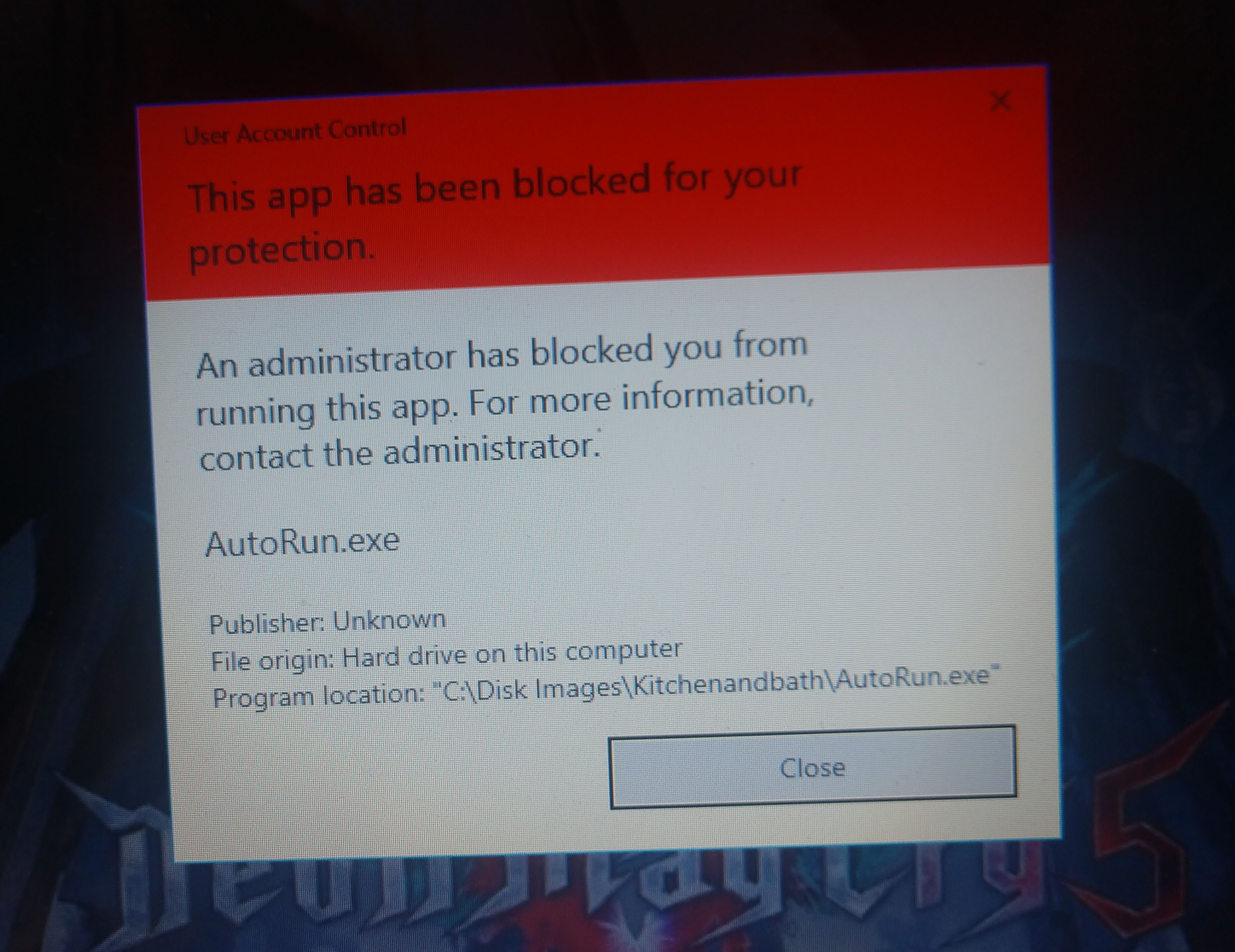
    @Tremayne4260  OKay I was able to open the folder no problem. And I take it you wanted me to copy and paste AutoRun since that's the application. When I did I got another error. Which is in the image.

  • Tremayne4260's avatar
    Tremayne4260
    Hero
    6 years ago

    @Ami-chan21 , did you copy and paste all the contents of all the disks into their correct folders? It looks like something wasn't copied over.

  • Ami-chan21's avatar
    Ami-chan21
    Rising Novice
    6 years ago

    @Tremayne4260I didn't know I was supposed to copy everything. I did that now. I also took a screenshot of the folders. It's two screenshots in one. Please let me know if I need to rename them.

  • Ami-chan21's avatar
    Ami-chan21
    Rising Novice
    6 years ago

    @Tremayne4260after doing all that. I still get the same thing. I had to take a picture of it through my phone and send it to OneDrive.

  • Tremayne4260's avatar
    Tremayne4260
    Hero
    6 years ago

    @Ami-chan21 , I looked up Windows 10 blocking downloads and I think this might help.

    1. Open Group Policy Editor by typing gpedit.msc into the Start Menu.
    2. Go to User Configuration -> Administrative Templates -> Windows Components -> Attachment Manager.
    3. Double click the policy setting "Do not preserve zone information in file attachments". Enable it and click OK.

    See if this helps.

  • Ami-chan21's avatar
    Ami-chan21
    Rising Novice
    5 years ago

    @Tremayne4260, unfortunately, I don't even have that... I had to go and install it and even when I did, I still can't find it.

Featured Places

Node avatar for The Sims Franchise Discussion

The Sims Franchise Discussion

Discuss The Sims Medieval, classic The Sims titles, and speculate on the future of the franchise, including Project Rene.Latest Activity: 9 minutes ago
7,573 Posts