Forum Discussion
6 Replies
 EA_Barry9 years ago
Community Manager
Check the patch notes at the following link for info on TSAA:
http://answers.ea.com/t5/Game-Information/Titanfall-2-PC-Patch-Notes-11-01-2016/td-p/5668754
- Approved
 Anonymous9 years ago
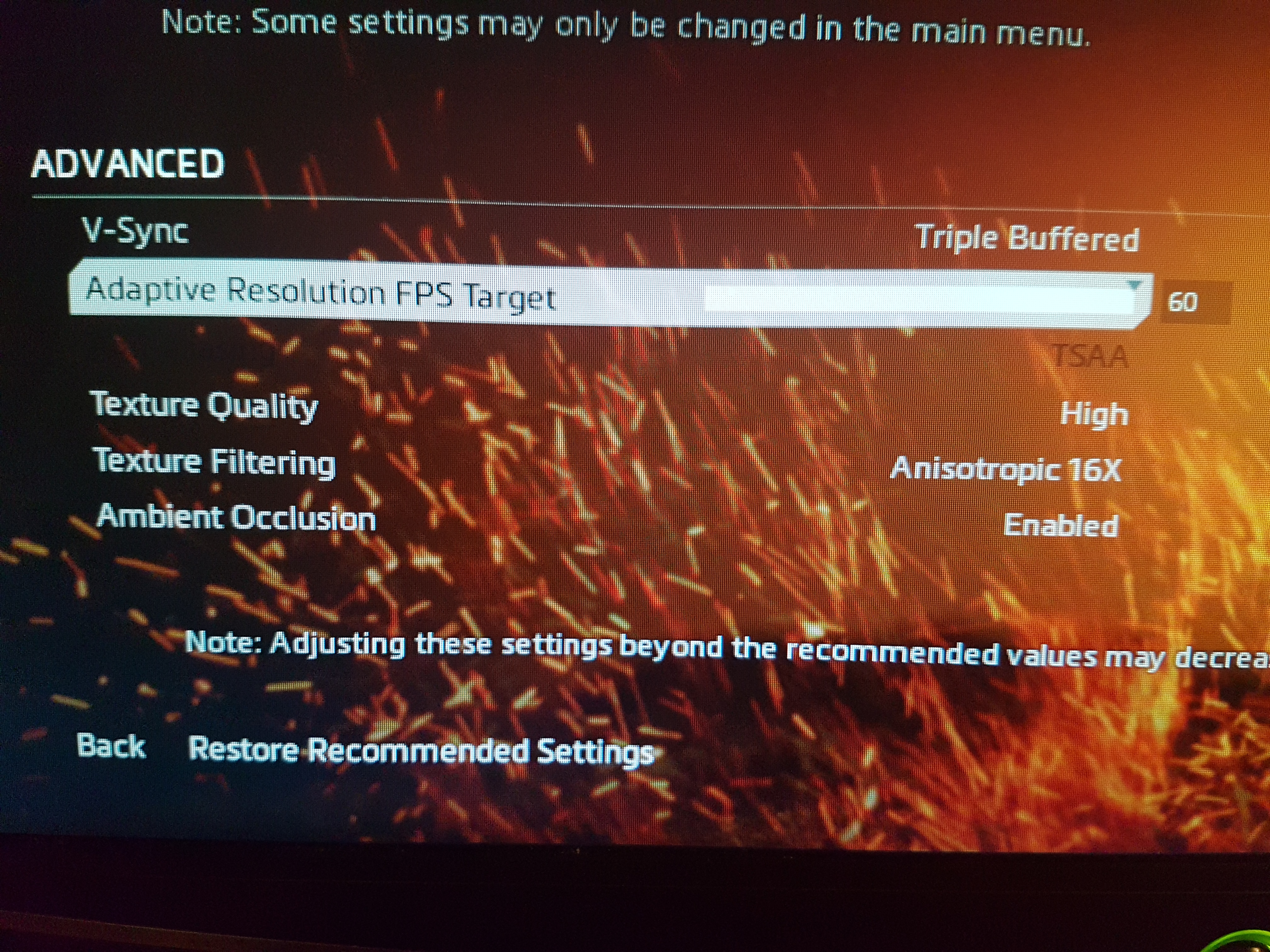
That doesn't explain why TSAA Enabled is greyed out and no other options are available under Anti-Aliasing when it was working fine yesterday.
Yesterday before the patch I could select Anti-Aliasing and I got awesome graphics. Now they are blurry, anti-aliasing is not a selectable option and I get degraded performance.
You need to back that patch out as it sucks 😛
 MADrag0n9 years agoLegend
If option "Adaptive resolution FPS Target" is not set to 0, then option Anti-aliasing is only TSAA. If u want not TSAA then just set "Adaptive resolution FPS Target" to 0.
- ApprovedAnonymous9 years ago
That did the trick thanks 🙂
- ApprovedAnonymous9 years ago
adjust it ALL the way to 0.
Then how are you supposed to play the game on 0 FPS?

Featured Places