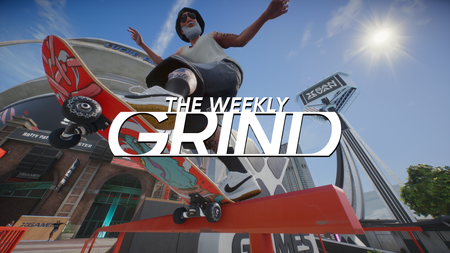
Season 5
The Hub What’s in Season 5 New Area Access New Features skate.Pass for Season 5 In-Game Event Coming in Season 5 Here's a quick list of what's coming to skate. throughout Season 5. Read more below to get a full breakdown. Reminder: Some things are coming in Day 1 on Sept 8, while others will land mid-season with update 0.32.5: New area: Super Ultra Mega Resort (S.U.M.R.) Camp Mega Park New Hedgemont Street Park (Coming Mid-Season) New and Updated Tricks/Skatepedia updates: Underflips, Improved Footplants New Ways to Play: Updated Progression New Game Modes: Player Spot Battles and Block Parties QoL Improvements and Bug fixes (details coming on Sept 7, 2026 via the 0.32.0 patch notes) New Brand Partners: Converse, Baker, Deathwish, Online Ceramics, Welcome, There / Unity Updated skate.Pass with new Brand Partners Vans Season 5 Starter Pack New Tracks to the Soundtrack Mid-Season Event Season 5 Deep Dive In Season 5, we’re bringing you the best of both worlds: the hustle of San Van, plus the perfect place to leave it all behind and see where the ride takes you. Introducing S.U.M.R. Camp: a mountain getaway built for big speed and big air. Think massive gaps, expansive terrain, and brand new mega lines. Away from the city, it’s a chance to enjoy a session with killer tunes, good people, and plenty of room to ride. Back in San Van, new and updated skateparks keep the action going closer to home. The Stadium is still open to explore, with Grom and S.U.M.R. Camp just a short ferry ride away, now easier to find with the Location Selector at the San Van Ferry Terminal. Check the chart below for access windows and details for S.U.M.R. Camp, The Stadium, and Isle of Grom. As an added benefit to their pass, Season 5 skate.Premium Pass holders can access S.U.M.R. Camp early, from Sept 8 until Oct 6, 2026. From Oct 6 to Dec 1, those without skate.Premium can grab a 24-hour day pass to S.U.M.R. Camp for 500 Rip Chips (earnable through completing Challenges and Bounties). Unlimited access to The Stadium for Season 5 is also a benefit of the skate.Premium Pass, or you can get a 24-hour Day Pass for 250 Rip Chips. Isle of Grom will be General Access (skate.Premium Pass or 500 Rip Chips for a Day Pass) from Sept 8 to Oct 13, closed to prepare for an in-game event for a week, Open Access (no skate.Premium Pass or Rip Chips required) from Oct 20 to Nov 3, and then will return to General Access from Nov 3 to Dec 1. S.U.M.R. Camp (Mega Park) Located across the bay as an escape from city noise, The Super Ultra Mega Resort (S.U.M.R.) Camp Mega Park is an all-new ultra mega-park built by skaters, for skaters to support year-round Big Air skateboarding development. The expansive terrain features Rocky Ramps, Tube Mountains, Rockbottom Lodge for visitor accommodations, and a peaceful Fishing Hole for recreation (and getting a run at the Lower Bowls below). It also integrates hazardous terrain like Bloody Gulch, a challenging run built around custom-carved rock formations. Endless High-Speed Lines: Packed with massive ramps, intense speed, verticality, and over 30 unique paths down the mountain—it’s bigger and wilder than Skate 2 and Skate 3! Pure Mountain Vibes: Reject the city noise, feel the high-altitude rush, and recenter your mind with big air and huge skies stretching from horizon to horizon. Have You Seen Him? S.U.M.R. Camp Story Event City Councilor Slappy has gone missing! Work with fellow SVCC Member Izzy to uncover where Slappy went - and why - across 6 Weeks of Activities in this all-new story event at S.U.M.R. Camp. Weeks 1-3 are available in update 32.0, each unlocking progressively each week (i.e. Sept 8, 15, and 22nd) when players complete the previous week. Weeks 4-6 will arrive later in the Season during update 32.5 Players must have access to S.U.M.R. Camp to unlock the event, but it persists all season long, so it will be playable for all players once S.U.M.R. Camp enters general (non-early) access. The event will not be available after Season 5 - so make sure you hop in and see what happens each week! Blending Missions and Bounties into a single, seamless adventure where the story unfolds as you play. By delivering fully voiced narrative updates in real-time as you complete Bounties, you can stay fully immersed in the action without needing to track Missions or pause to read menus. New Hedgemont Street Park, Parry Point Park (Coming Mid-Season) Coming mid-season with update 0.32.5, the team has built the sickest new street park in Hedgemont, along Blue Light Beach, called Parry Point Park. Updates to San Vansterdam As part of the Season 5 update, S.U.M.R. Camp elements and inspiration are spilling into San Van for the Block Party, giving the plaza a relaxed, rustic makeover. Something is happening over at the old Hedgemont Community Park, as construction is kicking off in full swing. We’ll keep an eye on it and report back as the construction crews make progress. QOL Improvements Coming Sept 8, 2026, update 0.32.0 will have fixes, improvements, and tweaks; and we’ll have those patch notes for you to dive into on Sept 7, 2026. New & Improved Tricks Underflips To add more technical style to your sessions (and definitely up your steeze-factor), Underflips arrive in Season 5, and we’ve brought more than ever before! There are 16 variations of Underflips that will be available for you: Kickflip Underflip Hospital Heelflip Heelflip Underflip Impossible Underflip FS Pop-Shuvit Underflip Front Foot Impossible Underflip BS Pop-Shuvit Underflip Nollie Kickflip Underflip Hospital Flip Nollie Heelflip Underflip Nollie FS Pop-Shuvit Underflip Nollie Hospital Heelflip Nollie BS Pop-Shuvit Underflip Nollie Impossible Underflip Nollie Hospital Flip Nollie Back Foot Impossible Underflip Improved Footplants The team has continued to refine our core mechanics. For Season 5, we’ve upgraded footplants alongside a new set of Challenges and Bounties to feature them. Thanks to your feedback, we're able to keep pushing these improvements forward, with ongoing adjustments to ensure footplants feel smooth and natural across every situation in the world of skate. With the release of 0.32.0 to kick off Season 5, there will be four variants of footplants to add to your skateboarding repertoire: Judo Footplant BS Footplant FS Footplant Fast Plant Of course, as always, we’ll be updating Skatepedia so you have the info you need to master them. New Features and Modes Progression Updates As we shared in our Progression update blog, how you play, earn, and progress has gotten a major overhaul, starting with Season 5. As a quick refresher, the new Bounties system introduces Endless and Crew Bounties, while multiple progression paths and non-expiring challenges give you the freedom to play your way. You can tackle weekly Spotlight Challenges for extra rewards and continuously earn through the skate.Pass and new seasonal content. Meetups: Block Parties We were excited to test Meetups: Block Parties at the end of Season 4. After some tuning, tweaks, and improvements based on community feedback, they’re coming back to Season 5 as an official mode. (The list of fixes and improvements will drop with the 0.32.0 Patch notes coming Sept 7, 2026.) Mass-Player Social Events: Block Party is a mode that supports up to 150 players simultaneously in a casual yet competitive roaming skate contest. Seamless Opt-In: Events trigger every 30 minutes (at :15 and :45) and allow instant drop-in/drop-out participation simply by skating into the event area—no queues or sign-ups required. Dynamic Roaming Mechanics: Each event rotates across three randomized, connected locations across the city, creating a natural group parade between spots. Varied Objectives & Late Comebacks: Challenges blend street, park, and vert objectives with randomized sequences, featuring late-round point multipliers that allow for big comeback wins. Real-Time Leaderboards & Visual Crown: Tracks performance via active Round and Overall leaderboards, displaying top players alongside your immediate competition and highlighting the current round leader with an in-game crown. Bounty-Based Progression: Players earn rewards by completing accessible Block Party bounties rather than needing a 1st-place finish, ensuring rewards are attainable for all skill levels. Dropping in Season 5 with update 0.32.0, we’ll have four types of Meetups: Block Parties. Invitational - the standard Block Party Pro Comp - designed for those looking for more realistic, slower-paced competition that requires much more mastery of the trick library Mixer - social challenges that give that party vibe for the more casual, relaxed San Vanner Block Blitz - high-intensity battle in one location for those without a lot of time but want to get on that leaderboard Spot Battles With X Games San Van in Season 4, we introduced Spot Battles. In Season 5, we’re giving you control of Spot Battles through the Throwdowns menu. When you open the Throwdowns menu, you’ll have 2 options: Skate Jam (the regular throwdown) or Spot Battles. Set the size and location, then get busy! Unlike Skate Jams, when in a Spot Battle, you’ll watch the other competitors. New Brands In Season 5, we’ve partnered with some new brands that will hit the Extravert skate shop (and some you can grab through skate.Pass completion): Converse Baker Deathwish Online Ceramics Primitive Welcome There / Unity Krooked Venture Seasonal Challenges and Bounties In Season 5, we’ll have 13 new Seasonal and Event Challenges, 5 Missions, and over 300 Bounties – spread out through Daily, Weekly, Monthly, Block Party Bounties, Event Bounties, and 40 Endless Bounties. Seasonal Tuning Details Seasonal Challenge Details Season 4 Season 5 Amateur (3 Goals/Challenge) 14/Goal, 42 total 10/Goal, 40 total* *only on Isle of Grom Semi-Pro (4 Goals/Challenge) 16/Goal, 64 Total 12/Goal, 64 Total* *only on Isle of Grom & S.U.M.R. Camp, and in the Stadium Pro (5 Goals/Challenge) 18-20/Goal (based on difficulty), 90-100 Total 14-16/Goal (based on difficulty), 70-80 Total* *on Isle of Grom & S.U.M.R. Camp, and in the Stadium Semi-Pro Spotlight Challenge Reward (Tix) N/A 50 Pro Spotlight Challenge Reward (Tix) N/A 75-100 (based on difficulty) Total Possible Challenges 69 challenges, totaling 161 rotations in the season 12-22 Challenges Spotlighted for bonus Tix each week, over 150 Spotlights in the season skate.Pass Progression in Tix (Standard/Premium) 23,850 / 56,086 23,870 / 52,476 skate.Pass Total Tix for Standard + Premium 79,936 76,346 Max Earnable Tix (Bounties, Challenges, Missions, Daily Grants) 83,918* (includes OTL, Speedlines) 123,543* (includes OTL, Speedlines, Endless Bounties) skate.Pass for Season 5 Quick reminder: the skate.Pass has two tracks: the Standard (free) and Premium track - where you earn currency called “Tix” each season to exchange for items from the skate.Pass, which you can get via: Daily, Weekly, and Monthly Bounties, Endless Bounties, OTLs, Speedlines, and Special Event Bounties (including completion bonuses) Seasonal Challenges Daily grants (Premium skate.Pass only) Exchange for San Van Bucks Just like last season, there’s two bonus pages to the skate.Pass, enabling skate.Premium Pass members to earn up to 1,500 SVB (total) through completing the skate.Premium Pass. And, as an added benefit of the skate.Premium Pass for Season 5, you get unlimited access to S.U.M.R. Camp, the Isle of Grom, and The Stadium for the entire season. skate.Premium Pass can only be obtained from the in-game store during the season in which it’s released. You can complete the Standard (free) track, upgrade to the Premium track for 1,000 SVB to get access to the Premium items, or get a bigger boost with skate.Premium Pass+ for 2,000 SVB, which will give you skate.Premium, plus 4,000 Tix to begin unlocking skate.Pass items. Skate.Pass content requires gameplay and all game updates to unlock. Premium and Premium+ content also requires skate.Pass Premium or Premium+ (sold separately). So what are the rewards in Season 5? Alright, let’s dive into what’s on the table for the Season 5 skate.Pass. You’ve got 110 tiers to cruise through (12 main pages + 2 bonus pages) - 37 tiers on the Standard track and 73 tiers waiting on the Premium side. Rack up 33 free cosmetic rewards and 4 SVB tiers on the Standard track, or go full send with Premium to unlock 60 more cosmetic rewards and 13 additional SVB tiers. That’s a total of 93 cosmetic items and 17 SVB tiers if you dive all the way into the skate.Premium Pass - earning up to 1,500 SVB by the time you cross the finish line. The Season 5 skate.Pass is loaded with a ton of fresh gear built for endless sessions, including new decks, trucks, wheels, griptape, and stickers to fully customize your setup. We are also bringing fresh fits for your skater, from brand-new clothes and kicks to wild costumes, hats, fresh ink, and gestures, as well as gear from the likes of Baker, Deathwish, adidas, and Carpet Company so you can flex on the crew all season long. Top it all off with unlocks like profile banners and avatars to set the ultimate camp vibe whenever you roll through S.U.M.R. Camp! The skate.Premium Pass track is delivering an iconic reward this season: the Sumo suit! Drop in, throw your weight around, and have some fun with it. When you're rolling in this gear, you are completely bouncy - hit a car and ricochet right off! Spread-eagle off a massive drop like a giant, squishy sumo wrestler and bounce right out of your landing. Vans Starter Pack and Dem Bones Packs for Season 5 Vans Starter Pack Get ready to gear up with Vans x skate.! We’ve teamed up with Vans to bring you custom, dual-branded cosmetics that you can only get right here in skate. via the Season 5 Vans Starter Pack. These unique pieces are fully exclusive to skate. - you won't find them in any other game world, now or ever. Drop in and lock down your custom Vans x skate. gear for Season 5: a Vans x skate. Bucket hat, Vans x skate. jersey, Vans x skate. jeans, Vans x skate. Rowan 23s, and 500 SVB for just $4.99 USD. Same price as the 500 SVB bundle, but with more Vans! Dem Bones & Dem Bones Deluxe Like Season 4, we’ve got Dem Bones (Standard and Deluxe) for Season 5. The Dem Bones Pack includes the full Dem Bones cosmetic setup - costume, deck, wheels, trucks, and 3 stickers - plus the Season 4 or Season 5 skate.Premium Pass* and 2,500 SVB. The Dem Bones Deluxe Pack includes everything above PLUS the Cowboy Cosmetics set (hat, boots, shirt, jeans, trucks, 3 stickers, and 12 tattoos) along with another 2,500 SVB - bringing the total to a massive 5,000 SVB and the skate.Premium Pass. If you already purchased Dem Bones Deluxe in S4, you cannot purchase it again in S5. *Receive one seasonal skate.Premium Pass determined by login date after purchase. Must login before season end to receive the season pass for that season. See go.ea.com/skatefaq for details. Music The playlist keeps evolving. To kick off the start of Season 5, we’re bringing 17 new tracks to the airwaves of San Van. 2Hollis - Flash Jawdropped - Skully R.M.F.C. - Spectrum Junior Varsity - Cross the Street and 13 more - just to kick off the season. We'll have more hitting the playlist with our mid-season update. The complete list of new music is dropping soon, so stay tuned. Seasonal Event Our mid-season major event kicks off in October, spanning a couple of locations - including Isle of Grom. We’ll have more details to share as we get closer to get you ready. Stay tuned! Welcome to Season 5! Keep rollin’, The skate. Team119Views2likes0CommentsThe Weekly Grind - Aug 25, 2026
Welcome back to The Weekly Grind, San Vanners! Let’s roll! What’s going on? We’re two weeks out from Season 5, but today we’re stoked to share the details of what’s coming on September 8. Dive into the blog, if you haven’t, but for a quick summary: Super Ultra Mega Resort, aka S.U.M.R. Camp, is coming on Sept 8! Underflips Player Spot Battles through the Throwdowns Menu Block Parties - and Block Party Improvements New Brands New Music And more… We’re in week 5 of X Games San Van! Check out the mid-season blog for more details. That means you get two more weeks to complete the X Games Challenges, get your X Games gear, and throw down in the X Games San Van stadium. We’ve also reset the X Games Challenges, so get those last X Coins to complete your X Games San Van collection in the Extravert shop. Don’t forget: Keep sharing your bugs/issues so we can squash ‘em flat. Let’s dive right into the calendar. Weekly Calendar The Weekly Grind returns (that’s today!) New Weekly Tasks and X Games San Van Challenge Reset (also today!) Season 5 Reveal (Today? That’s right, also today!) X Games San Van Week 5 with Open Access (July 21 - Sept 8) Coming Up Update 0.32.0 Notes (Sept 7) Update 0.32.0 Goes Live and Season 5 Launches (Sept 8) The Weekly Grind Interviews S.U.M.R. Camp Underflips What other types of interviews would you want to see? Let us know - gameplay, tricks, world design, etc. More content from the skate. community! We wanted to share a few pieces of content that caught our eye. Remember: if you want to be featured in The Weekly Grind, make sure to share yours (screenshots, videos, clips) via skate.reel. Xpanding the X Games Street Course with some QD handplants, Credit:SpiffyAstro Gettin' some work done, Credit:Fal$e X Games Air Out, Credit:neto drm NoOneCaresWrkHrdr Part of The Weekly Grind will be dedicated to sharing the current Known Issues the team is tracking, any active deployments/fixes, and next steps. Known Issues Still Being Investigated: Some Players are unable to export in MP4 Format. Workaround PC ONLY: Using WebM format when exporting works. Pinned tasks do not remain pinned when the game reconnects after inactivity. Changing the graphics preset doesn’t update the settings shown at the bottom of the Graphics screen as it should. The option to select between 16:9 centered HUD and full-width and height UI is present but non-functional while in Windowed mode. Daily and Mastery Task sections sometimes display a blank screen. Quick Drop radial menu resets temporarily after joining the server. Tailslides and Noseslides are not correctly detected when approaching a ledge from its end. Friends list sometimes displays multiple entries of the same friend or none at all. Wallride detection often causes skater to flip unnaturally. Smith to Tailslide task often fails to register when done correctly. Sometimes the wrong item spawns when you use the Quick Drop menu to place something. X-Games Intro Video, Mission, Tasks and Challenges are missing on first login after the 0.31.5 update. Pinned tasks cycle when performing gestures. Players cannot find non-friend accounts using Skater codes. Quick Ollie/Nollie into No-Foot Grab causes leg clipping with board. Performing footplants causes extra one-foot grabs to appear in trick scoring. Some flip trick animations appear different in the Replay Editor when done by other skaters. Some specific landing animations make the skater's upper body snap upright immediately. Skateboard clips through a specific ledge in the Hedgemont area. Game intermittently fails to enter Quick drop mode from the radial menu Workaround: Hold D-Pad Left as a shortcut to enter Quick Drop mode. Traffic and Pedestrians are sometimes Present During Challenges. Workaround: Turn off Challenge Player Visibility in Settings. Gap Distance not registering correctly in block parties. Switch or nollie 360 inward heelflip rotates the skater if PS5 power saving is enabled. Workaround: Disable Power Saver for skate. Add EA Friend option is sometimes missing when using the Find Skaters option. Workaround: This should only happen if you're hovering over Requests before pressing the Find Skaters button.287Views1like0CommentsGame Launch Issues Due To Windows Insider Update
On August 11, Microsoft issued an update to users in the Windows Insider program. This OS-level change is causing some EA games to fail to launch on PC for some users. Many games that use anti-cheat (at EA and beyond) require a valid certificate to verify the system environment. The update that was sent to Windows Insider users created a problem in which EA Javelin Anti-Cheat is unable to validate that secure system environment required to deliver game entitlements, preventing some games from launching as a security precaution. EA Javelin Anti-Cheat is functioning as intended to protect your gaming experience, but certain users experiencing this problem will be unable to launch certain games with that update. If you are unable to launch a game and are part of the Microsoft Insider program, please update to the latest version here. If you do not know if you are part of the program, please check this FAQ.41Views0likes0CommentsThe Weekly Grind - Aug 18, 2026
Welcome back to The Weekly Grind, San Vanners! Let’s roll! What’s going on? We closed out our second Block Parties Weekend Playtest yesterday (Monday)! First, thanks from all of us for joining in. We’ve gathered the feedback, requests, bugs & issues, and the team is working on improvements for the full release of Block Parties in Season 5 On Friday, August 14th, we shared our Dev Update on Progression (check it here if you missed it). We’re excited for this to roll out in Season 5. Once you’ve jumped in on September 8th, let us know what you think, how it works - and of course let us know any bugs and issues you encounter so our teams can address them quickly. We’re stoked to hear what you have to think once you’ve tried it out. With Season 5 dropping on Sept 8, we’re in week 5 of X Games San Van! Check out the mid-season blog for more details. That means you get two more weeks to complete the X Games Challenges, get your X Games gear, and throw down in the X Games San Van stadium. We’ve also finalized our X Games Best Run/Video contest - and have selected our top winners. They’ll each be receiving a Year 6 skate. imited edition deck. Don’t fret! We’ve got more contests, sweepstakes, etc. for you to get your hands on this sick deck IRL. And the winners are (in no particular order): Deession Sketchybone bumpcontrol https://www.youtube.com/watch?v=wMuCT-ZwGao infernollie https://youtu.be/dE4Z_kzm_jw DaddyOldGunz TazorGang Don’t forget: Keep sharing your bugs/issues so we can squash ‘em flat. Let’s dive right into the calendar. Weekly Calendar The Weekly Grind returns (that’s today!) New Weekly Tasks (also today!) X Games San Van Week 5 with Open Access (July 21 - Sept 8) New Trick: Underflips Coming in S5 Coming Up Season 5 Blog & Details - Aug 25, 2026 The Weekly Grind Interviews What other types of interviews would you want to see? Let us know - gameplay, tricks, world design, etc. More content from the skate. community! We wanted to share a few pieces of content that caught our eye. Remember: if you want to be featured in The Weekly Grind, make sure to share yours (screenshots, videos, clips) via skate.reel. DOLCEFre$h The_Khai xMXWLx Part of The Weekly Grind will be dedicated to sharing the current Known Issues the team is tracking, any active deployments/fixes, and next steps. Known Issues Still Being Investigated: Some Players are unable to export in MP4 Format. Workaround PC ONLY: Using WebM format when exporting works. Pinned tasks do not remain pinned when the game reconnects after inactivity. Changing the graphics preset doesn’t update the settings shown at the bottom of the Graphics screen as it should. The option to select between 16:9 centered HUD and full-width and height UI is present but non-functional while in Windowed mode. Daily and Mastery Task sections sometimes display a blank screen. Quick Drop radial menu resets temporarily after joining the server. Tailslides and Noseslides are not correctly detected when approaching a ledge from its end. Friends list sometimes displays multiple entries of the same friend or none at all. Wallride detection often causes the skater to flip unnaturally. The Smith-to-Tailslide task often fails to register when performed correctly. Sometimes the wrong item spawns when you use the Quick Drop menu to place something. X-Games Intro Video, Mission, Tasks, and Challenges are missing on first login after the 0.31.5 update. Pinned tasks cycle when performing gestures. Players cannot find non-friend accounts using Skater codes. Quick Ollie/Nollie into No-Foot Grab causes leg clipping with board. Performing footplants causes extra one-foot grabs to appear in trick scoring. Some flip trick animations appear different in the Replay Editor when done by other skaters. Some specific landing animations make the skater's upper body snap upright immediately. Skateboard clips through a specific ledge in the Hedgemont area. Game intermittently fails to enter Quick drop mode from the radial menu Workaround: Hold D-Pad Left as a shortcut to enter Quick Drop mode. Traffic and Pedestrians are sometimes Present During Challenges. Workaround: Turn off Challenge Player Visibility in Settings. Gap Distance is not registering correctly in block parties. Switch or nollie 360 inward heelflip rotates the skater if PS5 power saving is enabled. Workaround: Disable Power Saver for skate. Add EA Friend option is sometimes missing when using the Find Skaters option. Workaround: This should only happen if you're hovering over Requests before pressing the Find Skaters button.362Views2likes0CommentsX Games San Van Event and S4 Mid-Season
skate.’s Season 4 mid-season update drops July 21, bringing one of skateboarding’s biggest events to the game - that’s right folks, the X Games are rolling into San Vansterdam. For the rest of Season 4, The Stadium has been transformed into the home of X Games San Van, bringing a fresh new look, all-new challenges, and endless opportunities to throw down your best lines. And it’s Open Access for everyone - no Rip Chips or skate.Premium Pass needed. From the moment you log in, you'll be dropped straight into the action with exclusive Challenges, competitive throwdowns, rewards, and an atmosphere inspired by one of the most legendary stages in skateboarding. From July 21 to September 8, shred The Stadium during Open Access. The redesigned venue is packed with competition-inspired features, fresh obstacles, and X Games styling that captures the energy of a live event. All three main sections of the X Games layout are based on the designs of the MoonPay X Games League Championship course in New Orleans, specifically: the massive competition vert ramp, the street park, and the bowl section. The Stadium isn't just hosting the action—it's the heart of it, giving every skater a chance to experience the spotlight and see what they're capable of when the pressure is on. If you're looking to test your skills, X Games San Van delivers. Take on 10 unique X Games Challenges spread throughout the city: six inside The Stadium and four in the surrounding streets. Some are inspired by iconic moments from X Games history, while a special Own the Lot challenge gives you the freedom to get creative and stack up your best combo. Alongside the Challenges, we’ve got a full lineup of event Tasks, including limited-time X Games Live Tasks during the real-world competition, Club-inspired objectives, and Champion Tasks built for skaters chasing clean runs and bragging rights. Throughout the event, four sets of X Games Club Tasks representing Los Angeles, São Paulo, New York, and Tokyo invite you to throw down iconic tricks inspired by legendary pro skaters from each scene and earn exclusive club titles along the way. Competition gets even bigger with the debut of X Games Spot Battles, a brand-new way to battle for the top spot. Every X Game Spot Battle includes a nearby leaderboard that updates throughout the day, showcasing the top three scores on the server. X Games Spot Battles are for up to six players individual players (no parties). Our team put together some custom X Games Throwdowns that are always live and ready for action, challenging you to put down your highest score at six featured locations across San Van. So, whether you're chasing first place, defending your position, or trying to crack the leaderboard before the clock resets, there's always a reason to take one more run. Everything is better with your crew, and X Games San Van makes it easier than ever to skate together. Party sizes and Co-op Challenges have been expanded to support up to eight players during the event, making it possible to session with more friends. Players can also opt in to see others while participating in Challenges and Missions, bringing even more life and energy to the event. We’re also permanently opening a couple of fast-travel points in Brickswich to help you get to the event more quickly. And of course, no X Games event would be complete without fresh gear. Earn X Coins by completing Challenges, Tasks, Missions, and other event activities, then spend them in the Event Store on a collection of exclusive X Games-themed rewards. Looking to level up your style even further? Additional X Games ownables will be available in the Featured Store, giving you plenty of ways to represent the event both on and off the board. The jerseys, tanks, and t-shirts are all replicas of the IRL gear that will be in the X Games in New Orleans. (We designed the decks ourselves.) There's no shortage of reasons to keep pushing, keep competing, and keep stacking clips before X Games San Van wraps up on September 8. So what else is coming with 0.31.5/X Games San Van? Skater Codes Connecting with new San Van Friends just got easier. The Social menu is updated with a new Find Skaters hub, accessible from every social screen. Here you can enter a 6-digit Skater Code, search by username, or view and refresh your own Skater Code in one place. Players who haven't created a code will be prompted to generate one, and once generated, their Skater Code is displayed across all social screens for quick sharing. A new Skater Code Visibility setting lets you hide or show your code on the UI, making it easy to keep private while streaming or recording. Meet Ups: Block Parties From August 7, 2026 (10AM PT) to August 10, 2026 (10AM PT), we're testing a new activity called Meet Ups. The first type of Meet Up we are testing are called Block Parties - a new city-wide meetup that turns Free Roam into a fast-paced multiplayer competition. Anyone nearby can jump in instantly and compete through a series of short, objective-based rounds featuring unique challenges, live leaderboards, and a chance to climb the standings for that Block Party. Every 30 minutes, the Block Party moves to a new location with a new leaderboard for you to dominate, bringing skaters together to compete, explore, and take on fresh objectives. You can join or leave at any time by simply entering or exiting the event area. We're excited to see how it plays, so jump in, give it a try, and let us know what you think! Griefing Improvements Throwing a rail at the end of a ramp, blocking a sick setup - it’s annoying. So we’re improving the anti-griefing features in-game. Added an Inspect Player button to the Objects so you can easily bring up their player card and block/report. Made it easier to block objects in impossible-to-reach places. Go into Quick Drop Move your camera to the offending object There’s now an Inspect Player button there as well, making it easier to block/report. Blocking a player will: Remove them from your EA Friends list and prevent further EA Friend invites. Stop Communications from the player. Prevent them from joining your Party. Disable collision of this player's objects in the world. Note: if you are in a party with this player, you will be removed from the party. Patch notes for 0.31.5 drop on July 20 with more details on fixes, improvements, and tweaks coming to the game. See you in San Van, The skate. Team186Views3likes0CommentsDev Update: Progression Update: More Ways to Play, Progress, and Earn
Season 5 will now drop on September 8th with update 0.32.0, meaning you get an extra two weeks to experience all the excitement of the X Games San Van and the X Games Stadium. In Season 5, we're making some big changes to progression to better reward the way you play. In this update, we're overhauling progression so your time in San Vansterdam rewards your time on the board - not your login schedule. Here’s what we have lined up: Neighborhood Progression Tasks Are Now Bounties Tasks are becoming Bounties - and that’s just the beginning. There are two big additions coming your way, along with the name change: Endless Bounties: Finished your regular objectives? Endless Bounties keep the session alive with fresh ways to progress. And if you’re not feeling the one we’ve served up, you can reroll with Rip Chips to try something new. Crew Bounties: Master each neighborhood by conquering these permanent, escalating series of bounties from the DaKs, SVLocs, and DLC crews. They start easy but ramp up quickly, rewarding you with exclusive crew-themed gear as you advance through each page. Challenge Overhaul: Progress at Your Pace Challenges will no longer rotate daily: once unlocked through Neighborhood progression, Missions, and Crew Bounties, they’re yours to complete whenever you want. No more racing the clock. All Challenges will reset at the start of Season 5, giving you a fresh opportunity to earn new rewards and crew progression. From there, you can work your way through the Challenges on your map without progress resetting each day during rollover - meaning less repetition from doing the same challenges every day. Spotlight Challenges: Each week, we’ll feature specific challenges with bonus objectives and extra Tix for shutting them down, giving you new goals without the FOMO. More Choice. More Progress. Every Bounty (except Crew Bounties, which contribute to their respective Crews) now contributes to the Neighborhood you choose to rep, giving you more control over how you progress. As you level up one Neighborhood, you'll naturally unlock the next, so every skating session contributes toward both Neighborhood progression and your skate.Pass. Hit max rank? There’s still plenty to do. Complete Crew Bounties or replay the reset Challenges to earn even more rewards. What you’ve already earned, unlocked, and progressed won’t be reset. Rewarding How You Play More Balance, Less Grind We've rebalanced progression and rewards to better support every type of player. Most players will earn more consistent Neighborhood Rep through regular play, while one-time rewards from Crew progression, Missions, and Challenge completion have been significantly increased. Rip Chip rewards have shifted toward meaningful milestones rather than endless grinding, helping reward exploration and progression while maintaining long-term goals for dedicated players. Your Progress, Your Way These changes are all about making progression feel more rewarding, however you play. Multiple progression paths: Right off the jump, you'll have multiple paths forward through Missions, Bounties, and Challenges. More mission variety: Rather than a single long mission line, mission progression is now split into multiple mission chains and side missions, giving you more freedom in how you play. Rewards for how you play: As you progress, your focus naturally shifts toward completing Bounties, Spotlight Challenges, and new activities, while late-game players will continue earning rewards through the skate.Pass and seasonal content. Whether you're dropping in for a few sessions each week or grinding every day, there will always be meaningful progression waiting for you. We've had a lot of fun building these changes, and we're excited to finally put them in your hands in Season 5. As always, thanks for skating with us, sharing your feedback, and helping shape skate. See you in San Van! The Full Circle team52Views2likes0Comments
skate. - Community-Raised Issues [Last Update: Aug 13]
What's this post all about? This post will be used to inform you on issues that the skate team are actively investigating or working on that have been raised by members of the skate community. By keeping an eye on this thread, you'll be able to see some of what the team is working on before a patch/update is made available to download. You may see a ❗Workaround or ❗Note from Dev below certain issues that give additional context to those listed. Wherever relevant, pages that add more context to a particular issue will be linked. How do I report a bug or issue? Here's a how-to guide on how to effectively report a bug on the EA Forums: skate. | How to report a bug Even if you're familiar with bug reporting, please consider checking the linked post. For account-related issues, please reach out to us via EA Help 🚧 INVESTIGATING 🚧 A significant number of people have reported this issue. The development team is currently investigating how it can be resolved. Please, provide as much information as possible. Content | X-Games Intro Video, Mission, Tasks and Challenges are missing on first login after the 0.31.5 update 🆕Editor | Replay Editor displays other players' flip trick animations differently. | Flip Tricks in Replays Gameplay | Wallride detection often causes skater to flip unnaturally. | Wallride detection is broken and overly sensitive Graphics | Legs become invisible when performing tricks while wearing ripped jeans | invisible legs under pants 🆕Graphics | Your Skater’s upper body snaps upright immediately after landing. | bugged landing animation 🆕Graphics | Quick Ollie/Nollie into No-Foot Grab causes leg clipping with the board. | Quick ollie/nollie into no-foot grab bug 🆕Graphics | Skateboard clips through a specific ledge in the Hedgemont area. | trucks going through ledge Objectives | Various tricks are not being counted toward the Waterworks Own The Lot challenge despite being successfully performed within the highlighted area. | OTL Waterworks objectives won't count Players stuck | Multiple reports on players getting stuck/softlocked | Softlock Megathread Players stuck | Returning to session marker while "getting unstuck" can get the player stuck on a black loading screen | Infinite loading/black screen after returning to marker or completing challenges. Progression | Neighbourhood Progress reset & stuck at 0 / 0 | Neighbourhood Progress reset & stuck at 0 / 0 | EA Forums - 13261056 Replay Editor | Can't export videos in MP4 | Can’t export MP4 videos from replay editor. (PC) | EA Forums - 12986132 🆕Scoring | One-foot grab appears in trick scoring when performing any footplant which can prevent goal completion. | Footplants causing erroneous grabs Tasks | Smith to Tailslide task often fails to register when done correctly. | Pro Mastery Challenge: Smith Grind to Tailslide not working Video Export | Some players are unable to export videos | Can't export MP4 videos from replay editor (PC) ❗Workaround: Exporting in WebM format functions correctly. ⏳ AWAITING UPDATE ⏳ A fix/adjustment has been made and will be issued in a future patch/update. Items marked as 🆕 in here may have previously been in the Investigating section. Visual | Wheels clip through map | Wheels clip through map near Imperva tek HQ fast travel Visual | Height & Animation mismatch | Boneless animation mismatch at player height 1 | EA Forums - 13255146 ✅ RESOLVED ✅ This issue has been resolved in the game version listed beside the issue. Please ensure you have updated your game to the latest version. Patch v.0.31.5 Crash | black screen after the skater character teleports to a new location. Patch v.0.31.2 Party Issue | Player is put in a random party when attempting to join a friend's party | I can't join my friend's party. Patch v0.31.1 Content | Duplicate Product Boxes appearing for all three neighborhoods in the store with an “Insufficient Funds” error if opened. | Boxes Blocked Tricks | Sometimes a player will bail when landing a late flip correctly | late flips *AND late dark flips cannot be landed since the new update | EA Forums - 13341562 Video Export | Some players are unable to export videos | PS5 Replay Editor - Video export always fails Visual | UI Overlap & Texture Issues on AMD GPUs | UI Overlap & Texture Issues on AMD GPUs | EA Forums - 13123864 ❗Workaround: Go to AMD's driver site and find your graphics card from the "Search or Browse Drivers" section > Click on "Previous Versions" and download the one labeled "Adrenalin 25.12.1" > Download and Run the AMD Cleanup Utility > Reboot, and then run the Adrenalin 25.12.1 installer > Reboot again and launch the game Patch v0.30.8 Crashing | Game crashes when VO language is set to French and German and starting the ZexyZek Challenge| The new ZexyZek challenges make my game crash. Patch v0.30.5 Audio | Liked playlist no longer works | Liked playlist no longer works. | EA Forums - 13246056 Challenges | Big Billboard goal in the Large Barge OTL can not be completed | Own the lot: large barge | EA Forums - 13288826 Content | The Green Machine title is missing after completing the Paddy's Day event tasks. | Skate Paddy’s Day Challenges/Rewards | EA Forums - 13264903 Crashing | Game is crashing when launching into Isle of Grom | Game Crash - Loading Isle of Grom [PC] | EA Forums - 13334460 Tricks | Late flip tricks on flat ground are missing the Late points modifier. | Late flip bug | EA Forums - 13252804 Patch v0.30.2 Achievements | PS5 trophies/achievements don't work after update 0.30.1 | PS5 trophies/achievements don't work after update 0.30.1 | EA Forums - 13246198 Content | Missing Barrel Jumper title | I paid for an incomplete pack (1 item missing) | EA Forums - 13247684 Tricks | Broken tricks out of grinds | Broken tricks out of grinds | EA Forums - 13246135 Tricks | Coffin air gets stuck until you land on the ground | Coffin air gets stuck until you land on the ground | EA Forums - 13250779 Patch v0.30.1 Settings | Screen resolution set to low when launching the game | Graphics Settings Fail to Save (NOT Duplicate) | EA Forums - 13027437 Social | Random players can join when the party is set to Nobody Can Join | Party set to invite only, randoms are still joining | EA Forums - 13025193 Social | Random players joining co-op challenges | Forcing people into my games? | EA Forums - 13061128 Tasks | Players are having various issues related to tasks | problems with tasks UI/Text | Footplant tricks are incorrectly named on goofy stance | Boneless foot plant labeled wrong on Regular side skating | EA Forums - 12587183 Visual | Friends list does not load completely on accounts with large amounts of friends | Fix the friend’s list, please | EA Forums - 13077613 Visual | HUD can disappear after starting a challenge | Gaming hud disappearing after starting mission | EA Forums - 12742772 Visual | Stickers are invisible when placed on the board | Stickers now invisible | EA Forums - 1298379 Patch v0.29.7 Players stuck | Players are getting stuck in replay after mission is completed | Stuck in replay after mission completed | EA Forums - 12981412 Patch v0.29.6 Players stuck | Players are stuck when completing tutorial missions | Map tutorial / Voice over loop [Workaround] | EA Forums - 12988822 Patch v0.29.5 Challenges | Elements disappear when starting a challenge, and the user is unable to enter any menus | Starting Challenge Nothing Happens In-Game | Grind assist reset to 100 when launching the game | Grind Assist setting broken after S2 update | EA Forums - 12982138 Players stuck | Stuck on the initial loading screen | Stuck on black screen with game mouse pointer | EA Forums - 12982688 Visual | Character skin tone changed | Character skin tones messed up since update | EA Forums - 12981571 Visual | Settings socks to none/off and restarting the game will revert to the previous settings | Someone keeps putting socks on my character! | EA Forums - 12986018 Visual | Pants clipping on the front leg | Punk Pants - consistent clipping on the front leg | EA Forums - 12985930 🔧 PATCH NOTES 🔧 The following information includes details of the patches that have been released for skate. For itemised patch information, please check the attached link. Jun 15, 2026: Patch v.0.31.2 Jun 01, 2026: Patch 0.31.1 May 15, 2026: Patch v.0.30.8 May 04, 2026: Patch v.0.30.7 Apr 14, 2026: Patch v0.30.5 Mar 24, 2026: Patch v0.30.2 Mar 10, 2026: Patch v0.30.1 Feb 3, 2026: Patch v0.29.7 Jan 20, 2026: Patch v0.29.6 Dec 15, 2025: Patch v0.29.5 Dec 2, 2025: Patch v0.29.1 Oct 7, 2025: Patch v0.28.0 Sept 16, 2025: Patch v0.27.7 Please consider the following: This is not an exhaustive list of everything the development team are working on. Just because an issue is not listed above does not necessarily mean it's been ignored. If an issue is added to ⏳ AWAITING UPDATE⏳, this does not mean it will be addressed in the next patch/update, but it will be included in an upcoming patch/update. Items marked 🆕 have been recently updated/moved when this post was last edited. See you in San Vansterdam!14KViews18likes0CommentsThe Weekly Grind - Aug 11, 2026
Welcome back to The Weekly Grind, San Vanners! Let’s roll! What’s going on? First, we had our weekend playtest of Meetups: Block Parties - and are stoked you jumped in. We’ve seen tons of comments on what worked, what you liked, what you didn’t, ideas and suggestions to improve the mode, and more - and we’ve shared the feedback and bugs with the team. Keep it comin’! We’re gonna run it back this weekend (Aug 14, 10AM PT to Aug 17, 10AM PT), so if you didn’t get a chance to test out Block Parties, dive in. The team is already working on tuning, tweaking, and some fixes, so make sure to hit up our Feedback and Bug threads to add your voice so the team can continue working on improvements. Speaking of - here’s what they’re tracking: Fixed for the second weekend test Busy Spots Removed the pool at Presidium Residences in Hedgemont in Block Party rotations Gap Distance Detection Issues Removed The Promenade in Market Mile Unfortunately, we're unable to address generic Gap Distance challenges for this weekend In Development Improvements for Full Release Pre-Round Score-Carrying Exploit Fixing issues with actions starting during Get Ready phase Removing Line Score challenges Reducing frequency of score-based challenges Challenge Detection Issues Fixing Gap distance challenge Fixing Ollie counts to include Boned Ollies Other various fixes Inconsistent Objective Zone Detection Fixed timing issues with the HUD Tricklining Too Dominant as a Strategy Adding specific trick challenges Removing generic score-based criteria Reducing overall frequency of score-based criteria Unclear Challenge Descriptions Improving challenge descriptions Adding trick-helper Investigating for Future Improvements Score Multiplier Investigating ways to improve fair competition by removing multipliers Minor note: The Tix rewards for Block Parties are basically bonus Tix. They were not built into the tuning for the skate.Pass completion. We’re in week 4 of X Games San Van! Check out the mid-season blog for more details. Reminder: X Games San Van is currently Open Access - no Rip Chips or skate.Premium Pass required to get in and become a legend! The team is reviewing the X Games video contest submissions and we’ll be reaching out to finalists in the coming days/week. ICYMI - the Deck Design Winners have been finalized, and those decks will be coming in sometime during S5 (free for everyone). Here’s the winning designs: Charly T.'s "Stay Focused" beanthedesigner's "San Van Sardines" Veronica's "Look out! Grombies!" Don’t forget: Keep sharing your bugs/issues so we can squash ‘em flat. Let’s dive right into the calendar. Weekly Calendar The Weekly Grind returns (that’s today!) New Weekly Tasks (also today!) X Games San Van Week 4 with Open Access (July 21 - Aug 25) Progression Update: More Ways to Play, Progress, and Earn Meetups Block Parties Weekend Test Round 2 starting Aug 14, 10 AM PT. Coming Up Road to Season 5: Details Coming Over the Next Few Weeks The Weekly Grind Interviews What other types of interviews would you want to see? Let us know - gameplay, tricks, world design, etc. More content from the skate. community! We wanted to share a few pieces of content that caught our eye. Remember: if you want to be featured in The Weekly Grind, make sure to share yours (screenshots, videos, clips) via skate.reel. Part of The Weekly Grind will be dedicated to sharing the current Known Issues the team is tracking, any active deployments/fixes, and next steps. Known Issues Fixed in Update 0.31.7: Fixed an issue where Spread Eagle would sometimes give more score than intended. Fixed an issue where you could end up without the option to invite or join a Party or add a friend when searching for a player with a Skater Code. Known Issues Still Being Investigated: Some Players are unable to export in MP4 Format. Workaround PC ONLY: Using WebM format when exporting works. Pinned tasks do not remain pinned when the game reconnects after inactivity. Changing the graphics preset doesn’t update the settings shown at the bottom of the Graphics screen as it should. The option to select between 16:9 centered HUD and full-width and height UI is present but non-functional while in Windowed mode. Daily and Mastery Task sections sometimes display a blank screen. Quick Drop radial menu resets temporarily after joining the server. AMD driver 26.6.1 is causing skate. to crash. Workaround: Roll back your drivers to 26.5.2 and restart skate. (We've had reports that the latest AMD driver is also stable.) Tailslides and Noseslides are not correctly detected when approaching a ledge from its end. Friends list sometimes displays multiple entries of the same friend or none at all. Wallride detection often causes skater to flip unnaturally. Smith to Tailslide task often fails to register when done correctly. The wrong item spawns when you use the Quick Drop menu to place something. X-Games Intro Video, Mission, Tasks and Challenges are missing on first login after the 0.31.5 update. Pinned tasks cycle when performing gestures. Players cannot find non-friend accounts using Skater codes. Quick Ollie/Nollie into No-Foot Grab causes leg clipping with board. Performing footplants causes extra one-foot grabs to appear in trick scoring. Replay Editor displays other players' flip trick animations differently. Your Skater’s upper body snaps upright immediately after landing.443Views2likes0CommentsThe Weekly Grind - Aug 4, 2026
Welcome back to The Weekly Grind, San Vanners! Let’s roll! What’s going on? Week 3 of X Games San Van - and the Challenges have refreshed for you to shut down and get those X Coins. Check out the blog for more details. Reminder: X Games San Van is currently Open Access - no Rip Chips or skate.Premium Pass required to get in and become a legend! X Games Best Run video contest submission window ends at 11:59PM PT on Aug 5, so get your best run on the Vert, Street, or Park section of the stadium in now! Don’t forget: Keep sharing your bugs/issues so we can squash ‘em flat. Let’s dive right into the calendar. Weekly Calendar The Weekly Grind returns (that’s today!) New Weekly Tasks (also today!) X Games San Van Week 3 with Open Access (July 21 - Aug 25) X Games San Van Challenge Refresh X Games “Best Run” Video Contest (July 31 - Aug 5) Meetups Block Parties start Aug 7, 10 AM PT. Coming Up Progression Update: More Ways to Play, Progress, and Earn Road to Season 5: Details Coming Over the Next Few Weeks The Weekly Grind Interviews What other types of interviews would you want to see? Let us know - gameplay, tricks, world design, etc. The Interviews We have two interviews this week. While we talked about the X Games San Van stadium in the mid-season blog, we had a mini-interview with Brad and Elliot from the World team on the setup of X Games San Van. We also chatted with Ella and (different) Brad on the upcoming test of Meetups: Block Parties. X Games Stadium Interview Now that X Games San Van is live, we wanted to chat with our World Art and World Design folks on how they brought the X Games to San Van via the stadium. Brad and Elliot sat down to give us some inside details and BTS info. Jeff: When updating the stadium for X Games, what was the main focus? Elliott: I think authenticity was always at the forefront of our conversations throughout its production. It was important for us to strive to give players the feeling of being at the actual event. Brad: Making it feel like the real deal was paramount to making this event work. From an art perspective, this meant studying a lot of the X Games parks from the past, closely reviewing what was planned for this year’s event. Rather than trying to copy every detail of the real park, we opted to capture the spirit of each section in a way that felt great with our game’s mechanics. Jeff: What part of the X Games San Van setup in the stadium is your favorite? Elliott: Usually, I’d gravitate towards the street park because it fits my style of play the most, but the huge vert ramp rides so well that I find myself wanting to skate it the most when free roaming. Brad: Give me the vert! I love how the vert ramp turned out in this design. It's larger than real life, so it gives you a satisfying big air experience, but it still looks authentic. Jeff: The setup is inspired by the X Games Championship New Orleans park, right? Elliott: Hell ya! From the very beginning, we were really excited to get the chance to be involved with such a cool real-world event. Players get to watch the event and then try out skate.’s version to try and imitate lines and tricks they just saw. Brad: Yes — the setup is based on the X Games Championship New Orleans park. I loved having the opportunity to work directly with the X Games team. Adapting their park designs for the game was a fun challenge, and they were an incredibly positive group to collaborate with. Jeff: I live in the Los Angeles area, so of course I gotta rep the LA X Games team. What team are you reppin’ for X Games San Van? Brad: Tokyo. I like the logo/ graphics for the Tokyo team! Elliott: New York! It's a killer team and I'm partial to New York skate spots Jeff: Thanks for your time, fellas. With X Games Challenges resetting today, I gotta jump in and get the last of my X Coins. Meetups: Block Parties Interview With the upcoming Meetups: Block Parties weekend test, we chatted with Ella, Technical Game Designer, and Brad, Systems Design Director, from Full Circle to talk about an exciting new mode the team is testing in skate., starting August 7th: Block Parties. The Inspiration Behind Block Parties Jeff: We mentioned Block Parties in the mid-season blog post. What was the core inspiration behind Block Parties? Ella: When we set out to design any new mode, we look for inspiration everywhere—previous games, other genres, and real life. For Block Parties, we looked at the skate contests you often find at neighborhood skate parks and put our own unique skate. twist on them. Brad: The inspiration is about creating moments where players naturally come together. There’s competition, for sure, but it’s also about that feeling of rolling up, seeing a crowd already there, joining in, learning from the people around you, and being part of something happening live in the city. Seamless "Drop-In" Gameplay Jeff: Players don't have to sign up, queue, or join a party—you just roll up to the area, and you’re in, right? Ella: Exactly, and that’s the coolest part. There are no sign-ups, no queues, and no hold-to-interact prompts to start a challenge. You can enter and leave the zone whenever you want. You could show up halfway through or right near the end—though it might be harder to win if you join late! Balancing Casual Fun & Competition Jeff: How do Block Party objectives balance casual and competitive play? Brad: Our primary goal was to create objectives that are easy to understand right away, so anyone can roll up and try them. However, we left plenty of room for skilled players to push further and differentiate themselves. A casual player can jump in and feel like part of the event without high-skill barriers locking away the fun. But if you’re competitive, there’s depth: you can optimize your line, find better spots within the Block Party zone, chain tricks together, and climb the leaderboard. Ella: We packed Block Parties with a mix of vert, park, and street objectives so every single round feels fresh! Plus, point multipliers kick in during later rounds, giving you a huge reason to stick around—or pull off an insane comeback victory even if you drop in late! A Roaming Event Across the City Jeff: Block Parties rotate to a completely new spot on the map every 30 minutes. How will that fast rotation affect the vibe of Free Roam play, and why would a player choose to follow the event across the map? Brad: The roaming aspect is definitely a standout feature. Each Block Party isn't confined to a single spot; it moves through three different locations over the course of the event. It creates this awesome rhythm where players gather, compete, and then a huge group rolls through the city together to the next location. It makes the world feel alive. Ella: We map those paths intentionally. We might start near a popular hub to gather players who are already hanging out, and then pull that crowd into parts of the city they might not normally visit. By the end, you get these pockets of energy popping up everywhere. We have dozens of locations and objectives mapped out, and the sequence is randomized. Almost no two Block Parties will feel identical. Brad: Block Parties are scheduled to start regularly every 30 minutes (at 15 and 45 past the hour). Players know when one starts, but where it goes and what challenges pop up are surprises everyone discovers together in real time. Mapping Out the Locations Jeff: Did you already have specific spots in mind that you knew would be great for a Block Party? Brad: We built a comprehensive database of locations and built a network system connecting them. Popular areas have a slightly higher chance of appearing, but the system will regularly pull you into hidden gems and spots you might never have skated before. Live Leaderboards & Spot Highlights Jeff: How do leaderboards work during Block Parties? Are they global, or locked to that specific server? Brad: In a 150-player match, the leaderboard is a big part of the experience. There are two of them. The overall leaderboard tracks your standing across the entire Block Party—your total score is based on how you place each round. The round leaderboard updates in real time and shows how you’re performing in that specific match, tracking things like score and distance. In both views, we show the leaders at the top. Then, at the bottom, you’ll see your position along with the players right around you. With 150 players, we can’t show everyone at once, so this keeps it focused—you can see the top of the pack and exactly who you need to catch, or stay ahead of. Ella: While there aren't static in-world 3D leaderboards like Spot Battles for this mode, we visually highlight the top player in real-time. Brad: If you’re currently holding 1st place in a round, everyone in the area can see who and where you are because you'll have a crown above your head. It creates a cool target on your back and lets others study your lines. Rewards and Tasks Jeff: Aside from leaderboards, are there reward mechanics tied to Block Parties during this test? Ella: While Block Parties don't directly reward currency like Rip Chips or Tix straight from the event itself, there will be a slew of Block Party-related tasks for players to complete. And don't worry—not all tasks require you to win, so players of all skill levels can complete them and earn rewards. Testing Tech at Scale Jeff: This playtest is running for four days over a single weekend. What are the main things you’re hoping to evaluate during this short window? Brad: First, we’re looking at engagement: Are players showing up? Are they following the party as it moves across the city? Ella: To continue to improve gameplay experiences, we use data from game sessions to see which locations and objectives players enjoy most, where people drop off, and what creates the best gameplay flow. Brad: Ultimately, we're validating the feeling. We want Block Parties to feel exciting, social, and a little frantic in a good way. Getting it into the community's hands is the best way to verify that. It's also important to note that this is an experimental technical test. We are testing our backend architecture to see how these 150-player events perform at scale in a live environment. Because it’s a test, we might encounter bugs or stability issues, and we may even need to take the mode offline temporarily to make fixes. That's a normal part of testing live-service features before bringing them back permanently. Looking to the Future Jeff: Block Parties are the first type of "Meetups." Can you hint at where this format might go in the future? Ella: Bringing a seamless opt-in mode for up to 150 players on a server has involved major technical challenges, so Block Parties have been a huge learning experience. Brad: Block Parties are just the first step. For this test, they'll take place exclusively in San Van, but our near-term goal is to refine and expand the variety of Block Party locations before branching out into entirely new types of Meetup events. We’re kicking off this test of Block Parties on Aug 7, 10AM PT, so jump in, find a Block Party (at the :15 and :45 of every hour), then let us know what you think. More content from the skate. community! We wanted to share a few pieces of content that caught our eye. Remember: if you want to be featured in The Weekly Grind, make sure to share yours (screenshots, videos, clips) via skate.reel. Part of The Weekly Grind will be dedicated to sharing the current Known Issues the team is tracking, any active deployments/fixes, and next steps. Known Issues Still Being Investigated: Some Players are unable to export in MP4 Format. Workaround PC ONLY: Using WebM format when exporting works. Pinned tasks do not remain pinned when the game reconnects after inactivity. Changing the graphics preset doesn’t update the settings shown at the bottom of the Graphics screen as it should. The option to select between 16:9 centered HUD and full-width and height UI is present but non-functional while in Windowed mode. Daily and Mastery Task sections sometimes display a blank screen. Quick Drop radial menu resets temporarily after joining the server. AMD driver 26.6.1 is causing skate. to crash. Workaround: Roll back your drivers to 26.5.2 and restart skate. Tailslides and Noseslides are not correctly detected when approaching a ledge from its end. Friends list sometimes displays multiple entries of the same friend or none at all. Wallride detection often causes skater to flip unnaturally. Smith to Tailslide task often fails to register when done correctly. The wrong item spawns when you use the Quick Drop menu to place something. X-Games Intro Video, Mission, Tasks and Challenges are missing on first login after the 0.31.5 update. Pinned tasks cycle when performing gestures. Players cannot find non-friend accounts using Skater codes. Quick Ollie/Nollie into No-Foot Grab causes leg clipping with board. Performing footplants causes extra one-foot grabs to appear in trick scoring.1.7KViews2likes0Comments