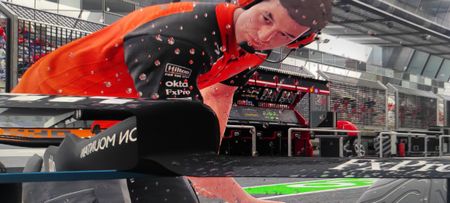
Sponsor decals can only be white on racing overalls
So in My Team, I've created a livery that is white and light blue, and I've applied these colors to the overalls too. Since the car has bright colors, I chose the black version of every sponsor decal, and that is fine. HOWEVER, on the racing overalls the sponsors only appear in white color, so they look totally invisible on a white racing overall. I thought that if I choose black decals for the car, those decals will also be black on the racing suits, but no. Is there a way I can change their color to black? If not, please consider to patch this, becuse the way it is now we are forced to pick dark colors for our car and race wear, and it is limiting the freedom in customization!My Team Career Suit and Gloves bug
Hi. I got a little problem with creating suits and gloves. I wanted to make a special livery f. E. Monza, but every time I finished creating it, it automatically reseted itself. I always had to close the game and restart it new. But then it only worked either for the suit or the gloves. So I had to close it again and start it up once more, so I could design the other part. i would appreciate it, if this would be looked at. It‘s just a bit of annoying to always have to close the game. I thank you for reading this and wish you all the best.Career Mode MyTeam Stuck at Loading Screen
I cant play My Team because it stuck for more than 30 min. i lost my patient so i closed it and try again for like 7 times. I played F1 25 on steam and checked in their forum and found some people have the same issue (some tried to wait 1 hour or more) and i found that we had same criteria, that was we have Maini in our driver line-up. Is it chained-problem from the last patch where "Fixed an issue where Kush Maini could sometimes be using an incorrect helmet"Automatic time advance in My Team
In My Team after returning from a GP weekend to hq, the game automatically progresses time and when you try to stop it, it stops 2 or 3 days before the next GP. This is extremely annoying because you can’t book any activities meaning that you are stuck. I know I am not the only one who is struggling with this, please fix this, it makes My Team so much less enjoyable.AI Penalties
You have that feeling of smashing things when you are in a race with AI, doesn't matter if is in career or Invitational and you have been rammed from behind, hit the wall and you receive a warning or even a penalty? I think this shout be looked into it, I have really bad experiences like this or moving hazardous before breaking zones. I know and I'm aware that they needs to give you a hard time but can be done otherwise, like late breaks so you can't overtake them. Coming back on penalties, I don't understand why I need to receive a 2 sec penalty when someone comes and hit me in the back, or hitting my rear side of the car and spins me and at the end it's still me with the warning.AI overtakes under yellow flags / safety car / VSC
I’ve noticed a serious issue where the AI can overtake under yellow flags, safety car, and VSC conditions without any penalty or needing to give the position back. It’s happened to me multiple times — for example, being overtaken on a straight under a full yellow flag, with the AI making a move as if the rules didn’t apply. No warning, no penalty, no position swap. Another clear case: in Career Mode, I exited the pits under safety car conditions and crossed the pit exit line about 2 meters ahead of an AI car. They immediately overtook me and never gave the place back — again, no consequence. This is yet another example of how the AI is not subject to the same rules or simulations as the player. Combined with issues like unlimited ERS, unrealistic traction, and no dirty air effects, it really hurts immersion and fairness. Hope this gets addressed — it’s a major gameplay issue.621Views14likes14CommentsF1 25 - Game breaking bug - Can't engage clutch to progress story
Playing through "Breaking Point" - Chapter 4 Dutch Grand Prix on PC. Main driver crashes and you switch to a grid start that says "Hold X to engage clutch". This doesn't do anything. I've tried xbox, PS4 and keyboard. Tried rebinding keys. Tried different difficulties. Can't even press escape to load menu once you get to this point. You're stuck with your character looking around and need to alt F4 to get out. Found you can disable manual starts in options > Simulation settings. However these settings are locked during the race and there's no way to change it out of the race. There's no way to revert save to the previous garage part where the setting can be changed as well.Title: About shadows during cloudy weather
Hello Support Team, I’m not sure if this is a bug or intended behavior, but I wanted to report it just in case. This happens on most courses: when driving under cloudy conditions, shadows suddenly appear even when there are no obstacles nearby, and the screen flickers. The location and timing are random, but one thing that’s consistent is that it always happens when driving in cloudy weather. I know you must be busy, but I’d appreciate it if you could look into this. Thank you.Grid walk cutscene randomly skips
I recently bought the game on steam and whenever I first start the game and go into a race whether is be grand prix mode or career mode, the track intro cutscene plays fine, the grid order cutscene plays fine too, but the moment they go into the grid walk cutscene (the one where the commentators are talking and showing the cars before the formation lap) after the safety car is shown the cutscene automatically skips (every other cutscene though like the celebrations and podium and champagne cutscene play like normal, it's really just the grid walk cutscene that skips). And I've tried every fix like unplugging different peripherals from my laptop to changing controllers and tinkering with the settings, changing refresh rates, lowering graphics, limiting fps and turning on vsync, turning of steam and discord overlay, turning off steam input, and even changing the commentator voices to no avail. I also tried reinstalling the game and verifying files with nothing changing at all. I've tried everything at this point and idk what to do, and idk if this is just a glitch with my copy, or is something that a problem no one just mentions. Another thing I noticed was that when I choose the F2 mode whether it's the 24 season or 25, the cutscene never skips at all and the game works fine again. And if I start with F2 and go race in the F1 mode after, the grid walk cutscene doesn't skip too. And, after that first initial skip, if I start in the F1 mode, it never skips again until I close the game and open it again for my next playthrough, and another temporary fix I found when I start the game is to skip the first two cutscenes (track intro, grid order), and the grid walk will play normally until I close the game again, and there are times when I start the game and the skip doesn't happen at all. So I'd just like to know what's going on, is there a fix for this? And if it's a bug... PLS FIX IT EA Report Code: CMXR-TXBB-BDMD-SCDG