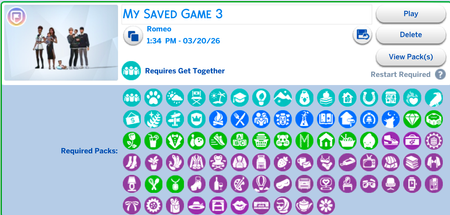
game is corrupted?
Since updating my game I had to redownload a lot of cc (accidentally fumbled and deleted everything) and I just tried opening my game and it kept saying a bunch of cc was corrupted and wouldn't launch the game. So I kept taking things out and eventually took out folders one by one till I had no cc and then it would open so I'm just mad confused.
Packs wont load
Every time I open my game recently, it says none of my packs are downloaded and tells me to restart the game. I've closed and reopened the game, repaired it, uninstalled and reinstalled the EA app, cleared my cache, and nothing has worked for me. Admittedly, I'm not the most tech-savvy, but I've looked at many similar problems online and haven't found a solution that works. I have no CC or Mods Thank you!Solved276Views3likes12CommentsGame crashing after latest update
Every time I open the game after the march 20th update it crashes in the title screen. I've been able to get past the title screen a handful of times. Every time ive been able to load in, I instantly go into build mode and the second I place anything the game freezes and then crashes. This happened both when I had mods, and when I disabled all of my mods so I know its not an issue with my mods. I also dont have any DLC made after Werewolves.
Sims and buildings deleted from the library
Recently i made a bunch of sims for a new save and i uploaded them to my library. I was working on a building when the game closed for the new update (17/03/2026). After the update i re-opened the game and all of the sims and lots i have ever made were gone.. Im not sure if its related to the CC and mods issues that also came with the new update, since i used a los of CC for my sims.Solved628Views9likes23Comments
Game closes out randomly
I will be in the middle of playing the game and it will literally freeze and close completely out of the game. i dont have cc, I have repaired, uninstalled the game and done all of the things that was suggested before when i posted this issue. Nothing has fixed this issue. HELP! I am sick of having to go backwards and redo everything i accomplish (even when saving often)114Views3likes4CommentsExtreme Game Lag After Removing All mods & CC
I was playing offline to avoid having to update to the March 17th patch, but my game and Lenovo Ideapad 3 were both insanely slow and I figured it was my mods so I removed all of them, cleared the cache and deleted the resource.cfg, repaired the game (which updated it lol), even started a new Sims 4 file entirely. My game is still so incredibly slow without any mods or cc that it’s too difficult to play. Camera rotation is twitchy and slow, Sim animations are extremely twitchy, opening any menu takes at least 5 minutes (it was never even that slow WITH mods) and hovering over UI options is so laggy that when I click on one thing, the game thinks I’m clicking where the cursor was 2 seconds ago. If it matteres, my CPU is running at 89%-93% just on the main menu… pls help!! 😭Solved225Views0likes12Comments
CC still not working after 23/3/26 update + saves file is empty???
Hello! My CC and mods haven't been working since the 17/3/26 update. I updated my game again on 23/3/26 and have tried various different things to try get my CC to work again but it's just not showing up. All my mods are up to date. I saw a post that says to move the whole Sims 4 folder to desktop & let the game create a new folder then transfer everything into the new folder so I went to do that but... my saves folder is empty. Which is weird because all my saves are still showing up as normal in game, but there's nothing in the saves folder, nothing in my OneDrive, and nothing in my hard drive. So I'm scared to move the Sims 4 folder out because I'm scared to lose all my current saves. Please help! <3
game won't open
hi everybody, I cannot open the game after the newest update (posting this on the twentysixth of march 2026), I've deleted all of my mods (and had no cc) before trying to start the game but before the latest update that was supposed to fix the game my game did start. Only after the latest update do I get a blueish black screen with only my cursor visible, does anyone know how to fix this? I've had the base game since release and I have all the dlc (except marketplace add ons) if that mathers at all.
Post patch install
Title: Game Crashes After Installing Patch PC 1.122.218.1030 Platform: PC – Steam version Game Version: 1.122.218.1030 (DX11) Operating System: Windows 11 Description of the Issue: After installing patch PC 1.122.218.1030, my game began crashing consistently and unpredictably. The crashes occur during normal gameplay, including CAS, Build/Buy, and when attempting to load into a world. Prior to this patch, the game was stable on my system. Troubleshooting Already Attempted: Repaired the game through Steam Deleted the entire Documents/Electronic Arts/The Sims 4 folder to force a clean rebuild Relaunched the game with no mods or CC Disabled OneDrive syncing for the Documents folder Verified that the game is running with a fresh user folder Crashes still occur immediately or within a few minutes of gameplay Multiple LastCrash.txt files generated (stack traces included) Frequency: Every session — crashes occur within minutes or when loading into a world. Expected Result: Game should load into worlds and run without crashing. Actual Result: Game crashes to desktop with no error message. LastCrash files show repeating stack patterns. Additional Notes: This issue began only after installing patch 1.122.218.1030. No hardware or system changes were made on my end. Attached is the latest crash file.