
Force feedback is still terrible, issue that's been reported for over a year
The issue mainly occurs in multiplayer, and it's just a sudden loss of force feedback that randomly occurs, mainly on tracks like Baku, Bahrain, and Saudi. There's still vibrations when you touch kerbs and off-track surfaces, but nothing for when you turn or accelerate, making it basically undriveable. I play on ps5 on controller, so I don't know if this issue is happening across all platforms, but it's been a known issue since last year and could do with getting fixed or at least improved. Pausing the game briefly brings it back, but it never fully fixes itself. I've noticed it seems to occur especially when the lobby owner has bad internet, or when there's a big crash in the race. I'm hoping that more people reporting it will get it more attention, because it's ruining a good game.
F1 27 Suggestion Megathread
Hey all, I thought it might be prudent to start a mega thread for ideas people would like to see, and to help EA_Groguet easily narrow down and see ideas into a single thread, unless there's one already, in which case, I am sure he will adjust this post accordingly. My first idea was regarding My Team, where, with the introduction of hiring 2 drivers, it would be more ideal to make it more of a manager style game mode. That way, who you hire would be more important. For example, if you decide to go the "Team Manager" route, and hire two drivers to drive for your team, why not have an option where the player can watch the race unfold instead of having to play as one of the drivers. So the player creates their team, hires their drivers, decides how long the races are, etc. When it comes to starting the race weekend, or qualifying, there's an option for "Watch Simulation" to watch your AI cars in a replay/broadcast mode as the session unfolds. So the player can watch a "Broadcast replay" as the race happens live. This would be awesome, I think. Additionally, there should be an "Owner/driver" mode for those who want to race as themselves in their own team instead. It's not the most realistic option, sure, but it's not wholly a bad thing. Another suggestion I'd have for My Team and Driver Career, is the option to have "Varying Peak R&D potential" for all the other teams in the game. The current games feel very rigid in their peak R&D, and it would be nice to see the AI teams have a small variation in performance every season, to help rotate the grids around a bit more, and make those driver transfers a bit more exciting, instead of just all the top talent going to the same top teams. A third, slightly more out there option, is the option to create additional drivers for the driver market in the game. With the official license for F1 and F2 already being there, it makes the driver market very limited in who you can hire and how they grow. Being able to add a couple of fictional, own created drivers to the market would help the game wonders. EA FC games have had this feature for years, and the idea of being create your own drivers to help pad out a repetitive driver market would also help. You can set a "Current ability" and a "Potential ability" and the game can randomly decide these stats when the career modes are started. This has been proven possible in other licenced F1 games, so I don't think this is too impossible. If you wanted to make yourself, a friend, or even a custom prodigy or meme driver, this feature could let you do that. Players can name them, audio name, nationality and driver number. (Drivers using that number can be randomly assigned a different one if the player chooses that number.) A fourth option for driver career mode would be to add a custom 12th team onto the grid that's controlled by an AI. This effectively works as expanding the grid like it does in My Team, but for driver career, giving more chances for driver moves and people coming into F1. Additionally, please add the ability to make the driver market more volatile in driver career mode, as this option isn't a thing in the game at the moment. Do you guys have any additional ideas? Put them in the thread below.The Lewis Hamilton show
Lewis Hamilton certainly hasn't been the leading F1 driver in recent years. Yet, whenever I open F1-25, there he is—front and center everywhere, decked out in his Ferrari gear. And the audio features him and Toto celebrating a world title in 2018. Couldn't that be a bit more up-to-date? I’m pretty sure the current world champion is Lando Norris. It would be nice to be able to choose which driver appears in the menus; right now, it feels a bit too much like the Lewis Hamilton show.
F1 27 wishes
I’m really hoping in F127 they add the national anthems that play during the podium they would be skippable of course, but it would be a nice thing to add for more realism. I also hope for the customizable liveries they make it more like Forza horizon where you can create your own liveries and stickers for cars and there would also a community page where you could download other peoples. I would really enjoy that.2026 ERS management
Maybe instead of removing LICO for everyone, add 2 LICO modes you can change between, like advanced and basic (advanced is LICO, pre patch and basic is post patch)(make it so you can change the modes, like authentic and competitive in fc). For open lobbies let the host decide for advanced or basic, some of us just prefer having LICO, it feels a lot more competitive than what we have now(post patch), so let the people who can't understand the new regs use basic and the people who want to keep LICO use advanced(can be switched anytime before entering a session).Madrid circuit
Im currently watching the Madrid race and was thinking the circuit we have needs a bit of a tweak first off the sausage Kurbs are lethal through the chicane I know why they are there to stop corner cutting but EA you have the technology to invalidate the lap of the corner cut.one mistake there and your into the wall turn 20 I believe needs to be opened up wider as it’s too close watching onboard there’s enough of a gap to use it to aid the driver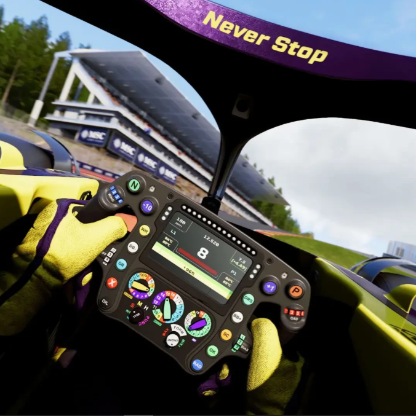
Madrid Circuit - Design and Track Geometry Errors
Hello, I'm reporting issues found in the Madrid circuit (F1 2026) that significantly impact the gaming experience. Braking zones geometries do not match the real-world track Turn angles are inaccurate throughout the circuit The overall track layout is not faithful to the actual Madrid circuit These errors make it impossible to set up the car coherently The geometric inaccuracy makes it extremely difficult to find a functional setup, causing anomalous car behavior (unpredictable understeer/oversteer, tire overheating). The circuit is unrepresentative of the real track and frustrating to drive. A patch correction to align the Madrid circuit with the real-world track would be greatly appreciated by the community. Thank you for your attention. Ps: I apologize for my imperfect English.F1 25 Career Mode Needs More Freedom: F2 Career & Full Driver Market
F1 25 Career Mode Needs More Freedom: F2 Career & Full Driver Market I'd like to request two improvements to F1 25 Career Mode that I think would make a huge difference to the community. 1 - ADD F2 CARS TO DRIVER CAREER Now that F2 cars are available in F1 25, please allow us to actually start a Driver Career in F2 and work our way into Formula 1. Starting in F2, completing a season, earning an F1 opportunity, and then continuing that same career in F1 would add a lot more immersion and replayability. The cars and drivers are already in the game. Career Mode should make meaningful use of them instead of leaving players dependent on modders to create functionality that feels like it should be part of the base game. 2 - OPEN THE MY TEAM DRIVER MARKET Please remove the system that limits My Team players to a small random pool of three drivers. The full available driver market should be accessible when negotiating contracts. Let the player decide who they want to approach, with realistic restrictions based on salary, team reputation, driver rating, contract status, and the driver's willingness to join. If a driver isn't interested in my team, that's fine - have them reject the offer. That's much more immersive than simply hiding most of the driver market behind a random selection that may not even change. These changesTurn sim wheel and car not behaving in same way
Is anyone else having same issue when racing either in career mode or league racing that when you turn your rig wheel even if you have upped steering rate and lowered the wheel rotation the car drives like you are in dirty air or have no front wing and car just understeers even if you turn in early. I am on a Logitech g29 if there is a fix or advice I will gladly accept. But whatever this new update did, it made it worse cos I didn’t have this much of an issue of car turning in before this update
