How I approach the new year of FC.
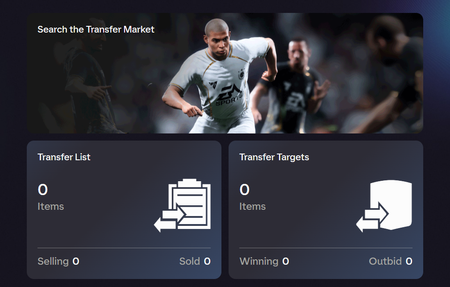
For me, the beginning of the year is the most exciting. My favorite part about early year play is that golds matter, In Forms matter for more than SBCs, packing a good card feels exciting and finding that perfect chemistry between your good cards and players from your favorite club...it all just feels great. There aren't more promo cards than base cards. 1 Icon or Hero can open up so much team building. Grinding for those cards provides a very satisfying win when you finally pack one or trade enough to purchase one. The hard part is how do I get there? I have taken a very different approach over the past few years that has made a huge difference in my enjoyment of the game. In the past, I would spend a lot on points at the beginning of the year (like 36,000-48,000) and then to keep it going, I'd get more points 1-2 times each month during promos all year long. I just continually would spend points on packs hoping to hit the lottery and get rich. I did not have a healthy balance between real money and grinding the game. That imbalance ruined the game for me. Even in years where I'd pack some great cards. . .I'd be bothered knowing in my mind how much I spent. Worse yet, in the years I wouldn't really pack anyone valuable, the resentment and frustration would build. I realized that resentment was the source of most of my frustration with the game. It ruined the experience for me. As with everything in life, I had to find a balance that works for me. Trading helped me to find a better balance. What I do now is allow myself a little kitty to start the year. In the past two years its been from 12,000 to 24,000 over the first month that I use to build up a trade pool. One thing I may do this year is be patient and wait for player packs instead of just ripping packs day 1! Time will tell on this one. My objective is to get enough value from those points to fill up my trade pile. Pending the coin value of the cards I hit and sell, I'll focus on 82-84 rated cards or if I get lucky and hit some more valuable cards, focus on higher rated "meta" cards. If I hit anyone really valuable, that's awesome. . .icing on the cake and I'll maybe use a little for my first squad. But my objective is to fund my trade pile. Trading early on can be very fruitful and afford you a very nice team and continued coin income (if you keep at it). I know not everyone has the money to do this. There are alternative ways to building up a trade pile. Starting with some points, I'm simply skipping the introductory trading method, called the Bronze Pack Method and jumping right into trading golds. If you're unfamiliar, I just checked. . .ask ChatGPT and it gives a great rundown of how this works. I try to trade very heavily the first 2 months of the game. This is when trading truly is at its best. As there are so many new people starting out, this is when you can be selling Adama Traore for crazy amounts. There are a few methods for the early game. The Lazy Buyer Method (TL;DR buy players cheap, and list at 2x,3x with a full trade pile), predicting In Forms and purchasing their golds before release, purchasing In Forms and waiting for them to be required in SBCs (which can cause their base price to inflate), trying to predict cards that will fit good SBCs or playing it just like the stock market. The market is very volatile early on. There are less risky methods (Lazy Buyer) that will consistently generate income or more risky methods where you target a certain card and purchase many of them hoping they inflate and you can sell. Having a diverse trade pile (lazy buyer) will be less risky because you are not putting all your eggs in one basket. This isn't a blog on trading, its a blog to help people who might have been where I was before. I love this franchise but I let it take an unhealthy grip on how I game. I found a balance that works for me and the last 2 years I found myself less angry, less frustrated, and enjoying the game longer and longer. I hope this helps others! Looking forward to all the changes to gameplay. Looking forward to Tournaments. SBCs. . .it's going to be a good year!234Views5likes0Comments
EA SPORTS FC™ 26 | Clubs Deep Dive
Welcome to the EA SPORTS FC 26 Clubs Deep Dive Pitch Notes. From revamped player progression with Archetypes to dynamic Clubs Rush Live Events, and community-requested features like support for Multiple Clubs, we’re excited to bring significant Clubs updates to FC 26. Let’s jump into what we’re doing to make Clubs a deeper and more dynamic experience. Table of Contents Archetypes Archetype Progression How do I unlock Archetypes? How do I progress my Archetype? Leveling Up Archetypes Live Updates Archetype Card Consumables Signature PlayStyles & PlayStyles Slots Attributes Specializations Signature Perks Live Events How do I enter a Live Event Entry Requirements Multi-Stage Events Flexible Rules & House Rules Events Objectives & Rewards Revamped Clubs Lobby Role Fit and OVR Match Status Widget New Set Piece Assignments Multiple Clubs Clubs Rush & Playoff Rewards Be-A-Goalkeeper Revamp Be-A-Goalkeeper in Clubs Rush AI Facilities Gameplay Impact Other Improvements Clubs Gameplay Competitive Gameplay Fatigue Redesigned Match Rating Changes Expanded Quick Chat Options CPU AI Archetypes Archetypes deliver a new progression system to Clubs in FC 26. You’ll be able to unlock, progress, and develop 13 distinct player Archetypes, each inspired by an ICON of world football, and each built to give you options that fit your style of play. Each of the 13 Archetypes comes with its own set of unique characteristics, and the new customization experience gives you more control over how you develop your Pro. Archetype Progression How do I unlock Archetypes? When entering Clubs for the first time, you’ll select your first Archetype. The remaining 12 Archetypes can be obtained via Clubs Coins, FC Points, or Archetype Unlock consumable items that can be found as rewards. How do I progress my Archetype? Every time you play a Clubs match in EA SPORTS FC 26, you will earn Archetype XP (AXP). The more you play, the more AXP you can collect. The amount of AXP you earn will depend on: Your Role Rating - The bulk of your AXP earnings will come from your Role Rating. Obtaining a higher rating can yield better AXP rewards. Your Gameplay Actions - You will earn a small amount of AXP for every action you complete in a match. Match Type – Your AXP earned via Role Rating and Gameplay Actions will differ depending on whether you’re playing a Clubs League, Playoffs, Friendly, Drop-In, Clubs Rush, or Live Event match. You will also be able to earn AXP by playing Skill Games, though the amount that you can earn each week will be limited, just as it has been in the past. Once you’ve earned enough AXP, your Archetype will move up to the next level. It’s important to remember that each Archetype progresses separately. If you’ve unlocked multiple Archetypes, you’ll need to play matches with each one to level them up individually. Leveling Up As your progress your Archetype, you’ll receive rewards to help upgrade your attributes and abilities: Attribute Points (AP) – AP can be spent to upgrade your attributes, taking you one step closer to unlocking more PlayStyles or even a Specialization. Signature Playstyles Upgrades – Each of your Signature PlayStyles will upgrade to a PlayStyle+, maximizing your Archetype’s power on the pitch. Unlock Signature Perks – Unlock extra Signature Perks to make your Archetype stand out. Customizable PlayStyles Slots – Gain additional slots to further personalize your Archetype’s PlayStyles. Archetypes Live Updates At launch, each Archetype can be progressed from level 1 up to level 50. This will give you plenty of room to grow and develop your Archetype over time, however, the journey doesn’t end there. Throughout the season, you can expect the maximum level to increase, along with more changes and updates to Archetypes, meaning you’ll have more opportunities to further upgrade and personalize your favourite Archetypes as the season goes on. Archetype Card Your Archetype Card is the visual representation of you and your Archetype everywhere in Clubs. As you progress, your Archetype Card will update to reflect your journey from Bronze to ICON. Each Archetype has its own Archetype Card with a unique pose, background, and key attributes highlighted on the side to see how your Target measures up against someone else's. If you want to show off, you can customize your card with backgrounds earned through Season Pass rewards, objective rewards, or the Clubs Store. Your Archetype Card is not just for you, it’s how other players will see you during every big moment. You can expect to see Archetype Cards throughout the match experience, showcasing your Virtual Pro, progression, and achievements in new ways. Consumables Consumables introduce another way to impact your Archetype progression outside of playing matches or Skill Games. Our intent with consumables is to help players who join Clubs later in the lifecycle catch up and feel like they can still make an impact. There will be multiple Consumable types available in EA SPORTS FC 26, including: Archetype XP (AXP) Multipliers – Boost the AXP match rewards for a set number of matches. Direct Apply AXP – Instantly grant AXP to your active Archetype Note: To maintain balance, Direct Apply AXP Consumables can only be used on Archetypes under a predefined level, ensuring that the tool serves its purpose as a catch-up tool, rather than a shortcut to max level Archetypes. Archetype Unlocks – Allow you to obtain any locked Archetype via the Archetypes Screen. Archetype Resets – Return your spent Attribute Points to your wallet, allowing you to redistribute them as you see fit. You can unlock these Consumables through Season Pass rewards, objective rewards, or obtain them via the Clubs Store. This ensures that all players, whether they choose to purchase consumables or not, have the means to access them. Signature PlayStyles & PlayStyles Slots Signature PlayStyles Each Archetype in EA SPORTS FC 26 comes with its own set of unique Signature PlayStyles that reflect that Archetype’s style of play. These PlayStyles are automatically unlocked and equipped when you unlock your Archetype, and they’ll upgrade to PlayStyle+ as you progress with that Archetype. While Signature PlayStyles cannot be removed, you do have the option to swap them out for a different PlayStyle+ once you unlock and equip a Specialization for that Archetype, giving you some flexibility in customizing your items as you advance. Customizable PlayStyles Slots On top of your Signature PlayStyles, you’ll also have Customizable PlayStyles slots that allow you to tailor your Archetype to suit your own style. As you progress through your Archetype, the number of available Customizable PlayStyles slots increases, allowing for more flexibility in tailoring your Archetypes abilities. You can assign any PlayStyle to these slots, as long as your Archetype meets the necessary Attribute Unlock Requirements for that PlayStyle. Any PlayStyle equipped to your Customizable Slots will not upgrade to the PlayStyle+ version of that PlayStyle. Attribute Unlock Requirements Each PlayStyle has specific Attribute Unlock Requirements that must be met before it can be equipped. To unlock a PlayStyle, you need to upgrade the relevant attributes to the required value, which can be done either directly from the Edit Attributes screen or by selecting the PlayStyle directly from the Customizable PlayStyles screen (provided you have enough AP). These requirements are consistent across all Archetypes, meaning the AP cost to unlock a PlayStyle may vary depending on the starting attribute values of the chosen Archetype. For example, to unlock Dead Ball, you must first upgrade the attributes below. FK Accuracy - 75 Crossing - 80 ShotPower - 80 Attributes Min & Max Values Each Archetype has a unique set of minimum and maximum values for all attributes, as well as unique ranges for Weak Foot and Skill Moves. Upgrading Attributes With Archetypes, you’ll now be able to upgrade any attribute you want. When you level up your Archetype, you receive Attribute Points (AP) that can be used to improve any attribute directly from the Edit Attributes screen. As you increase an attribute, the AP cost for further upgrades will also rise, making higher values tougher to reach. Any upgrades you make are permanent, but if you want to reallocate your points, you can request an Archetype Reset (using Clubs Coins or a Reset Consumable), which returns all previously spent AP to your wallet. Key Attributes Each Archetype comes designated with four specific Key Attributes that complement the way your selected Archetype is built to play. These Key Attributes cost less AP to upgrade for that Archetype compared to others, making it more efficient to develop that Archetype in a way that suits its strengths. Key Attributes are highlighted by default when entering the Edit Attributes screen, making them easy to identify whenever you want to upgrade. Height & Weight To preserve gameplay balance, each Archetype comes with its own specific range for height and weight. While you can adjust your height or weight within this range to match your desired look or style of play, doing so will have a minor impact on a select few Attributes. These changes don’t alter the base attribute values of the Archetype itself. Instead, the adjustments are applied as a small increase or decrease to the relevant Attributes only when you enter a match in any Clubs mode, similar to how you experience a boost via Club Facilities. Specializations Specializations introduce three unique variants to each Archetype for you to develop toward over time, encouraging you to either break the mold or double-down on becoming the elite version of your chosen Archetype. Attribute Unlock Requirements Similarly to PlayStyles, Specializations are unlocked by upgrading certain attributes to the required value via the Edit Attributes screen. For example: Upgrading Finishing, Heading Accuracy, and Volleys past the required values will transform your playmaking Maestro Archetype into a box-crashing midfielder capable of changing the game with late runs into the box from deep. Specialization Upgrades By unlocking a Specialization, you gain an extra Signature Perk that will be assigned to your Archetype for as long as the Specialization remains equipped, and an additional Signature PlayStyle+ that can be assigned to one of your Archetype’s Signature PlayStyle slots. So transforming your Maestro into a Crasher will grant you First Touch+ to control those passes into the box, and the Box Crash Perk to help you slot it home. Only one Specialization can be equipped at a time, so if you unlock more than one, you’ll need to choose which to use in order to benefit from its rewards. Signature Perks Signature Perks are new on-pitch abilities designed to encourage you to embody your chosen Archetype or Specialization whenever you step on the pitch. Each Archetype comes with two Signature Perks that are unlocked through the course of your Archetype progression, while a third is equipped whenever you have a Specialization active. There are three types of Perks: Action-based perks activate after you perform a specific action and provide you with a temporary attribute boost. For example, the Press and Pass perk assigned to the Recycler Archetype delivers a temporary boost to Short Passing, Reactions, and Vision after regaining possession in your own half. Mechanic-based perks trigger when using a certain control or technique. A Creator Archetype, for instance, gets a boost to Curve, Short Passing, and Long Passing when making Precision Passes in the middle third via the Precise Pass perk. Team-focused perks benefit your teammates. If a Creator+ Specialization completes a through pass in the opponent's half, the receiver temporarily gains boosts in Finishing, Balance, and Ball Control via the Assistant perk. Live Events You can team up and compete in new ways with Live Events, delivering dynamic Clubs Rush tournament experiences. Each Live Event will bring new challenges with varying entry requirements, modified Rush gameplay, and alternate rules, creating fresh opportunities for you to earn rewards throughout the season. Each Live Event comes in the form of a single-elimination knockout tournament, where your skill will be tested across a max of four Rush knockout rounds. There’s also a brand new Rush Stadium, to give each tournament a more focused, intense atmosphere. Plus, you can celebrate on stage with your squad after a trophy win. Event Structure Each player starts with a limited number of attempts to win the tournament. Winning a match allows you to move on to the next round, while losing a match costs you an attempt and sends you back to the first round. Using up all your attempts will see you are eliminated from the event, though some events will reset your available attempts after a certain period, giving you another chance to participate. The tournament can only be won by claiming victory in consecutive matches across all rounds up to and including the Final. Event progress is tracked individually and not as a squad, and there is no time limit for starting your next match. So you can take your time editing your Archetype before attempting the next round with a new batch of teammates, just don’t wait too long, as each event will eventually expire. How do I enter a Live Event You’ll be able to see the full list of available and upcoming Live Events from the Live Events Tab in the Play menu. Simply select the available event you want to enter, and proceed into the lobby. From there, you can choose to invite your friends, or search for a match solo. All matchmaking will pair you with teammates and opponents at the same tournament stage, ensuring all players know exactly what is at stake. Each Live Event will always look to ensure you have a full squad of outfield players before entering a match, but in the event that a full squad can’t be found, a team of two human players minimum can proceed with AI teammates filling the open spots. In order to play with friends, you will need to all be at the same tournament round to proceed. If you happen to be in a later round than your lobbymates, then you can choose to reset your progress from inside the Live Event lobby in order to compete alongside them. Doing so will result in losing a tournament attempt. Entry Requirements Each Clubs Rush Live Event can have its own unique set of entry requirements, to increase the level of competition or introduce fun new challenges that shake up the Clubs Rush experience. Some events may require you to increase your Clubs Rush player rank, improve your selected Archetype to a predefined level, or even require you to use a specific Archetype in order to access the event. Multi-Stage Events Some events may even be linked together over multiple stages, where winning the first event will unlock a higher-tier event in the future where you’ll be playing for even bigger rewards. If you miss out on the first stage, no problem, some events will allow you to enter into a redemption stage, where you’ll get a second chance of making it to the next round. Flexible Rules & House Rules Events Whether it’s increasing the tension from the opening whistle by shortening the Match Length or staging Golden Goal matches, Clubs Rush Live Events are intended to give you a wide variety of experiences. We’ll have some exciting new Rush House Rules options exclusive to Clubs Rush Live Events including: Designated Scorer - Goals count as double when scored by your designated scorer. Stay alert, though, as the chosen player changes throughout the game. Rugby Rush - The referee’s not watching. Dominate your opponent with powerful shoulder barges that won't get penalised. Keep an eye out for these over the course of the FC 26 season. Objectives & Rewards Each Live Event will be linked to the Clubs Objectives system inside of FC Hub, providing you with more reason to put together a squad and take on the latest tournament. Rewards will vary from event to event, giving you the opportunity to earn cosmetic items for your Pro, Archetype card backgrounds, or even Consumables to help boost your Archetype’s progression. Revamped Clubs Lobby The Clubs Lobby has been redesigned for a cleaner layout and improved functionality. Role Fit and OVR You can check how well your Archetype selection fits the position & role of each vacant position in your club’s chosen tactic. Simply highlight any vacant position on the lobby pitch to observe your Role Fit. Perfect Fit - Your Archetype is a perfect match for this role and position. Good Fit - Your Archetype is a good fit for this position, but perhaps not the ideal role. Okay Fit - Your Archetype is not particularly suited to this role or position. Bad Fit - Out of Position Similarly, when navigating vacant positions on the lobby pitch, you can observe your Archetype’s OVR value for the highlighted position. Match Status Widget Receive real-time updates from in-progress matches, and monitor the status of Clubs League matchmaking or Friendly Challenge requests via the new Match Status Widget. New Set Piece Assignments A number of new Set Pieces assignments have been added to the Assignments tab, giving you more control over your routines. 2 new Attacking Corner Kick assignments Top of Box Defensive Cover 5 total (Near Post, Back Post, Target Player, Top of Box, Defensive Cover) 4 separate Defensive Corner Kick assignments Threat Marker Post Watcher Near Post Back Post Left Throw-in Taker Right Throw-in Taker Multiple Clubs You can now be a member of up to three clubs at any time, and can freely switch between them using the Switch Clubs function inside the Clubs menus. Clubs Rush & Playoff Rewards You will only be able to earn Clubs Rush & Clubs Playoffs rewards on behalf of a single favourite club that’s selectable from the Switch Clubs screen. You can switch your favourite club at any time during the season but you’ll need to make sure it’s set to the one you want before rewards are distributed at season’s end. Be-A-Goalkeeper Revamp There are a lot of updates to the Be-A-Goalkeeper (BAG) experience in FC 26, including new controls and assistance levels, PlayStyles for BAG, revamped UI components and updated presentation, featuring unique camera and audio treatments. For full details of the revamped Be-A-Goalkeeper experience, check out the Gameplay Deep Dive Pitch Notes. Be-A-Goalkeeper in Clubs Rush Be-A-Goalkeeper (BAG) players will now be able to test their ability on the Rush pitch exclusively in Clubs Rush. In support of this, the Clubs Rush matchmaking experience has undergone a few changes: The maximum lobby size has increased to 5 players (though 1 must be using a GK Archetype in order to proceed to a match). Whether your squad has a goalkeeper or not, matchmaking will attempt to find a squad similar to yours. If your group would prefer to play without a goalkeeper, you can disable the ‘Find GK’ setting inside your Clubs Rush lobby. AI Facilities Facilities are being expanded in FC 26 with the introduction of AI Facilities that boost the attributes for your AI teammates. With the Facility budget now shared between AI and Player Facility upgrades, club managers now have a lot more to think about when deciding how to best allocate their resources. Gameplay Impact AI Facilities are similar to Player Facilities, but with a few key differences: AI Facility upgrades will only come in the form of attribute increases. AI Facility upgrades are position-group specific, meaning you will have a group of Facilities dedicated to improving your Forwards, while another will be solely dedicated to training your Goalkeeper. So be sure to consider the position you and your clubmates will be taking up when allocating your budget. Other Improvements In response to community feedback, Player Facilities have also been rebalanced to provide more consistent value. Look out for more updates to Club Facilities throughout the FC 26 season. Clubs Gameplay Competitive Gameplay Competitive Gameplay is mandatory/locked in Clubs in FC 26. Our goal with Competitive Gameplay is to create a more competitive experience by reducing the impact of randomness and assistance. This is an experience tailored for players who enjoy fast-paced, responsive gameplay. The changes to Competitive Gameplay aim to deliver on the three competitive community priorities: Responsiveness, Consistency, and Control. For more details regarding Competitive Gameplay, check out our Gameplay Deep Dive Pitch Notes. Fatigue Redesigned The impact of Fatigue will be redefined on the Competitive Gameplay experience in FC 26 to support our goal of improving responsiveness across the game. When controlling your Pro: Short-term fatigue will continue to work as before. For example, when short-term stamina depletes, you will be slower when running until the fatigue bar recovers. You will no longer experience loss of Long-Term Fatigue. This applies to any time you are controlling a player, even if you are “Any” (alternating between players). For AI: AI Players have a reduction in Sprint Speed and Acceleration when fatigued (proportional to the fatigue level). Long-term and short-term fatigue are in effect. PlayStyles and Attributes Relentless and Relentless+ PlayStyles have been changed to increase how quickly your short-term fatigue recovers (more details in the PlayStyles section of the Gameplay Deep Dive). The Stamina attribute will continue to work as before, for example when determining how quickly your stamina bar depletes. Match Rating Changes Match Rating in Clubs has been redefined as Role Rating for FC 26, meaning each player’s performance will now be related to the actions that matter the most to their assigned Role (e.g. Box-to-Box, Playmaker, Inside Forward, etc). To ensure you are getting a rating that is based on the actions that matter to your role, we created several different categories: Goalkeeping, Defending, Dribbling, Shooting, Passing, and a unique group that includes stats such as Goals scored or conceded by the team, red cards, and even individual Goals or Assists. These will impact all players equally. You can find a breakdown of these ratings and how much they contribute to the total rating in the Performance screens during a match. Some similar Roles will be grouped together. For example, the rating of a CB with Defender or Stopper will be primarily based on their defensive actions, while the rating of a Ball-Playing CB will also consider the effectiveness of their passing. As an example, let's take two Central Midfielders who performed exactly the same in the same match, creating a number of key chances and providing an assist while performing identically in defense. One has been assigned the Box-to-Box role, while the other has been assigned the Playmaker role. Box-To-Box - Defensive and attacking actions are rated equally. This player may receive a Match Rating of 8.0 for their performance. Playmaker - Creative actions like through-passes, assists, and dictating the pace of play are weighted more heavily than defensive actions. This player may receive a Match Rating of 8.5 for their performance due to the increased value of chance creation when assessing this role. Expanded Quick Chat Options We have added four diverse Quick Chat categories, each featuring four messages for a deeper Social experience. After pressing a direction on the D-Pad a set of new messages will be selectable to provide further communication options to your teammates. Instructions (yellow) Keep it simple Drop back Passing game Push up Compliments (cyan) Golazo Thanks Let's go What a save Encouragement (magenta) Lock in Shake it off My bad Unlucky Celebrations (green) Cold Joga bonito GOAT GG CPU AI The Clubs CPU AI has received some improvements to the Call-for-Pass system, making the CPU more intelligent when considering pass requests and preferring better options when multiple requests come in at the same time. This improvement extends to both Clubs and Rush, ensuring the CPU Goalkeeper will choose better pass options when players spam the pass request. Thank you for taking the time to dive into the Clubs Pitch Notes. Be sure to check out the EA SPORTS FC Feedback Hub for all the ways you can share your feedback with us.3.8KViews5likes6Comments
Controller Issues: Complete Player Guide
Follow these simple steps if you experience any controller-related issues. FC 26 — Controller setup (important for Online matches) Use only your controller to navigate the opening screens and menus If the controller works offline but not online, restart FC 26 and navigate through the startup menus again using only the controller. Tip: avoid alt-tabbing or clicking the desktop until you reach the main menu PC (Windows) — Steps Quick fixes Close the game, unplug the controller, plug it back in, then relaunch Try a different USB data cable and a rear USB 3.x port Test wired first before using Bluetooth Try Fullscreen and Windowed/Borderless modes Set a frame-rate cap such as 30 or 60 FPS Enable VSync Lower graphics settings like shadows and effects Run the game .exe as Administrator as a test Disconnect other input devices so only one controller is connected Turn off overlays while testing such as EA App, Steam Overlay, Xbox Game Bar, Discord, GeForce Experience, RivaTuner Steam and EA App Steam → Library → right-click your FC title → Properties → Controller then test Enable and Disable Steam Input Steam → Settings → Controller → General Controller Settings then enable only the type you use Xbox or PlayStation or Generic In Steam controller settings ensure the correct controller is set as preferred or active EA App → your game → Repair then Help → App Recovery to clear cache and restart Windows detects the controller Press Win then type joy.cpl and open Game Controllers to confirm inputs register If duplicates appear such as XInput and HID disable the extra entry to stop double inputs Drivers, power and Bluetooth Update Windows, your GPU drivers, and the controller firmware using Xbox Accessories or the DualSense updater In Device Manager remove the controller. Under Human Interface Devices remove any old and greyed entries then restart the PC and reconnect For Bluetooth remove old pairings on both PC and controller then pair again and keep within 2–3 m line-of-sight If built-in Bluetooth is unreliable try a dedicated USB Bluetooth dongle Other steps Set the Windows power plan to Balanced or High performance and disable USB selective suspend in advanced power settings Test the controller in another game or device and as a last step, reinstall the game Console — Steps Quick fixes Fully restart the console by shutting down, unplugging for about 30 seconds then powering on Charge the controller or connect it with a USB cable and try a different cable or port Disconnect other devices such as extra controllers, headsets or adapters during testing Updates and wireless checks Update the console system software and the controller firmware using console settings or the companion app Remove the old pairing and pair the controller again while staying close and line-of-sight Turn off nearby Bluetooth devices or extra controllers to prevent focus switching Helpful console settings PlayStation → Settings → Accessories → Controllers and if issues persist set Communication Method to Use USB Cable when connected PlayStation controllers can disable the touchpad shortcut with PS Button + Touchpad if supported Disable Remote Play or streaming apps while testing and turn off cursor or touchpad gesture modes if your controller supports them Try the controller on another game or device to confirm it works10KViews4likes0CommentsEA SPORTS FC™ 26 | Pitch Notes - Gameplay Responsiveness Update
FC Feedback Report Hey everyone, as part of the new FC Feedback Hub we’ll be keeping you close to our development process with detailed reports, making sure you know what feedback we’re working on. For our first update, we wanted to focus on something we know is important to you: Gameplay Responsiveness. We’ve heard your feedback, and our teams have been working on making EA SPORTS FC 26 our most responsive title yet. In this article, we’ll cover what we’re doing to address your feedback around online responsiveness, and the new additions to FC 26 intended to improve overall gameplay performance. Let’s dive in. Understanding Delay Delay refers to the link between a player's action, like pressing a button or moving a stick, and the corresponding response in the game. Delay can stem from various sources, including online connection quality issues, elevated ping due to distance from an FC Game Data Center, complexities in the input processing and animation systems, or even delays in displays. We know that delay disrupts the seamless connection between the player and the game, making the experience feel unresponsive and frustrating. And let’s face it, when a game doesn’t feel responsive, it’s simply not fun. Addressing your concerns about delay has been a top priority for us as we head into EA SPORTS FC 26 launch. What We’ve Been Testing Our Gameplay Responsiveness testing goes back to 2019, where we ran a number of in-depth tests on infrastructure and player connections, and created tools to help us better understand what you were experiencing. Heading into FC 26, we set our focus on testing directly with FC Design Council members, FC Pro Players, members of our community, and members of our internal teams. For example, members of our development team met directly with FC players in Europe to test gameplay responsiveness on their own personal setups. We tested at their houses and team headquarters in Spain and the UK for extensive online modes research in FC 25. You can see what this looked like below. We’ve also been testing responsiveness with members of our Design Council remotely, collecting connection quality data from players all around the world. And while all of this has been happening, we’ve been running regular tests with a dedicated internal team of core players across our QV and development teams to feedback on responsiveness problems. What We Learned FC players are really good at detecting even the smallest delay issues. Delays of even 1 frame can result in a noticeably unresponsive experience. When diving into the details, we’ve noticed players experience delay in significantly different ways. What you refer to as delay can be experienced in both Offline and Online play, in most cases. When playing with good connection quality, or in offline play, these are the main reasons that can create a sense of gameplay unresponsiveness: Animation Selection Variability to create authenticity Contexts with limited coverage Animation system bugs Time between button press and when the simulation processes the input. In poor connection quality conditions, there are many more variables that could create unresponsive Gameplay. The most common ones include: Ethernet vs WiFi Currently more than half of FC players play online through WiFi. WiFi often introduces serious inconsistencies in connection quality, such as Jitter and Packet loss, which could result in delayed actions in Gameplay. Even WiFi with strong signal strength and high quality signal can create inconsistencies. We recommend always using an ethernet cable when possible for a generally much smoother connection. High Ping Ping measures the time it takes for game data to travel between your console or PC to the EA SPORTS FC™ Game Data Center and back. Lower ping usually means faster data transfer and a more responsive gameplay experience. Your ping can vary based on your internet provider and your physical location, and it is not based strictly on your physical distance from an FC Game Data Center. A close physical distance to our FC Game Data Centers cannot guarantee a low ping experience by default, because factors such as how your internet service provider physically routes traffic can impact your ping. We are always monitoring the performance of our FC Game Data Centers. Working with providers, ISPs and our internal teams to provide the best experience we can to our players around the world. Internet Bandwidth With a low bandwidth internet connection, other activities using the same network can negatively influence game performance. From automatic video uploads from a console to streaming content from other devices, there are many factors that could introduce delay. To learn more about your Connection Quality and how it may be influencing your gameplay experience when playing online in EA SPORTS FC, you can check out our Connection Quality Report. The Connection Quality Report is a tool intended to help you better understand the quality of your connection using data from applicable EA SPORTS FC online matches that you’ve played. How your display FC can also massively impact overall game responsiveness. TV or Monitor Settings A TV outside of Game Mode can introduce anywhere from 20 to over 100ms of delay to the gameplay experience, making it feel like you’re playing in a poor connection environment. We always recommend using Game Mode if available on your TV, or use a gaming monitor. High quality cables can also help reduce how long it takes visual signal to be processed, and third party devices like external capture cards can also add noticeable delay. In broad terms, the speed at which your screen can display the game is critical to the feeling of responsiveness or unresponsiveness. If your display has a noticeable delay or can’t maintain a consistent response time, you may feel a delay no matter what your other conditions are. Different Player Motivations Another important learning is that FC players enjoy both a more responsive and consistent experience, but also a more tactical, composed and authentic experience. We’ve tried to balance a single gameplay experience for both types of motivations in the past, but based on your feedback we’ve decided to tailor the experience separately. In FC 26, we are creating two types of Gameplay, Competitive and Authentic. Competitive Gameplay is tuned for consistent responsiveness, mainly focused on online modes like Ultimate Team and Clubs. Authentic Gameplay is tuned for higher realism and true-to-life match tempo/speed in offline modes, like Career Mode. For both gameplay types, and with your feedback in mind, we’re improving our Fundamentals with the objective to make them more responsive and consistent in FC 26. What’s New For FC 26 Responsiveness As you may have noticed in the FC 26 reveal trailer, we’ve focused on new gameplay fundamentals to improve responsiveness at all levels. We wanted to make sure we directly addressed your feedback and the things we’ve learned through testing to deliver the most impactful changes. Animation variability meant to create authenticity FC strives to visually reflect the real world game, and to make this possible our Gameplay engine was designed to use realistic animations. Realistic motion capture/volumetric animations are all unique by nature. In FC, many factors like ball distance from the player, movement input angle, and player speed will dictate what animation is chosen and how it plays in the game. This combination of factors ensure Gameplay variety, depth and authenticity. In summary, in our gameplay engine, there is variety, and no play is the same. This is to create a seamless, and authentic experience. We are continuing to work on finding the right balance between gameplay animation depth and variety, and consistent expected behaviors, that are always responsive to player input. More details on how we are addressing these problems will be part of the Gameplay Pitch Notes, for example: Animation transitions and branching have been reevaluated and re-tuned across most areas of gameplay to improve consistency and responsiveness. Increased Animation Coverage Animations play an important role for a football game to be authentic. Every year we add new animations to refresh the experience, create variety, and to fill any coverage gaps. Some contexts may have had limited animation coverage in the past. This caused our system to use a longer animation or delay starting an animation while attempting to position the player in a way that would accommodate the best possible animation. We’ve focused on improving the coverage for scenarios where it's reasonable to expect a responsive action. To clarify, we have strict game performance checks that ensure the game runs smoothly regardless of the amount of animations that exist in the database. This year we have added hundreds of new animations meant to enable players to perform actions faster than ever. Addressed Animation System Bugs In some cases, the systems that decide what animations should play can experience bugs. These are arguably the most complicated systems in a Gameplay engine, since they need to solve every combination of player requests with the available animations, while keeping high quality visuals. For example: Expecting the player to get to the ball as early as possible to prevent the opponent getting to it first, but the player taking an inefficient or curved path to the ball that introduces just enough delay for the opponent to win the ball. Expecting an immediate right foot shot to prevent getting tackled, but the player decides to use their left foot instead, delaying the shot for a couple of frames. With a focus on Fundamentals, this year we’ve fixed dozens of problems related to the Animation System and its responsiveness. Time between button press and when our simulation processes the input We looked closely at every stage of the input processing system and identified a few opportunities to improve our input latency. We were able to improve input latency by one frame in some cases of first time passes and shot requests. Combined with the animation improvements mentioned above, these scenarios are more likely to play out as first time passes or shots in FC 26, as opposed to taking a touch that feels unresponsive. We’ve improved our input systems with the aim of ensuring that all inputs are processed immediately. We also improved the responsiveness of the on screen player switch indicator visual feedback, giving the user more immediate feedback on which player they are controlling and allowing for more responsive reactions to the play. We’ll share more about these updates in more detail in our upcoming FC 26 Gameplay Deep Dive, which will be live on July 22. Stay tuned! What’s Next In the lead up to FC 26 launch, we’re continuing to meet with members of our Design Council to help us find additional cases related to gameplay responsiveness. This will remain a priority for our teams to make FC feel more responsive than ever, based on your feedback. Be sure to keep an eye out for more details on FC 26 across our upcoming Deep Dives. Community Feedback Your feedback is extremely helpful for our teams as we continue to prioritize making FC feel responsive and rewarding overall. We want to hear from you. As part of FC Feedback, we’ve created a new discussion thread in our game-feedback channel in our official EA SPORTS FC Discord server. Our team will be monitoring this discussion, and will be passing along relevant feedback directly to our Dev teams to review. Join the discussion now. You can also continue providing feedback through our FC Player Feedback Portal in a more structured format to send your feedback directly to our Devs. Learn more here.2.3KViews4likes7CommentsEA SPORTS FC™ 26 | Title Update v1.6.2
EA SPORTS FC 26 version 1.6.2 is dropping soon and includes the updates below. The World’s Game Made the following changes: Added a Tournament Tree widget to the Office Hub within the World’s Game Tournament that becomes visible once the player has entered the Knockout stages. Added the ability to access the FC Hub from the Tournament Hub and during an active tournament in The World’s Game mode to view active objectives and track progress. Added the tournament stage to the Next Fixture screen in the FC Hub. Updated UI elements in the See Tree Overview screen. Addressed the following issues: In some instances, matches that were completed through penalties would incorrectly display the aggregate score. Addressed an issue in The World’s Game Tournament where the completed stage was not correctly displayed beneath the Trophy after finishing the competition. Addressed instances of misaligned text. Clubs Addressed the following issues: Addressed instances where creating a new Goalkeeper Clubs Pro could result in the Failed to create your Virtual Pro message appearing. Addressed cases of Clubs AI Facility boosts also applying to player-controlled Pros. Career Mode Made the following changes: Re-enabled National Team selection for Manager Career Live Start Points that occurred in May 2026. Addressed the following issues: In some Manager Career instances, selecting View Fixture for the International Cup Tournament Final from the Calendar could incorrectly display the Third Place match and cause the Final tab to be missing from the standings. In Manager Career, the Department filter would incorrectly reset after modifying a Key Role filter within Scout Instructions. In Manager Career, certain positions would incorrectly disappear from the Attacker department list when specific Key Role filters were active. In Manager Career, Youth Academy scout reports could incorrectly display placeholder min-max values instead of the correct attribute ranges. Sometimes, in Manager Career, a social media post can incorrectly display the incorrect kit. The Current Team could display a placeholder image on the Player Stats screen for the Men's International Cup in Manager Career. The See More Stats screen could display incorrect information when viewed during the Men's International Competition in Manager Career. General, Audio, and Visual Made the following changes: - Updated some kits, star heads, hair, 2D portraits, badges, stadiums, boots, commentary, crowds, TIFOs and text. Addressed the following issues: Addressed various stability issues that could have occurred. Addressed an issue where the Restore Default option in Display Settings did not function as intended. Addressed an issue where the Competitive Gameplay Type setting could be changed to Authentic during a Kick-Off match. Addressed instances of incorrect/placeholder text. Want to provide us direct feedback about EA SPORTS FC 26? https://go.ea.com/fc26pfp and let us know what you think, it only takes a few minutes. Thanks to those who’ve provided and continue to provide feedback. Throughout the course of the EA SPORTS FC 26 season, we'll provide you with more information and updates if and when they become available. Be sure to follow @EASFCDIRECT on X as well as WhatsApp, and check out the EA SPORTS FC Tracker for the latest news and updates. The EA SPORTS FC Team4.6KViews3likes1CommentEA SPORTS FC™ 26 | The World’s Game Update
We’re celebrating the summer of international football with The World’s Game Update for EA SPORTS FC™ 26, launching 28 May. Alongside PlayStyles changes and more gameplay updates based on your feedback, you'll be able to lead your nation to glory in a new 48-team international tournament mode starting 4 June, with 53 fully licensed and playable national teams, including 41 competing over the summer. The World’s Game Update also brings international action to Football Ultimate Team™ with a dedicated Event Hub, Festival of Football themed campaigns and more. Plus, log in and play FC 26 between 5 June and 24 July to earn a 93 OVR Festival of Football ICON Pelé and three ‘Choose Your Journey’ Evolutions*. Table Of Contents: The World’s Game Football Ultimate Team™ PlayStyles Team Press Career Penalty Shootouts Event Clubs The World’s Game The World’s Game Update delivers a brand-new tournament mode launching 4 June, bringing the summer’s international action to EA SPORTS FC™ 26. With 53 fully licensed and playable national teams - including 41 that will be in action over the summer - you can choose from global powerhouses like Brazil, England, and France or emerging international stories like Cabo Verde, Uzbekistan, and more. Lead your nation to glory, rewrite history to create new international storylines, and experience new true-to-life stadiums including Gillette Stadium and BMO Field, alongside Central Maw - a new stadium built to capture the atmosphere of top-tier international football. See the list of fully licensed nations below: Nations Argentina Australia Austria Belgium Bosnia & Herzegovina** Brazil Cabo Verde Canada Colombia Congo DR** Croatia Czech Republic Denmark Ecuador England Finland France Germany Ghana Haiti Holland Hungary Iceland Indonesia Italy Ivory Coast Korea Republic Mexico Morocco New Zealand Northern Ireland Norway Panama Paraguay Poland Portugal Qatar Republic of Ireland Romania Saudi Arabia Scotland Senegal South Africa Spain Sweden Switzerland Tunisia Turkiye Ukraine United States Uruguay Uzbekistan Wales **Will feature generic kits as of June 4, updated to include authentic kits in a future update. The standalone 48-team tournament takes you through three group stage matches, with the top two teams progressing alongside the eight best third-placed teams across all groups. From there, knockout rounds begin with the round of 32 before culminating in the tournament final. Find a breakdown of group stage advancement criteria and third-place qualifying conditions below: Group Stage Advancement Criteria: Points Head-to-head points Head-to-head goal difference Head-to-head goals scored Overall goals scored Overall goal difference 3rd Place Qualifying Teams Conditions: Points Win = 3 Draw = 1 Lose = 0 Points calculated Goal Difference (goals scored minus goals conceded) Goals Scored Fair Play Points First yellow card = -1 point Indirect red (second yellow) = -3 points Direct red = -4 points Yellow + Direct red = -5 points In addition to The World’s Game international tournament mode, more National Teams will also be playable in Kick Off mode and new international tournament Objectives have been added to EA SPORTS FC™ 26. Football Ultimate Team™ The World’s Game Update also brings international action to Football Ultimate Team™. The FUT festivities start on 4 June with Evolutions changes, new Festival of Football Tokens, a dedicated Event Hub, weekly Festival of Football themed campaigns, Player Items, and changes inspired by community feedback to give you more choice in how you build your Ultimate Team this summer. Additionally, be sure to check your Objectives tab throughout the event, as some players may find a surprise celebration tied to their nation. Festival of Football ICON Pelé Log in during the event to snag a 93 OVR Festival of Football ICON Pelé and three ‘Choose Your Journey’ Evolutions. Begin by choosing between ST with Low Driven+, CAM/CM with Incisive Pass+, and LW/RW with Finesse Shot+. Celebrate his international achievements in 1970 with Evolutions inspired by key matches and tournament stages. Evo Undo, Festival of Football PlayStyles Lab & Evo Repeats As part of a server release following the World’s Game Update on 4 June, you’ll be able to roll back and fully reset Evolutions in your Club. If you reset an originally Tradable Player, they’ll return to their Tradable status. We want your Evo choices to be meaningful to you. Previous Evo updates reduced the pressure of selecting the right player for each Evo, and we believe the Evo Undo change reduces the need to select the right evo for each of your players. We’ve heard your feedback that choosing your own PlayStyles matters. As we reflect on FUT™ Birthday Bakery Evolutions, this was a missing ingredient to allow you to experiment with new players and then sell them on the Transfer Market if you didn’t see them staying in your Club long term. In Festival of Football we’re introducing a new PlayStyles Lab, allowing you to choose your preferred PlayStyles and PlayStyles+ for the following: Festival of Football: Star Performer Festival of Football: National Pride Festival of Football: National Pride Champions Glory Hunters FUT Birthday items will also be eligible for the PlayStyles Lab, replacing the Birthday Bakery Evolutions. In addition, we’ll be introducing a new item type - Evo Repeatables, which will allow you to earn additional Evolution entries. You’ll see these rewards in upcoming Festival of Football content. Tokens Tokens are a brand new reward type that have been designed to give you greater choice over how you play and what you earn in FUT. Starting on 4 June you’ll be able to earn Festival of Football tokens across a range of game modes including; Rivals Squad Battles Rush Live Events Select Objectives Select SBCs We’re excited about the impact Tokens will have on FUT & your rewards. Starting in Festival of Football, Tokens will become the primary way to earn rewards in FUT each week. No matter how or where you play FUT, from Season 8 onwards the aim is that you will feel better rewarded for the time you spend playing in game. By unifying mode rewards into Tokens you’ll be able to progress towards the same rewards no matter your mode, giving you greater choice in where you play. Like you see currently in FUT, higher rank finishes will reward you with both Tokens & Additional Rewards for competing at the highest level. As we balance FUT for the entire community, we’re introducing a cap on how many Tokens you can earn each week, placing greater emphasis on the rewards you choose to pursue. Throughout Festival of Football, you’ll be able to earn up to 1,000 Tokens each week (5,000 Tokens in total). Tokens offer a more flexible and reliable way to earn rewards across modes. We expect that skilled players may be able to earn 1,000 Tokens through playing Squad Battles, Rivals or Live Events and completing special Objectives and SBCs each week. We’ll review this and listen to feedback to understand if this is an area we want to make changes to in the future. Here’s an example of Rivals & Squad Battles Tokens rewards, check in-game for a full breakdown. Rivals Rank Base Rewards Upgraded Rewards Div 1 275 400 Div 5 175 400 Div 8 75 150 Squad Battle Rank Tokens Elite 3 400 Gold 3 150 Festival of Football Tokens are earned only through playing FUT and will not be made available inside Store Pack offers. Tokens will have a dedicated Store with Players, Packs, Evolutions, and Club Customisation content. To ensure that your choices are more meaningful to you, you will not be able to unlock everything in the store. Here’s how the Store works: To cater for a variety of players across the Season, the Store will have a range of prices Rewards up to 300 tokens can be redeemed instantly or weekly Rewards up to 1,000 tokens will require multiple play sessions to unlock Rewards up to 2,500 tokens will need to be worked toward over the course of the Season An important call out is that the highest reward available in the store will be roughly half of the total limit Weekly Refreshes Each week we’ll swap out Weekly Refreshes for lower cost rewards to add variety and better connect to new campaigns that release each week Season long planning Bigger rewards will be persistent throughout Festival of Football to allow you to plan towards any rewards you want to earn over a longer time period FUT Champions Tokens In Season 8, we’ll also be introducing FUT Champions Tokens and a FUT Champions Store featuring a range of rewards, including a rotating selection of special Red FUT Champions Player Items each week. Champions Tokens give you greater choice over your Champions rewards no matter your skill level. For those who pick up a handful of wins each weekend, you can get weekly rewards or save Tokens over multiple weekends in a Season for bigger rewards. For those who pick up multiple wins each weekend, we think this change will give you greater choice over the rewards you get. Higher win finishes will still provide additional Coins on top of Champions Tokens, to reward you for pushing for your best finish each weekend. We believe Tokens will give you greater control over the weekends you choose to play in. As mentioned, this is the first time we’ll be introducing Tokens, and we’ll be taking your feedback on board. As with all of our newest features we are excited to see how this one evolves in the future. Festival of Football: Journey of Nations Journey of Nations introduces an Event Hub for the Festival of Football Season in Football Ultimate Team™. Each week you’ll need to assemble international themed squads, travelling across five continents and completing over 250 challenges to earn epic rewards for your Club. Each region's Objectives & rewards will be themed around iconic players, historic nations, and emerging stars. See the Festival of Football schedule below: North America - Thursday, 4 June 2026 Asia + Oceania - Friday, 12 June 2026 Africa - Friday, 19 June 2026 South America - Friday, 26 June 2026 Europe - Friday, 3 July 2026 Player Additions Throughout Festival of Football we want you to build your international Ultimate Team. To help fans across the world build their dream squad we’ll be adding over 100 new international players to the FUT pool of items this summer. We're also excited to introduce 2 brand new ICONS; Rivellino & Mario Kempes. They’ll debut with special Greats of the Game Versions on 19 June, before their Base versions are available in the FUT pool of items for Packs from 26 June. Festival of Football Campaigns The following five campaigns will also be released into the Football Ultimate Team™ pool of items between 5 June and 24 July. Path To Glory: 5 June – 19 June Path to Glory opens the Festival of Football celebrations, following the journey of each nation with live Player Items that upgrade alongside the international action. Greats of the Game: 19 June – 26 June Greats of the Game is all about the legends, introducing two new ICONS, Mario Kempes and Rivellino, to honour big name players who defined eras of The World’s Game. Glory Hunters: 26 June – 10 July Glory Hunters brings PlayStyle customisation to selected Player Items for more control over squad building. Phenoms: 10 July – 17 July Phenoms shines a light on football’s next generation. Spotlighting young players and debutants looking to stand out as the world watches on. Summer Stars: 17 July – 24 July The Festival of Football finale culminates in a celebration of the biggest moments and greatest performers. We’ll also release a range of recurring Programs including Showdowns, Star Performers and National Pride. PlayStyles As we continue to monitor and respond to community feedback, we’re making the following PlayStyles changes to improve gameplay balance. Bruiser Following feedback surrounding shoulder challenge outcomes feeling too impactful, especially when using the Bruiser PlayStyle, we have updated both Bruiser and Bruiser+ to better balance between PlayStyles and Attributes. See the changes below: Attributes and PlayStyles Balance Slightly reduced the boost to shoulder challenges from Bruiser and Bruiser+ Added a slight boost to the receiver of the shoulder challenge if they have Enforcer or Enforcer+ This boost matches the one made to Bruiser/Bruiser+ Improved Shoulder Challenge Outcomes Improved shoulder challenge outcomes so stumble direction and force now better reflect the difference in Strength and PlayStyles between players. Note that players with a clear Strength and PlayStyle advantage while defending are able to push the dribbler off the ball like before If the advantage lies more with the dribbler they are not pushed away as easily and have a chance to recover the ball This effect scales with the difference in Strength and PS boost between the players resulting in more authentic outcomes overall Improved Detection of Challenges from Behind Added logic to predict when a shoulder challenge may hit the back of the opponent, and cancel the challenge if so Other Changes Addressed a visual bug where the Bruiser+ icon displays when the PlayStyle wasn’t in effect Intercept We’ve also made the following change to the Intercept PlayStyle to make Attributes more impactful while preserving the PlayStyle benefit: Added the ability for players without the Intercept PlayStyle but with a 90+ Interceptions attribute rating to have access to the same animations as those with the PlayStyle. Team Press We had a lot of feedback from the community regarding the Team Press tactic being overused. We’ve made the following changes to AI-controlled defenders to encourage more tactical options: Reduced pressure on the ball carrier when Team Press is activated in the defensive half If the user controls a defender in position to mark the ball carrier, AI defenders will not double up on the ball carrier If the user controls a defender further away from the ball defender, an AI controlled defender will try to contain the ball carrier but not aggressively pressure them Reduced marking tightness of all AI opponents when Team Press is activated in the defensive half Marking becomes looser as the opponent advances closer to goal When Team Press is activated in the attacking half, these changes do not apply. AI defenders will behave as before, aggressively pressuring the ball carrier and contextually doubling up Career The International Men’s Tournament will also be available in Career, following the same structure and rules as The World’s Game mode. Alongside this, additional national teams have been fully licensed and added, and you can add a national team to manage at the beginning of any new save. The following new content is also coming to Career: Added End of Season Live Starting Points, allowing you to jump into a save just before The International Men’s Tournament begins Following a server release after The World’s Game Update, players will also be able to select a national team at the start of a new Live Starting Point Added Festival of Football themed ICONs and Heroes Weekly releases of Festival of Football themed Manager Live Challenges starting 5 June New Season objectives for playing with national teams Complete X amount of Y Category Name Challenges Play X amount of full matches with national teams in Career Mode Penalty Shootouts Event To mark the beginning of knockout football, we’re introducing Penalty Shootouts, a new limited-time event available from 28 June in Football Ultimate Team™ and Kick-Off. Clubs The following updates have been made in Clubs to further expand the ways you can customise and improve your Archetypes: Increased Archetypes level cap Increased level from 90 to 95 Increased Archetype customisable PlayStyle slots Increased from 8 to 9, unlocked at level 95 Increased Signature PlayStyles from 3 to 4 Fourth Signature PlayStyles: Shot Stopper Deflector Sweeper Keeper Far Throw Progressor Intercept Boss Anticipate Engine Rapid Marauder Trickster Recycler Tiki Taka Maestro Incisive Creator Quick Step Spark Technical Magician Inventive Finisher Acrobatic Target Press Proven Fourth Signature PlayStyle can be upgraded to PS+ at Level 95 Increased the maximum range of Archetype-specific Attributes Shot Stopper Vision MAX: 99 Sweeper Keeper Short Passing MAX: 99 Progressor Ball Control MAX: 99 Boss Standing Tackle MAX: 99 Engine Defensive Awareness MAX: 99 Marauder Dribbling MAX: 99 Recycler Aggression MAX: 99 Maestro Short Pass MAX: 99 Creator Cross MAX: 99 Spark Curve MAX: 99 Magician Ball Control MAX: 99 Finisher Balance MAX: 99 Target Balance MAX: 99 Thanks for taking the time to check out The World’s Game Update Pitch Notes. We continue to listen and respond to feedback from the community and can’t wait for you to experience the latest changes. The EA SPORTS FC Team *Conditions & restrictions apply. See ea.com/en/games/ea-sports-fc/fc-26/game-disclaimers for details.2.4KViews3likes2Comments
EA SPORTS FC 26 - Notas de la actualización 1.4.3
Ya está disponible la versión 1.4.3 de EA SPORTS FC 26, que incluye el siguiente cambio. Jugabilidad Se ha corregido el siguiente error: Se ha solucionado un problema por el que, a veces, los tiros realizados con el estilo de juego y el estilo de juego+ Tiro de calidad eran inesperadamente lentos. ¿Quieres enviarnos tus comentarios sobre EA SPORTS FC 26? https://go.ea.com/fc26pfp y dinos lo que piensas; solo tardarás unos minutos. Muchas gracias a todas las personas que nos habéis enviado y nos seguís enviando vuestros comentarios. Durante toda la temporada de EA SPORTS FC 26, te proporcionaremos más información y actualizaciones si están disponibles. Seguid a @EASFCDIRECT tanto en X como WhatsApp y no os olvidéis de comprobar el rastreador de EA SPORTS FC para ver las últimas novedades y actualizaciones. - El equipo de EA SPORTS FCEA SPORTS FC 26 Version 1.4.2 Update Notes
EA SPORTS FC 26 v1.4.2 is now live for the PC/PS4/PS5/XB1 and XBX|S versions and will soon be able for the Switch / Switch 2 versions. Gameplay Made the following updates: Addressed an issue where the goalkeeper could've deflected the ball too accurately during an anticipation save. Inaccurate knuckle ball shots could have occurred more often than intended. Career Mode Made the following changes: Added a new Contract Extension setting under Transfer & Scouting that enables you to choose how open players might be to contract extensions. Updated visuals and animations for scheduling loading screen. Added a new Social Media panel that surfaces active Challenge Objectives during challenge scenarios. Addressed the following issues: After requesting a transfer, players could not have always been offered new contacts. In Live Start Points, women’s teams were unintentionally present in some leagues. Clubs Goalkeepers were sometimes holding the ball for longer than intended when a pass was requested. Once emptied, short-term stamina could have previously only been recovered if players became idle. General, Audio, and Visual Made the following changes: Updated some badges, logos, hair, boots, star heads, lighting, kits, tattoos, 2D portraits, scarves, banners, cameras, button callouts, overlays and TIFOs Addressed the following issues: Addressed various stability issues that could have occurred. Want to provide us direct feedback about EA SPORTS FC 26? https://go.ea.com/fc26pfp and let us know what you think, it only takes a few minutes. Thanks to those who’ve provided and continue to provide feedback. Throughout the course of the EA SPORTS FC 26 season, we'll provide you with more information and updates if and when they become available. Be sure to follow @EASFCDIRECT on X as well as WhatsApp, and check out the EA SPORTS FC Tracker for the latest news and updates. The EA SPORTS FC Team9.6KViews3likes3CommentsEA SPORTS FC™ 26 | Feedback Update - November Technical Test
Intro EA SPORTS FC™ is powered by player feedback and this year we’ve listened closer than ever before. Through our Player Feedback Portal, Discord, and social channels, we’ve gathered over 730,000 data points from community discussions since the launch of FC 26. This feedback has directly shaped new updates and features in FC 26, and will continue to influence future FC innovations. As part of this continued commitment, invited players from the UK, USA, and Canada will take part in a technical playtest for a future, world-based football experience, starting today, November 3. This hands-on playtest is the biggest of its kind for FC, designed to help us gather feedback earlier in development than ever before, using pre-release content which will not represent the final version. With social gameplay and self-expression at the centre of EA SPORTS FC, this test marks a new chapter in how we build and evolve The World’s Game together with our community. This playtest runs alongside our ongoing updates to FC 26, with teams across multiple studios working on the continuous development and implementation of community feedback to deliver the best possible experience. What is the Technical Playtest? This is a technical playtest with pre-release software. Our goal is to test a range of innovations, technical performance, and stability by giving invited players a hands-on experience of several early, limited, in-development features in an all-new mode in FC. The results will contribute to our ongoing development of the experience which we plan to release in a future EA SPORTS FC title. As this is a closed test, it will contain errors/defects and it does not accurately represent the final quality upon its future release. Content in this EA SPORTS FC technical playtest will not be coming to FC 26. How will the Technical Test work? Select players in the USA, Canada and UK, who had signed up for EA Playtesting will receive invites to test, play, and provide valuable feedback to our development team to help shape this future EA SPORTS FC innovation. This technical playtest is only available on PlayStation 5 and Xbox Series X|S. Participants are not allowed to share content from the test, and their participation is subject to the Pre-Release Feedback Agreement, EA’s User Agreement and Privacy & Cookie Policy. FC 26 and What’s Next We remain fully committed to creating the best possible FC 26 experience. We are monitoring the feedback that you provide to update gameplay, enhance modes with upcoming content and updates, and address issues - with new updates planned in the coming weeks which will be shared during our upcoming FC Feedback November Update. To stay up to date with the latest in FC 26 be sure to follow @EASFCDIRECT on X and join the EA SPORTS FC Direct WhatsApp. Outro We’re excited to continue to create the future of EA SPORTS FC together. For the chance to be involved in future EA Playtests, make sure to sign up here.2.5KViews3likes2CommentsTransfer Market Unlocks (FC 26)
Transfer Market Unlocks (FC 26): Game vs Web & Companion Quick guide to what unlocks where, and how to get there. TL;DR In-game (Ultimate Team): Finish specific Foundations Objectives, then wait for activation. During the wait you can list items, but you can’t search, bid, or buy Web & Companion Apps: Unlock is separate. Earn it by playing over multiple “active days.” Support can’t grant access or give a date. Important: Transfer Market access is a privilege, not a guarantee. Your account must remain in good standing and follow the FC Rules. In-Game (Graduated Access) Steps for new players Play Ultimate Team → Objectives. Complete New Beginnings (Foundations) to unlock Venturing Out (Foundations). Complete Venturing Out and claim your reward. Activation time PC: full access in 48 hours after completion. Other platforms: full access within 24 hours. While waiting: you can list items; you cannot search, bid, or Buy Now. Returning players in good standing may already have in-game access. Web & Companion Apps How unlock works Access is earned by play — advisors can’t grant it or predict timing. An active day = play 3 full Ultimate Team matches and log into the Web/Companion app the same UTC day (per UT account). Playing more than three matches in a day does not speed it up. Typical timing One UT account on the device, good standing Multiple UT accounts on the same device: Unlock timing may vary. Blocks & Bans If blocked, you’ll see a message in the app—check the email on your EA Account for details. If you think it’s a mistake, follow the appeal steps; secure your account if compromised. FC 25 Transfer Market bans don’t carry to FC 26, but franchise-level bans do. If your account has been banned, see this EA Help article for more details. Notes In-game unlock does not auto-unlock the Web/Companion apps. Requirements, limits (list, bid, buy), and timings may change as we tune the system. Transfer Market access remains conditional on your account staying in good standing and following the FC Rules. You can find more information here: How to unlock the Transfer Market with Graduated Access in EA SPORTS FC™ 26 EA SPORTS FC™ Transfer Market access on Web & Companion Apps1.1KViews3likes0Comments