Ranked REDSEC Matchmaking is extremely unfair and unbalanced
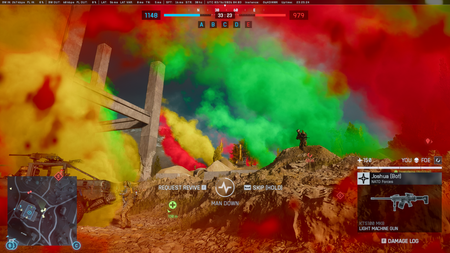
I really don't understand how this matchmaking system is supposed to be fair. I'm currently Diamond. If I want to play Ranked with my friend who is Silver, the game won't let us because our ranks are too far apart. Fine, I can accept that if it's supposed to keep matches balanced. But then I queue and the game puts low levels like 10, Rookies, or Bronze players on my team. How does that make any sense? So my friends can't play with me because they're supposedly too low ranked, yet the matchmaking has no problem giving me random teammates who are even lower. And that's not even the biggest issue. Almost every match I'm playing against Masters and, very often, even Top 250 players. Does that really seem normal? Why are Diamond players constantly matched against some of the best players in the entire game? This isn't a fun or competitive experience. It's frustrating. Lower-ranked players end up paying the price because, naturally, the highest-ranked players are simply better and will win most fights. That's exactly why they have higher ranks in the first place. So what's the point of rank restrictions for parties if the matchmaking completely ignores skill balance once the match starts? Please either make party rank restrictions match the actual matchmaking or improve matchmaking so players mostly face opponents around their own skill level. Right now, Ranked doesn't feel balanced at all. It feels like the rules only apply when trying to play with friends, not when creating the actual match.526Views5likes8Comments
Play PvE or PvP: Solo Start with Bots
This thread is for the person who is tired of matchmaking. For the person who is tired of joining rounds mid-game. For the person who is tired of having their party break at the end of matches and needing to leave games and recreate their party with their friends. For the person who is tired of playing attacker or defender over and over. For the person who is tired of playing maps in a random order. For the person who misses options and game modes that used to be in Battlefield games. For the person who is tired of sweats, or for the person who doesn't mind sweats. Every one of these experiences can be hosted and started with just one person. There is no need to queue up and wait for 4, 12, or 20 players to join. Each experience can be enjoyed with no other humans or as an experience that is full with only humans. Each one will fill with bots, as necessary, and then the bots will be replaced as humans join. You can either search for the experiences using the titles provided, or search for the experience code listed (the easier method). Other Creators: "RUSH | 100 player - PVE + solo start with bots V9" : Provided by animattic. 11NMT "Commander Mode" : Command and Conquest provided by Nodone. Each team has a commander and a commander outpost. 1ZXUU Battlefield Owners: "Casual Conquest..." : Solo-start (of course!) large scale conquest that is a faithful reproduction of the real thing, except with the ability to play against bots and level up your skill. Vehicles respawn quickly to get you back in the action. Bots will be replaced by humans, as humans join, but a minimum of 24 bots total will always be present, to give that casual feel. ZH6YV "Casual PvE Conquest..." : Similar to above, except all the humans are on one team and the infantry bots only target within a certain distance based on their class. 13M4C "Night Conquest..." : Conquest experiences like the previous, but at night. One is just the night maps as they are available to us. Another one is daylight maps with dark and blue filters, to mimic a full moon night or dusk. Another is night maps with a green NVG effect applied to give a more raw and gritty NVG effect that automatically switches on shortly after deploying. And the final one is night maps with actual NVG goggles, but they are only really useful in certain dark areas due to the amount of light in the current night maps. Night Conquest: 1XTQA Moon light/dusk (fake night): ZMQMZ NVG (automatic) gritty fake NVG filter all the time: ZNT41 Night with NVG goggles (toggle on) real NVG that is only useful in some areas: ZMBXX "Winter Conquest..." : Just like Casual Conquest, but all the maps are played in the blowing snow. ZGQ1G "Dust Storm Conquest..." : Just like Casual Conquest, but all the maps are played in a giant eerie dust storm. ZVCK7 "BF4 in BF6" : Casual conquest in Operation Firestorm, but with a twist. It's BF4. The assault class can revive and heal teammates. The recon class has a spawn beacon. The color tone is a bit warmer. Movement speed is slowed down. Projectile speed is slowed down. Headshot damage is increased. And body damage is decreased. ZVEHH "Heat of Battle..." : A bright and saturated version of conquest where a variety of colored flares appear each time someone spawns, kills, dies, or takes damage. This allows you to have the normal fun experience but also see and appreciate the battle playing out around you. It creates a broad heat map of activity; keep moving if you don't want to give away your position. ZTBJ1 "Beach Invasion": Play the classic beach invasion experience. As attacker, your goal is to simply capture the objective without running out of time, as defenders try to push you back. Scripted events occur as the battle progresses, shifting who has the upper hand. 1XNJJ "Large Vehicle TDM..." : Classic conquest maps with vehicles and everything, but no objectives. The only objective is to get to the top of the scoreboard, be on the winning team, have a sweet KDR, or have a killer streak. Bots backfill to maintain 26 players per team. ZMSS7 "Cairo Chaos..." : Siege of Cairo with a new twist. One street. One objective. 28 vs 28. A ton of cover has been added, plus a couple buildings for snipers to oversee the battlefield. Use of ladders to increase verticality and sustain the crazy number of players is encouraged. ZPQ25 "Hardcore Team Deathmatch - Small Maps - Bot Fill" : A rotation of small infantry maps with Hardcore settings. Experience the experience that EA forgot how to provide. Tons of fun and action! YKBXU "4vs4 Elimination..." : A classic elimination game mode, made up of multiple rounds within the same match, where you get one life per round, switch sides after a couple of wins, and the first team to 4 rounds won wins the match. Bots backfill as necessary. 1YHR7 "4vs4 Search and Destroy..." : A classic elimination game mode, same as 'Elimination', except 2 MCOMs are added and the attackers may destroy one in order to end the round. Bots backfill as necessary. 1YKGF Free to Play: "Little Bird TDM..." : A TDM server where the primary weapon is the Little Bird. The bots move around, fly, and don't just stand in one spot and wait for you to kill them. Players spawn randomly in empty Little Birds up to half the map away, or designated spawn points, in order to keep spawns unpredictable and reduce issues with spawn killing. ZTPWV "REDSEC Casual Conquest...": Casual conquest for people who haven't purchased BF6. Bots will be replaced by humans, as humans join, but a minimum of 24 bots total will always be present, to give that casual feel. ZVSWK "REDSEC Winter Casual Conquest...": Same as above, but in the blowing snow. ZUCXE "REDSEC Dusk Casual Conquest...": Casual conquest, but with an afternoon lighting effect. ZUDCQ "REDSEC NVG Night Casual Conquest...": Same as casual conquest, but using night maps. All players are given NVG goggles that they can toggle on, and are given resupply pouches to refill their NVG goggles. ZUDD5 "Golf Course - King of the Hill - Clubhouse" : One objective at the top of the hill at the club house, with each side spawning on either side of the club house hill. Attackers try to advance up the hill and take control of the clubhouse, while defenders try to pick them off. Spawns are naturally protected by the map layout, with some additional protection provided. A sniper outpost is added in the form of a broken highway nearby. Hardcore: Z6ZFK Standard core: ZAEF4 "REDSEC - Team Deathmatch" : Golf Course, Tech Sector, and Marina map rotation of Team Deathmatch. Golf Course features the same design you see above. Deathmatch AI has a purpose and you will see them on a mission. Infantry-friendly vehicles are provided. Hardcore: Z3Q8X Standard core: Z91ZJ "Golf Course - Custom Bots - Infantry Conquest" : 20 v 20 infantry conquest at golf course with many objectives in close proximity. This is what we used to call "conquest small". This is the chaos some people crave. It is essentially "King of the Hill" described above, except with 4 more objectives. Hardcore: ZC34V Standard: ZC2RY "Friends vs Friends F2P TDM with Team Switching" : 20 vs 20 TDM to play against your friends. Bots can be turned off. Each spawn area has a sign you can interact with in order to switch to the other team, or turn bots on or off. Host it with a password if you don't want randoms to join. ZG383 "Friends vs Friends F2P Infantry Conquest with Team Switching" : 20 vs 20 conquest small at golf course to play against your friends. Bots can be turned off. Each spawn area has a sign you can interact with in order to switch to the other team, or to turn bots on or off. Host it with a password if you don't want randoms to join. ZGGTZ Please, if you are only looking for a PvE experience -- alone or with friends -- host the experiences with a password so that you can play with as many friends as you want, instead of kicking unwanted players who randomly join. Being kicked for randomly joining someone's hosted experience is not a good feeling. Note: "Free to Play" is subject to EA's wishes. Free-to-play experiences are hosted on REDSEC maps which were provided to players for free, but EA could revoke free-to-play access of those maps at any time. Additionally, amount of XP awarded and whether weapon unlocks or challenge progression is awarded is completely at the will of EA. Here are some very short demo videos. YouTube: NVG Demo YouTube: Conquest at Night and Bots being a Menace YouTube: Custom Golf Coarse Map Layout YouTube: Conquest Bot Play Go easy on me with the last one. My piloting was awful, but the purpose is to see that bot teammates jump in as gunner, are helpful, will heal, revive, and throw down ammo, and the bots keep activity going around the entire map. Thanks to utilizing these experiences, my piloting is now much better. Here are some images. Thank you for your time! ... oh... and we are all learning together! Ask for help or share your expertise. We all need eachother!10KViews36likes151Comments
Platoons are back! What’s your vision?
The new roadmap and the return of the platoon system are truly game-changers!These will greatly contribute to the revitalization of esports and community events. And above all, playing in a platoon is the ultimate way to experience the true essence of PTFO.We can't wait for even more tactical teamwork on the battlefield.What kind of platoon are you planning to create? Or join?We'd love to hear your thoughts!Finding a game
Please fix finding a game. Most of the time I get a game that is nearly all bots. Give us a list of current games for all modes and let us join any server with people in it!. Feel like I'm gambling with my time to even get a game with people and tired of rejoining to find something worth it. Maybe this is region specific (player count) but the current experience makes the game feel dead. Just luck of the dice roll, sometimes there is actually a half full game. Sometimes there might not actually be a game but everything is obfuscated. Can we at least have an option to only join games with other players or maybe have the option to queue for full games or at least even see what modes have people playing in my region to know where to place my bet?
Bf6 S5 Redsec -get back duos\solos long game
The current maps available in Rapid Battle Royale weren't designed for the battle royale genre; they’re essentially just deathmatch-style brawls that have nothing to do with actual battle royale gameplay. "Red-Sec" used to be a perfect middle ground—somewhere between the long, drawn-out pace of *PUBG* and the breakneck speed of *Warzone*. Now, the only option is to play with three random teammates who just wander off to different parts of the map, doing whatever they please. "Red-Sec" needs a duos mode and a solo mode. even switching it a few hours betwen them
bf6 suggestions
I would like to see Battlefield 6 add a permanent Hardcore playlist, but I also believe several of these changes would improve the standard game as well. Permanent Hardcore Playlist Hardcore has always had a dedicated Battlefield community and should have a permanent place in the game rather than rotating in and out. Suggested Hardcore features: Reduced HUD Increased weapon lethality Friendly fire Limited health regeneration First-person-only vehicles However, some of these ideas should not be limited to Hardcore. Vehicle Cameras (Standard and Hardcore) I strongly believe tanks and aircraft should be restricted to first-person view in both Hardcore and standard playlists. Third-person cameras provide a massive awareness advantage by allowing vehicle crews to see around obstacles, hills, walls, and cover without exposing themselves. This gives vehicles information they have not earned and often makes them significantly stronger than they need to be. Keeping vehicles in first person would: Reward crew communication Reward positioning and map knowledge Create more opportunities for infantry ambushes Increase immersion Reduce the information advantage vehicles currently have Vehicle balance should come from skill, positioning, and teamwork rather than an external camera. Spotting System (Standard and Hardcore) I would also like to see the spotting system changed in both standard and Hardcore modes. Instead of broadcasting spotted enemies to an entire team, spotting should primarily be shared with the player's squad. The current system often allows a single player to reveal an enemy to dozens of teammates instantly. This reduces the importance of awareness and makes stealth-focused gameplay less effective than it should be. A squad-focused spotting system would: Encourage communication Reward teamwork Make reconnaissance more meaningful Reduce the feeling of being permanently tracked once spotted Stealth, Flanking, and Awareness Battlefield is at its best when players are rewarded for awareness and positioning. Players should have to watch their flanks, secure their rear, and communicate with teammates. Successful flanking maneuvers should be rewarded rather than immediately countered by team-wide spotting systems. These changes would make sneaking, reconnaissance, and flanking more valuable in both standard and Hardcore gameplay while creating more memorable and dynamic battles. Vehicle and Cover Penetration I would also like to see improvements to penetration through vehicles and light cover. Cars often feel unrealistically resistant to gunfire and sometimes function like armored bunkers rather than concealment. Light vehicles and thin cover should provide protection, but penetration should be more consistent and predictable. Overall, I believe Battlefield 6 would benefit from placing a greater emphasis on awareness, teamwork, positioning, stealth, and earned information rather than giving players constant information through spotting systems and third-person vehicle cameras.
Frusted with this game
I can’t enjoy this game at all. I’m so furious that I spent $50 on this insult of a game called Battlefield 6. I’m absolutely livid. The game won’t start a single match. Add the server browser RIGHT NOW not in December. This game is a complete disaster. The netcode is terrible, everything about it is broken. You bunch of useless developers. We’re the customers and you’re delivering us incomplete garbage. Fix this right now. I want to turn on my PC which I specifically bought a new one for just to play this insult of a game and I even bought the game plus new controller and mouse, that’s more than $2,400 invested just so you can hand me this piece of crap. I want to play in peace. I don’t want to wait until December. I want this fixed right now. I’m so angry with this trash of a game.Ongoing Cheating Issues in Battlefield 6
I am still experiencing matches that seem unfair due to possible cheating. Some players achieve extremely high kill counts with very few deaths, such as 92 kills and only 3 deaths. Please investigate suspicious gameplay and improve your anti-cheat system. This issue is making the game frustrating, and I am losing the motivation to continue playing. I hope you will take this problem seriously.Solved