Title: PVZ2 account stuck with an extremely large negative coin balance
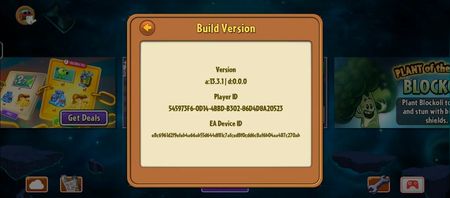
I’m having a really weird issue with my Plants vs. Zombies 2 account. My coin balance somehow became an extremely large negative number after the game kept glitching and kicking me out while I was trying to log back in. Now whenever I earn coins, they just go toward the negative balance, so I basically can’t use coins anymore. I’ve tried contacting EA support, but every time I try, it says that this issue isn’t supported by advisors and stops me from starting a chat. I really like playing the game and would like to keep playing, so I’m hoping someone can help me figure out what I can do about this. Thanks! I can't send an image, but it looks like something like "-10000000" and whatever numbers.26Views0likes2Comments
So I guess F us, huh?
This game has been broken for months. I literally haven’t played Penny’s Pursuit in over three months. Half the resources are in the negative. Update happens and the resources flip. Can’t play certain areas, can’t buy plants. Through no fault of my own. I’ve been playing since day one and what do I got to show for it? A completely broken game that is no longer fun to play. I hope everyone that works on this game gets fired. This is a simple game and how you managed to F it up and break it is ponderous. Why even have a message board? It’s clear nobody looks at it.24Views0likes0CommentsKing Shot Ad Broken for MONTHS! Please Remove!
There have been multiple complaints about this ad for MONTHS and NOTHING is being done about it! I get this ad at least once or twice literally EVERYDAY for Penny Pursuit and Arena. PLEASE fix or REMOVE this ad completely! 🙏 15 fuel in Penny Pursuit costs 30 gems to buy and losing at least 5 fuel in Penny and gauntlets in Arena everyday because of this broken ad is beyond frustrating! Plus all the wasted time watching through the whole ad, hoping today is the day you finally fix it! Please like or reply to this post so the PVZ team will finally do something about it!19Views1like0CommentsMY CLOUD SAVE FILE IS CORRUPTED
Hello My cloud save file is corrupted and I need help to fix it since It keeps taking me to a gray screen even if I put the correct email and my code. My account on my IOS device is good and The same email I put there, And android new device can’t accept it since it just keep taking me to the gray screen.30Views0likes1CommentPenny's Pursuit Problem
I'm having some problems with Penny's Pursuit. Two days ago and today, I have experienced 3 times forced closing when I was playing Penny's Pursuit: MayBee during Zomboss fight. It was started with sudden freeze on my screen, then it was forced closed immediately. After that, I intended to play again, but forced closed again and the strategy was restarted to the previous level that I played before (not same as when I played Penny's Pursuit in Zomboss fight). Please fix it! I hope I'll have a chance to play these 3 levels that were forced closed again. Thank you so much.16Views0likes0Comments