[LD] [DU] Memorial Portraits/Graduation pictures show up blank
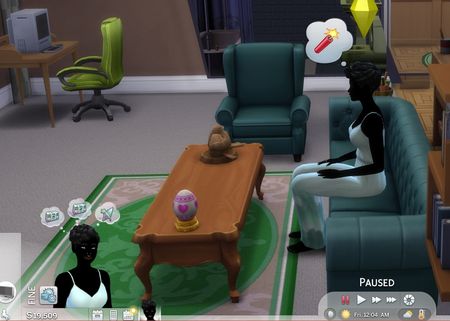
The memorial portraits from the Life and Death Expansion Pack appear to be bugged as they no longer generate an image of a deceased sim, instead showing a blank white image. Extra Information: I'm on Windows 11 PC I'm on Version 1.117.227.1030 DX11 of the game. I don't have Journey to Batuu and Outdoor Retreat Game Packs, Cool Kitchen, Perfect Patio and Luxury Party Stuff Packs, Refined Living Room, First Fits, Industrial Loft, Courtyard Oasis, Country Kitchen, Throwback Fit and Fashion Street Kits. Found initially in a modded save, but I tested in a non modded new save and the issue still occured. Edit by crinrict There's a few similar issues now. Please everyone use the appropriate thread for the issue you are seeing. [GF] Can’t frame an autographed photo | EA Forums - 11858990 [GF] New autographs turned into family photos | EA Forums - 12323735 Black Photos (Patch 1.119.109) | EA Forums - 12878373 Paintings go white after putting them in inventory/Reloading game (1.119.109) | EA Forums - 12879032 Edit By Crinrict: Adjusted Title15KViews865likes263Comments
Windows/Doors glitch into walls
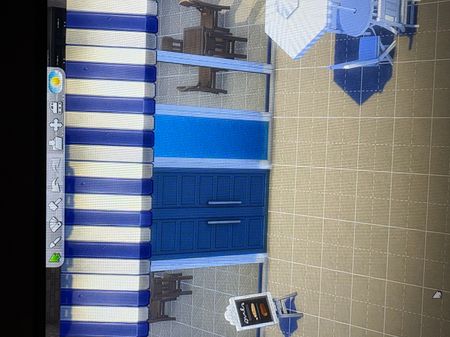
Basically the game isnt recognizing its a window. It happens with open door frames or regular doors too. The doors are functional but in game the windows look like walls with a window frame like the photo. Build mode, Live Mode, and Shows it in the gallery. Edit By Crinrict: Adjusted Title to better reflect the issue3.5KViews668likes63Comments
In-game photos have become blurry, as if compressed
I loaded into a save for the first time in a little under a month and immediately noticed that my medium- and large-sized photos have become blurry, as if they've been compressed. It's to the point where they're kind of hard to look at. I frequently take and rearrange photos, so I would've noticed it before. I tried this with a save that I'd opened since the update, one that I hadn't opened since the update, and one that I hadn't opened with mods disabled. It was the same each time. I've attached a screenshot so you can see, for reference, that the larger photo is noticeably blurrier than the small one. (The small photo in the screenshot is from a photo booth, which I know works a bit differently, but I didn't notice any abnormal blurring in the other small photos.) It's a bit dark though, my apologies11KViews385likes120Comments
Toddler/Infants/Child body and face distortions
I removed my mods and cc to see if that made her normal again but it didn't she looks like she's pregnant. It even looks like that in CAS Edit By Crinrict: Adjusted Title Please use this thread for everything regarding infants/toddlers/children having distorted bodies or faces or simply looking different then before the patch. Please use this thread for Sims with neck issues: Sims neck set to wide | EA Forums - 11912011 Also state if you use mods (even if you removed them) EA_Cade has posted a temporary workaround here: Toddler/Infants/Child body and face distortions | EA Forums - 1192889128KViews356likes105Comments
[FR] Residential Rental Neighbouring Unit Walls Don't Stay Up
Just like City Living plexes, Residential Rental Units are also a plex type. The systems share a lot of the same functions except when it comes to the way inactive units are displayed. City Living has hidden units show walls going up as well as with a cover, but residential units behave as if it's a normal house. BUT, when you go visit a neighbouring unit and are in the ungreeted player state (before knocking) the walls are fully up for units. But it's not any kind of wall function, it's a specific unit wall function, which makes the unit territory the only one forced to stay up no matter the wall view. If it wasn't intended to be used for more, they could've simply used the basic functions that force all walls to go up. So it'd be good if it was fixed. It's possible it was never implemented further due to the previous bug where apartment walls would have intersections ruin the view of the upped walls. lol! So far, when everything is down, there's no proper marker of where my home unit ends when furnishing and having the unit outlines turned on is pretty harsh to look at whilst decorating. Here's a video showcasing the both types of wall functions featured in rentals as of now.1.5KViews197likes11CommentsBlack Sims/Werewolves (Patch 1.116.223)
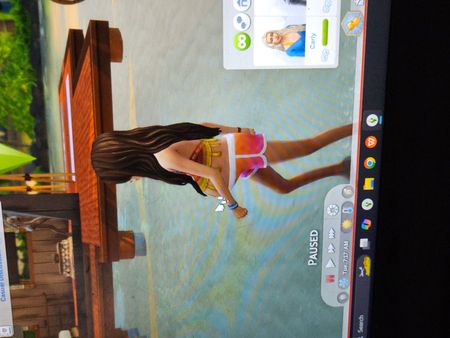
My game is fully updated including the patch on July 10, 2025 and 2 of my Sims are "blackout". There some CC hair and clothing in my game, but neither of these are wearing any. All other Sims appear as they should. These 2 are households in Willow Creek. Edit By Crinrict: Adjusted Title to better reflect the issue Edit by crinrict Please ONLY use this thread if your Sims went black with Patch 1.116.223 and were fine before this patch. The fix was NOT retroactive and all pets/Sims/werewolves that were already black will not be revert. All posts that don't fit the criteria will be moved out. It's important for EA to know what's still going on. Please use this thread for black Pets: [CD] Black Pets (Lost texture after Patch 1.116.223/1.25) | EA Forums - 123325475.4KViews164likes101Comments
[AA] Forest Ranger Tower Disappearing when viewed from distance
The forest ranger tower has a rendering issue. At medium distance, the tower disappears completely, leaving parts of its structure and attached objects floating in midair. However, when viewed from farther away, the tower reappears and displays normally. This seems to be related to the tower’s LOD settings. I first encountered this in my regular save (with mods), but to confirm, I tested again with a freshly generated The Sims 4 folder and a brand-new save without any mods or CC. The issue persisted. VIDEO SHOWING THE BUG: https://drive.google.com/file/d/14iLL7CymFtoAp3jq0lO9nh_aDQ_cJ3k2/view?usp=sharing SOME IMAGES: Edit By Crinrict: Added Tag to Title, Adjusted Title1.2KViews127likes13Comments[CD] [HR] Pets/Horses are black
The tan/beige cat I created is showing up all black. I went to the change sim screen and although the fur color selection is correct, the cat is still black. Not sure how to fix it. I do not use any mods/cc Edit By Crinrict: Adjusted Title fit migrated bug report: [ARCHIVED] [CD] [HR] Pets/Horses are black | EA Forums - 11361588 Archived thread had around 53 me toos3KViews95likes82Comments