Modo de juego, pantalla negra y de vuelta al Menu
Buenos días, hace una semana jugaba sin inconvenientes. Ayer intente conectarme junto con mis hijos que cada uno tiene su propia cuenta y nos encontramos que no podemos jugar el modo Conquista con Bots como lo haciamos normalmente. Intenta iniciar la partida, pasan 5 o 6 segundos y nos devuelve al menu inicial.33Views0likes0CommentsNo me inician las partidas BT2042
Buenas, cuando intento iniciar en modo "conquista siempre" se me pone la pantalla en negro como si fuera a cargar la partida, pero tras varios segundos vuelve al menú y no logro entrar a ninguna partida. Solo rara vez después de muchísimos intentos logra entrar... a alguien mas le pasa? que puedo hacer para solucionarlo? ya he probado reparar el juego pero sigue igual. Gracias de antemano.46Views0likes0Comments
I want a refund. my battelfield game 2042 does not launch at all
Since the Secure Boot Update I can't play my battlefield 2042 game, I paid for it 3 years ago and still can't launch the game normaly. Unless I get a refund...legal actions may be taken. my system can't activate secure boot. game is unplayable and legal action may be taken.19Views0likes0CommentsCan´t play Any Battlefield!
Hello, I hope you can help me, I’m desperate. Context: I couldn’t play Battlefield 2042 because the error code 1:4688822970:-4685921B always appeared. I never found any working solution and ended up uninstalling it. But now that Battlefield 6 released, I get the same exact issue: “Unable to connect to EA servers”. I tried everything to fix it but nothing worked, so I refunded BF6 and went back to BF2042 to see if fixing that one would solve BF6 as well. Both BF6 and BF2042 disconnect and won’t let me finish a match. The message is always “Unable to connect to EA servers.” BF6 Error Code: 1:85009S BF2042 Error Code: 1:4688822970:-4685921B Specs: Laptop THUNDEROBOT ZERO RTX 4060 8GB Intel i5 13500HX 32GB RAM 500GB SSD M.2 + 2 TB SSD M.2 Steps I tried (all failed): Restart Battlefield 2042 Restart the PC Reinstall Battlefield 2042 Update GPU drivers Restart the modem Change to a different network (I tried 4 different networks) Change DNS to Google (8.8.8.8, 8.8.4.4) Change DNS to Cloudflare (1.1.1.1, 1.0.0.1) Enable Memory Integrity (HVCI) Enable TPM 2.0 Enable Secure Boot in UEFI Check Windows Defender to make sure Battlefield or EA App were not blocked Tried Cloudflare Warp Disabled VPN Global Protect Ran sfc /scannow Ran DISM Removed and reinstalled the Intel WiFi driver Checked for 802.11r or Fast Transition settings (my adapter does not support these options) Modified MTU values Logged out and back into the EA App Forced EA App to regenerate a new login session Tried signing in using a direct EA password instead of Xbox/Steam login Tried launching the game from EA App and from Steam Deleted Battlefield configuration folders to let the game regenerate new files Checked Windows Credential Manager for EA entries Confirmed Steam–EA account linking Reviewed Windows Firewall rules Reviewed Windows Security Controlled Folder Access (Ransomware protection), tested with it enabled and disabled Deleted leftover cache, session, and token files Verified Nvidia Control Panel wasn’t applying forced settings Reinstalled the EA App Cleared EA App cache Confirmed that other online games work perfectly (Halo Infinite, Gears of War, Titanfall 2, Battlefront II, etc.) Confirmed Battlefield 4 historically worked fine on the same account and device Important behavior: BF2042, BF6, and BFV always disconnect after around 5–6 minutes, even when I stay idle in the main menu. The error appears even without joining a match. Battlefront 2 and Titanfall 2 do not disconnect. The disconnect is extremely consistent and looks like a session or token handshake problem with my EA account specifically.34Views0likes0CommentsMi Battlefield 2042 se cierra solo cada vez que inicio una partida
Cuando empiezo a jugar no pasan 5min y se cierra. Llevo meses jugando sin problemas, y desde hace unos dias para aca no he jugado mas porque cada vez que inicio una partida se cierra al instante. No se que pasa, necesito ayuda con esto. Una vez me salio este error, pero no salio mas, ahora se cierra y no sale nada mas.69Views0likes0CommentsNO PUEDO INICIAR SESIÓN EN BATTLEFIELD 2042
Hola, tengo un problema desde hoy que no me deja iniciar sesión Battlefield 2042 en mi PlayStation 5 sin embargo intento al jugar desde la nube en la misma consola y si me deja entrar al juego y iniciar sesión, ya yo no se lo que pasa, intente reiniciando la consola, el router todo y aún así nada... Reconstrui la base de datos de mi PS5 y tampoco nada, ayer me dejaba entrar de lo más bien al juego ayudaaa!! Código de error: 1:86001S:66003S:-8917511980B68Views0likes0Comments
Battlefield 2042 no logra iniciar
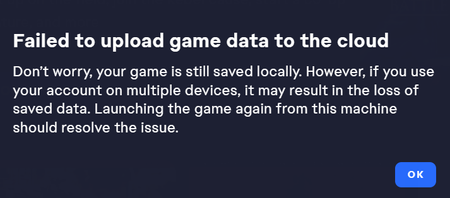
Llevo varios días así, probé la beta del f6 y deje de jugar el actual, intente regresar pero resulta que ahora no abre, solo se queda en pantalla de carga y automáticamente se cierra, solo después de 3 ocasiones salta este error en el lanzador Ya reinstale el anticheat varias veces. ya limpie el cache de la app de EA y de mi mismo dispositivo, ya repare varias veces el juego y nada da resultado, desactive el firewall y el antivirus, incluso desinstale la beta por si estuviera interfiriendo de alguna manera, Actualice drivers gráficos de Nvidia justo hoy, nada lo hace iniciar, se queda en la pantalla de inicio y ni siquiera entro al menú, es un poco tedioso estar teniendo que probar mil soluciones y ninguna da respuesta. Compre el juego por Epic Games pero al parecer no puedo solucionar nada ahi, solo aparece este fallo en el lanzador. SI alguien me pudiera ayudar, estaría eternamente agradecido.824Views2likes11Comments
Battlefield 2042 no inicia con drivers NVIDIA posteriores a 577.00
Al iniciar Battlefield 2042 con drivers NVIDIA superiores a la versión 577.00, el juego muestra el logo inicial, se congela y luego se cierra mostrando un mensaje de error. Con el driver 577.00 el juego funciona correctamente. He probado reinstalar el juego, verificar archivos y limpiar instalación de drivers, pero el problema persiste con versiones más recientes.188Views0likes3Comments