VR not working (AMD 9070XT)
I also askes AMD about this issue: On my GPU 9070XT i still have a VR issue. Tried everything with new and the latest 25.10.2 driver but no luck. So i'm back on the AMD 25.4.1 release (amd-software-adrenalin-edition-25.4.1-win10-win11-apr22-rdna). INGAME: Tried everything, but i still get a strange grey image in VR and only the HUD ingame is showing correctly (with F1 25). I saw posts online with positive results. Is there anything you can do? Or do you have any tips/tricks? Note: this only occurs in F1 25, all other games DO work
VR Disaster
The game has always had constant crashes in VR, both during loading and during gameplay, and I believe the cause is Javelin Anticheat. With the latest update, it's nearly impossible to play in VR. I've used both a 9070XT and a 5070 on a laptop, both SteamVR and Virtual Desktop, and even Quest Link via USB 3.2 cable. Error after error, crashes, and the inability to play. It's a rip-off! Javelin Anticheat, very often, stucks! Almost always the issue is whaile the game passes from flato to VR. I already wrote to EA, and they NEVER gave a serious, sensible response. I'm waiting for a solution.
F1 26 Car F1 Dial (VR) not showing
The F1 dial is not modelled for VR in 2026 cars. Even with repositioning attempts the dial will not sit in the same place as the f125 car. I have sent a video here showing the 26 car dial not showing and I've also shown the 25 car of it showing in the right spot, in its default VR position. Hope this can be fixed
Bug Report – VR / PS VR2 – F1 25 (PC/Steam)
Platform: PC (Steam) Headset: PS VR2 via official PC adapter + SteamVR CPU: Intel Core i5-14600K | GPU: RTX 9060 XT Issue: When entering gameplay (garage or driving), the left and right eye rendering becomes misaligned and uncalibrated, causing severe distortion and an uncentered view. Resetting the VR position does not fix the issue. The problem occurs exclusively in F1 25 — all other VR-compatible games work correctly with the same headset and setup, without any additional configuration. Steps to reproduce: 1. Connect PS VR2 via official PC adapter 2. Launch SteamVR 3. Launch F1 25 in VR mode 4. Enter any gameplay session (garage or on track) Expected behavior: Both eyes render correctly aligned, providing a stable and centered stereoscopic view. Actual behavior: Each eye points in a diverging direction, causing distortion and an unplayable experience. Additional notes: - Editing hardware_settings_config_vr.xml (stencilMesh, TAA, post-processing) did not resolve the issue. - Disabling Motion Smoothing and setting SteamVR to 120Hz did not resolve the issue. - The bug has been reported by multiple users on the EA Forums and Steam Discussions, suggesting it is a systematic issue with PS VR2 + SteamVR on F1 25, not an isolated case.VR is broken
Whenever I start the game in VR mode, everything looks fine, until I get to actual gameplay (garage/driving). The view is broken, each eye looking in some random direction. Resetting VR position does nothing. I have also tried many other options, tweaking settings, closest I got to "fixing" it was overriding scale to 50%, but even in that case, it is still slightly headachy, and just looks overall horrible. The problem is on PC, using a PS VR2 connected through the official PS VR adapter, with an AMD RX 9070 XT through DP 1.4. Other games work perfectly fine with no tweaking.F1 25 crashes when switching between VR and flat
Currently running an Oculus Quest 3. This has been happening for a few games now, but sometimes when switching between VR and flat mode (eg between sitting in the garage and looking at the garage screen) Steam VR can sometimes freeze and crash. It most frequently happens if the headset is moving while switching modes, or if you try to press buttons (eg switching between garage tabs) while the game stabilises.
Dynamic Resolution Target FPS missing in VR
Hi, while the Dynamic resolution itself is working in VR, the option "Dynamic Resolution Target FPS" is missing. My visor is PSVR2 with adaptor, 120Hz, capped to 60Hz via SteamVR. My guess is that F1 25 Dynamic resolution is aiming to 120Hz (in fact it always scales down to the minimum value I choose even with plenty of headroom). Can you please add "Dynamic Resolution Target FPS" to VR mode too ? Thanks.X-Formig Special Livery texture glitch with an extra white line.
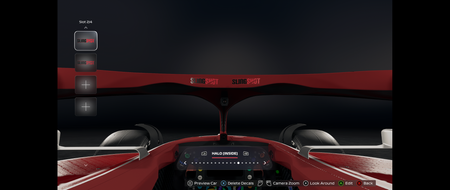
On the X-Formig Special livery that we received as a title sponsor reward, there is a visible white line on the right side of the driver's cockpit, while there isn't one on the left. Upon closer inspection, those white lines seem to be some texture glitch that should not have appeared there. The location and the look of the white line are shown in the pictures below. I used the Decal Edit view for screenshots to better show the issue, but that white line appears in both Career mode and F1 World Car. It also appears in both the monitor view and in VR mode (I noticed it via VR mode to begin with). Report Code: RGGG-RJZS-SXXZ-VBJD
VR loading screen issue
I have a quest 3 with steam link, when i play vr (second race) when i play again after a race, the loading screen is black for about 30 seconds (triggers steamvr to say that the computer isnt sending any video and disconnect me) so i request to add like an f1 decal of that track you are racing.