Forum Discussion

Rokebo73
2 years agoSeasoned Ace
@Punito12 Hey man !
Could you post please the save from DXDIAG
(right click START button, click RUN , type in DXDIAG , press enter , in the middle there is a SAVE button, save file and post it please !)
Also do this and post that file also:
Press Windows key + 'R' ,typ CMD
Press and hold down CTRL + SHIFT and press ENTER.
When User Account Control shows up, click Yes.
Now enter this command:
wmic /output:C:\mb_mem_bios_info.txt memorychip list full&wmic /append:C:\mb_mem_bios_info.txt baseboard get product, Manufacturer&wmic /append:C:\mb_mem_bios_info.txt bios get smbiosbiosversion
At youre C: drive there is now a file called mb_mem_bios_info.txt post this file please !!!
Thanks.
Ps the bolded line is just 1 command, copy and past all !!!
Cheers

2 years ago
Hey man! I uploa you both files, thanks for your help
 DarthFDG2 years agoHero+
@Punito12 wrote:
Hey man! I uploa you both files, thanks for your help
Some things to consider:
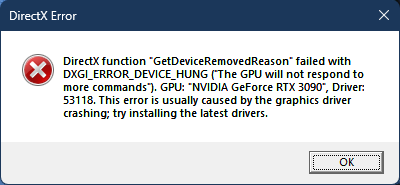
- Install the most recent driver for your card. If you've already done that, try reverting to a prior driver. Sometimes the latest driver causes issues.
- Make sure your GPU is properly seeded in the MOBO. Pull it out of the PCI socket and put it back in. Be careful to ensure your HDMI cable is properly connected on both ends.
- Make sure you are using the most recent BIOS for your MOBO.
- There are quite a few errors listed at the bottom of the DXDIAG. Figure out what's going on there.
 2 years ago
Thanks for your answer, I will do what you told me but can you tell me which are the errors that you found in the dxdiag file please, so I can search on how to fix it, thanks again.
- 2 years ago
Thanks for your answer, I will do what you told me but can you tell me which are the errors that you found in the dxdiag file please, so I can search on how to fix it, thanks again.
Featured Places