Forum Discussion

General_BCB's avatar
4 years ago
Solved

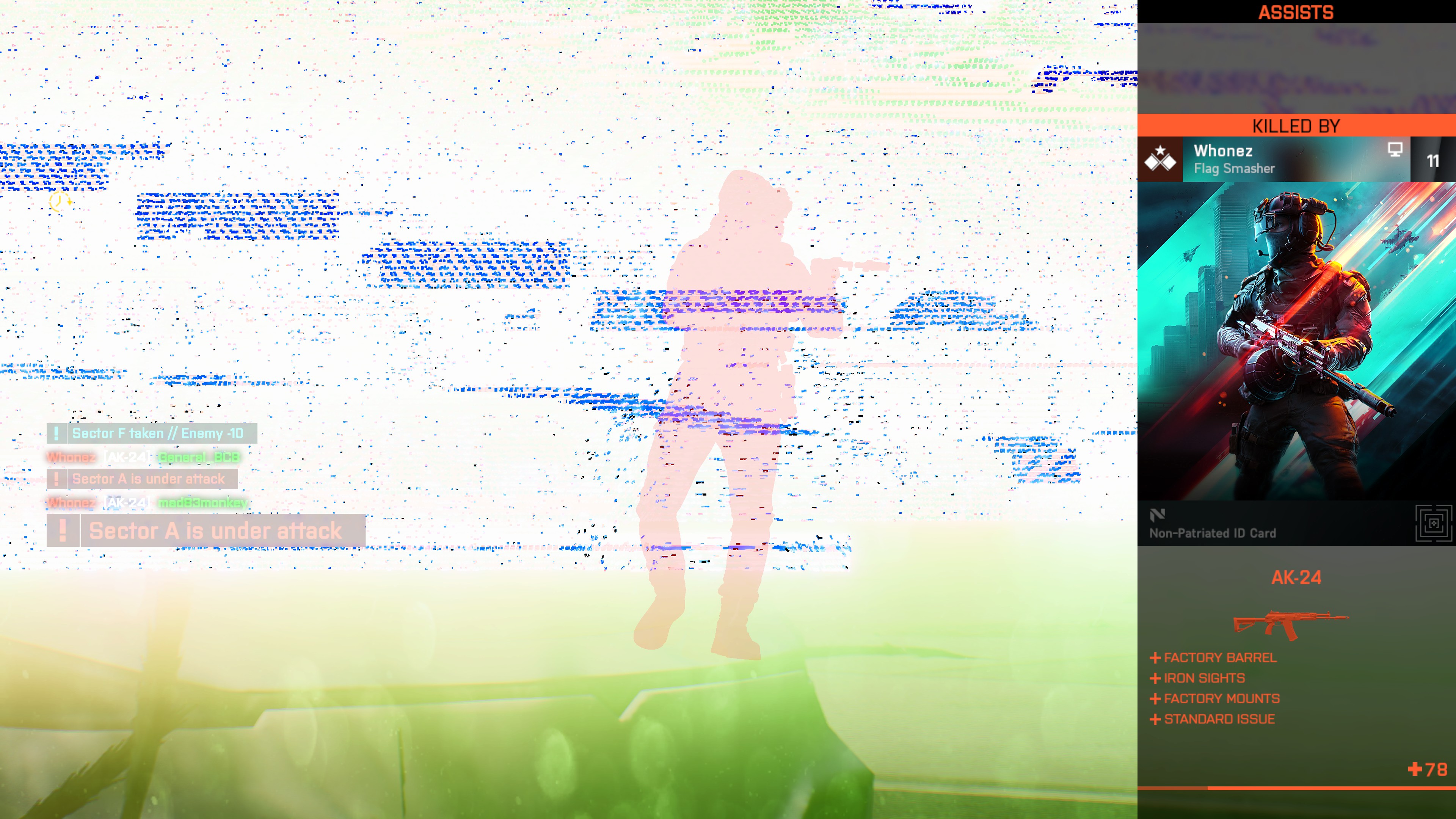
Performance Problem (screen dimming)

Hello there, I bought the game on Steam.(BF 2042 Gold Edition). The game freezes a lot. Sometimes it crashes.I participated in the open beta test.

Tehere was a performance problem, but not that much.My PC system is very High.
PC;
- i9 9940x (14 core)
- 128GB Ram (3200Mhz)
- MSİ 2080 8GB Super Gaming Trio
- 2GB Smsung SSD 970 Evo Plus + 2G HDD
- Windows 10

Attached is the screenshot.

  • @EA_Kent My problem was fixed when I turned the game graphics to high and activated DLSS. The game that doesn't run on low settings now works on high settings. Game startup may have a black screen problem, but I can play the game.


9 Replies

  • EA_Kent's avatar
    EA_Kent
    Icon for Community Manager rankCommunity Manager
    4 years ago

    Hi @General_BCB

    When you've got the chance can you share a DxDiag so we can take a look? For more details on how to pull one up check out the EA Help website. Once you have the text file please attach it to this thread. 

    Thank you!

  • EA_Kent's avatar
    EA_Kent
    Icon for Community Manager rankCommunity Manager
    4 years ago

    @General_BCB 

    It looks like NVIDIA just put out some new drivers last week. Have you already updated to these most recent drivers? If not, can you give that a shot and see if it helps at all with the issues you've been seeing? 

  • EA_Kent's avatar
    EA_Kent
    Icon for Community Manager rankCommunity Manager
    4 years ago

    @General_BCB 

    I've also seen a few people mention that repairing or reinstalling the Visual C++ Redistributables for Windows can also help with issues like this. For more info on how to install them check out the Microsoft Support website


    Let me know if you're still having any of the same issues after that. Thanks! 

  • EA_Kent's avatar
    EA_Kent
    Icon for Community Manager rankCommunity Manager
    4 years ago

    @General_BCB 

    Thank you for giving it a try!

    What happens if you start up your PC in a Clean Boot before you launch BF2042? If there's anything else running in the background that could be related to this issue that may help get around it. 

    You can find more info on how to set up a Clean Boot over at the EA Help website. Please let me know how that goes when you have the chance. Thank you! 

  • @EA_Kent My problem was fixed when I turned the game graphics to high and activated DLSS. The game that doesn't run on low settings now works on high settings. Game startup may have a black screen problem, but I can play the game.

  • EA_Kent's avatar
    EA_Kent
    Icon for Community Manager rankCommunity Manager
    4 years ago

    @General_BCB 

    Good to know! Thank you for following up and sharing how you were able to get it figured out. 👍

Featured Places