Solved
Why do I get Easy Anti Cheat Policy Violated - Player Removed From Game?
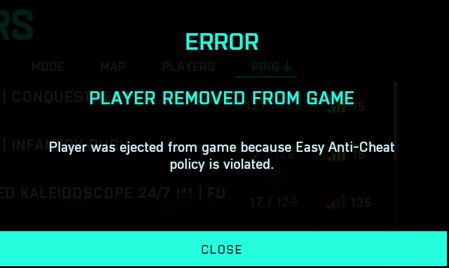

FYI i figured out how to fix it, verify your game files. i had 22 files fail to validate and redownload and now i dont have the issue.

@100pudOFF_UA If eac kicks ya, then there is software or any config that kicks eac.
Its not the game !
Repair / verify Game files in gameplatform
Didnt fix issues? then check below !
Rename the old EAC folder (location C:\Program Files (x86)) into something else or delete the complete folder !
also delete all content from EAC at C:\Users\YOUR_USER_NAME\AppData\Roaming
its a hidden folder, so make sure to enable view for hidden folders/files and drives !
Now to make sure there isnt any issue with some netwirk software/settings , do this:
Press Windows key + 'R' ,typ CMD, Press and hold down CTRL + SHIFT and press ENTER.
When User Account Control shows up, click Yes.
copy and paste the following commands by pressing enter at the end of each command line:
netsh winsock reset
netsh int ip reset
netsh advfirewall reset
netsh winhttp reset proxy
ipconfig /release
ipconfig /flushdns
Now Shut down the PC.
Unplug power cables from PC and modem/router for about 1 minute
Hold down the power button from computer for about 10 seconds..
Plugin power cable from the router/modem and wait till it's back online.
Plugin power cable from the PC.
Boot your system
If ya launch game platform / game or any other program, firewall could popup and ask you to grant acces again, CHOOSE PUBL:IC.
Now launch game and test it
Update us please !
PS if ya got a controller connected , please try game without any controller connected !
Just to check if EAC gets kicked by youre controller 😉 🙂
REMEMBER , BATTLEPASS ENDED, YA NEED TO BUY NEW BATTLEPASS OR EARN IT IN GAME !!!
@Rokebo73are you kidding me... i've been at this for over an hour. I've run into this issue with just about every season. Usually uninstalling EAC fixes this. Not this time. I was basically done... read this and was like what the hell... might as well disable my OG Microsoft Xbox 360 Wireless Receiver (which i still use for Kodi) and the it f-ennn worked? are you kidding me?I don't even turn the controller on when i play BF. WTFTake that back, it was just EAC letting me go while the rest of the system was still rebooting. It would have kicked me.
Windows 11 - So tried everything above and no luck. My sons Windows 10 is working just fine.
The game just decided to run. It worked flawlessly for an hour. I rebooted and tried again and the game won't start. I looked at the perfmon output and it looks like the game just died for no reason. I'm starting to think this isn't EAC for a change.


