Adding Character Customization to Profile Menu
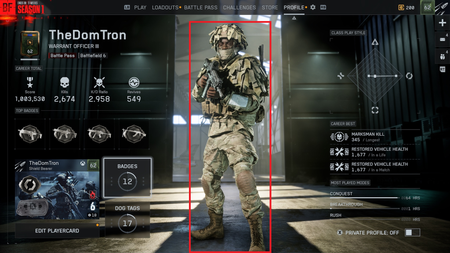

Sorry I’m not in game so this may not or precise but should get you there.
Go to the class/loadout that you want to be in your profile. Equip the skin and weapon you want to show on your profile. Then go to the far left bottom of the screen to loadout 1. Click on that and at the bottom of the screen it should say “choose profile” or “show profile”… something like that.. and the associated key to press. I think it’s Y in Xbox. Then go check your profile it should be changed.
Hope this helps.
There really needs to be an intuitive and OBVIOUS way to change this from the profile screen instead of being hidden away.
It's highlight on profile.
And yes, this is very well hidden. I wonder why.