Solved
DirectX function "m_swap Chain->Present(syncinterval, XpresentFlags)
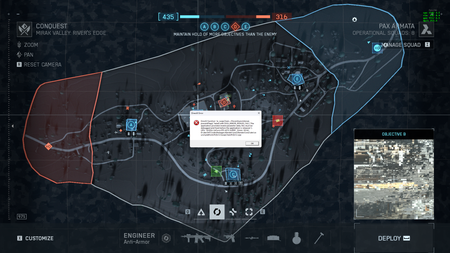

Switching to Borderless mode in graphics settings fixing this problem
This is usually a RAM instability(AMD Expo or XMP) or a faulty undervolting CPU/Overclock in bios. you guys neeed to check in windows event viewer where the critical error comes from.
The problem was still in overclocking. I disabled GPU overclocking from Nvidia, removed the CPU undervolting, and enabled the integrated overclocking function on the motherboard. I removed the game, deleted the drivers using DDU, and installed new ones by downloading the latest version from the official Nvidia website (without installing the Nvidia app). download the game. The game did not crash.