Forum Discussion

lLumpial's avatar
lLumpial
Seasoned Novice
4 days ago
Solved

[Fix for GPU Crashes]

Hey all

After doing extensive research and massive amounts of trials I have found out what the root of all this bs is.  Just let it be known now, it is not your GPU. 

I had the same device hung error, and the only fix that worked for me was turning off XMP in my BIOS. After disabling XMP, my RAM went back to default settings and the crashes stopped completely.

It seems like the game was unstable with my memory profile enabled, so if you’re running XMP or any RAM overclock, it may be worth testing with it off first. Just go into BIOS/UEFI, disable XMP/DOCP/EXPO, save changes, reboot, and see if the game becomes stable.

Working perfectly!!

Good luck and get back to the fight!

-Lumpia

My Specs: 

Processor 12th Gen Intel(R) Core(TM) i7-12700F (2.10 GHz)

Installed RAM 32.0 GB (31.8 GB usable)

Graphics card NVIDIA GeForce RTX 5070 (12 GB)

Storage 1.69 TB of 4.09 TB used

System type 64-bit operating system, x64-based processor

Motherboard ASRock B660-M
  • [Added to the above]

    XMP can cause instability in Frostbite games because it raises RAM speed, timings, and sometimes voltage beyond the motherboard or CPU memory controller’s true comfort zone. If the memory setup is only barely stable in normal desktop use, a Frostbite game can push it over the edge by stressing RAM, the memory controller, the GPU, and the whole system at once.


6 Replies

  • lLumpial's avatar
    lLumpial
    Seasoned Novice
    4 days ago

    [Added to the above]

    XMP can cause instability in Frostbite games because it raises RAM speed, timings, and sometimes voltage beyond the motherboard or CPU memory controller’s true comfort zone. If the memory setup is only barely stable in normal desktop use, a Frostbite game can push it over the edge by stressing RAM, the memory controller, the GPU, and the whole system at once.
  • SIMINSSI's avatar
    SIMINSSI
    Seasoned Novice
    4 days ago

    I currently have EXPO enabled, but I haven't experienced any GPU crashes since the Season 4 update. In my opinion, the issue may be affecting PCs with Intel processors that have XMP enabled or use overclocked RAM.

  • BrazilianGOP's avatar
    BrazilianGOP
    Seasoned Rookie
    4 days ago

    That sucks because you have to enable EXPO or XMP on bios, otherwise the memory ram will have a poor performance.

    Dice and EA needs fix that! Just happens this issue on the new map with a lot of water. Other maps are fine.

  • S0BT's avatar
    S0BT
    New Vanguard
    4 days ago

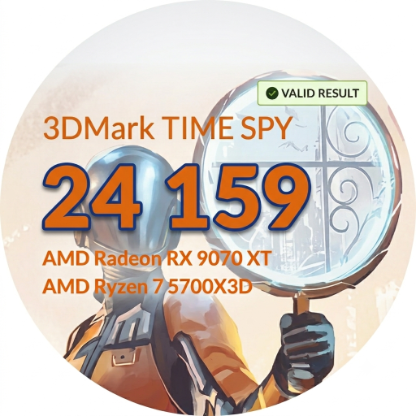
    I've never had system crashes, maybe the problem is in your motherboard or the RAM sticks themselves. My system is with msi b550m pro-vdh 5700x3d 32gb ram Rx 9070xt. CPU pbo -30co all cores. Gpu -40mV 2760mhz fast timing power limit +10% fan curve last point 65% 70 degrees that's max gpu hotspot. My ram runs overclocked at cl16-19-19 

    Because the factory XMP RAM profiles set by the manufacturer are so relaxed that they could run on almost any machine in the world

  • zZBonesZz's avatar
    zZBonesZz
    New Traveler
    3 days ago

    Sorry, I think this is a poor response to a problem with EA/Frostbite.  Game has run perfectly for me, until Season 4 and the new map dropped.  I've only crashed on the new water map, so by logic, its an issue with this map/update.  Please fix this ASAP.

    Ryzen 7 9800X3d
    MSI 5080 FE
    TG 32G ram @ 6000MT
    2GB WD Nvme

  • lLumpial's avatar
    lLumpial
    Seasoned Novice
    3 days ago

    I had this happen in the closed beta, and it never happened until season 4 came out. This same issue was in BF2042. At least for me, it was. All I can say is that at least there is a temporary fix until they decide what to do. 

    I don't see any major decrease in performance when turning off XMP.  Also, I can still confirm it is running like it was before season 4 dropped.

    Stay Frosty,
    Lumpia

Featured Places

Node avatar for Battlefield 6 Technical Issues

Battlefield 6 Technical Issues

Having issues with Battlefield 6? Join here to find help with connectivity, performance issues, crashes and more.Latest Activity: 2 minutes ago
8,647 Posts