Forum Discussion

2 Replies
 EA_Barry9 years ago
Community Manager
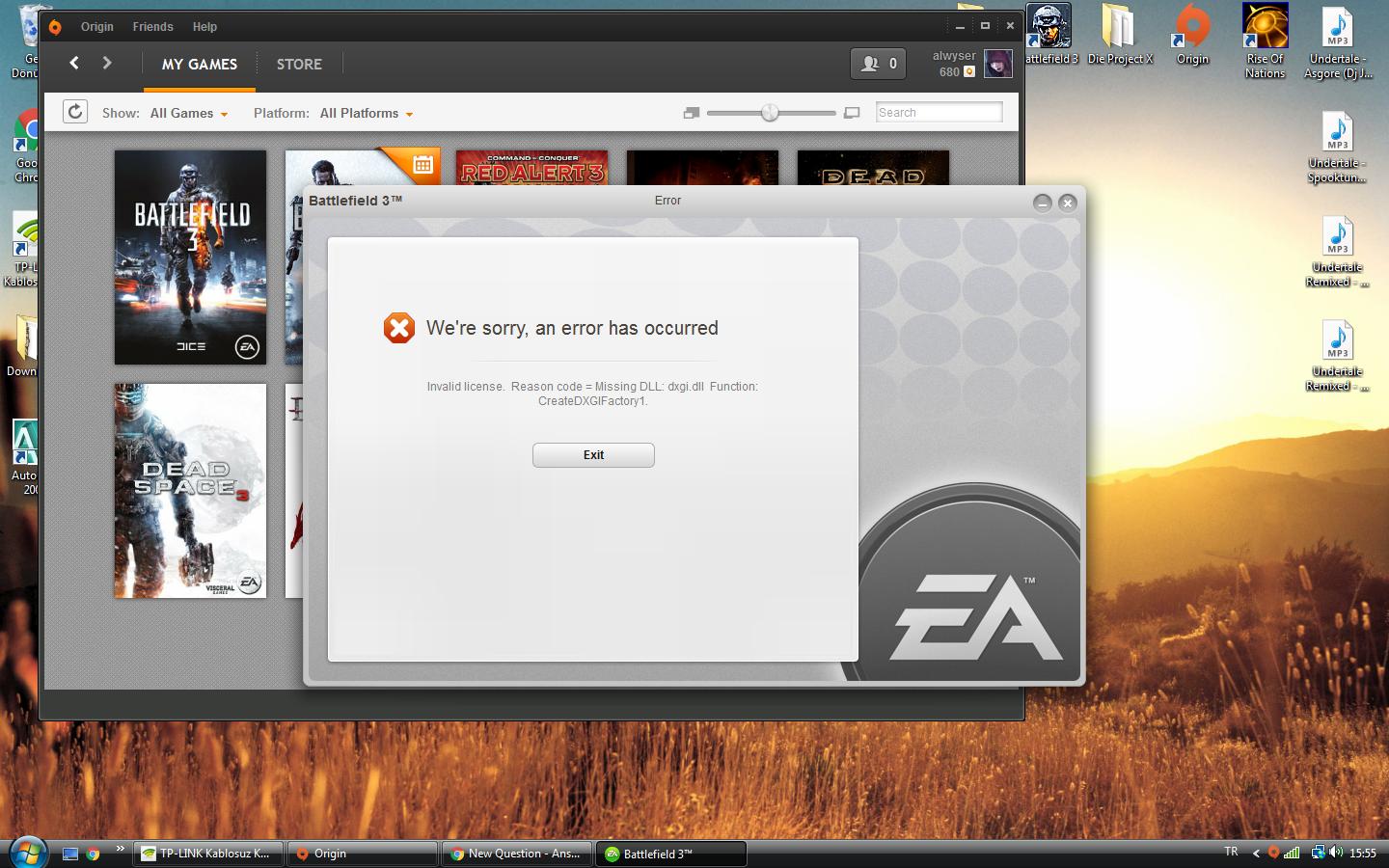
Try manually running the following installers:
C:\Program Files (x86)\Origin Games\Battlefield 3\__Installer\directx\redist\DXSETUP.exe
C:\Program Files (x86)\Origin Games\Battlefield 3\__Installer\vc\vc2008sp1\redist\vcredist_x64.exe
C:\Program Files (x86)\Origin Games\Battlefield 3\__Installer\vc\vc2008sp1\redist\vcredist_x86.exe
Also make sure your video card drivers are up to date.
@alwyser wrote:
I tried everything.Inistalled all directX versios from 9 to 11.Repaired game like 4 times.Upgraded my graphic card.Updated my vista to service pack 2.None of them did the thing.I can't play the game.I was playing this game in the exact same computer about a week ago.I rebooted my PC and this error happens.I played this game for 166 hours.Please fix it.Or tell me how to fix it.
@alwyser when you repair BF3 make sure that you are running Origin as an administrator.

Featured Places