Solved
Forum Discussion


82 Replies
 Anonymous9 years ago
Nothing happened
- Anonymous9 years ago
Actually i'm not able to install the game in origin
- Anonymous9 years ago
@EA_Barry wrote:- Head to the Battlefield 4 installation folder, C:\Program Files (x86)\Origin Games\Battlefield 4 by default, then find the _Installer folder.
- In _Installer, navigate into the VC folder, then into vc2012Update3, and finally redist.
- In redist, find both the x86 and x64 versions of VCredist.exe.
- Run and install both versions, and your game should now launch without error.
Even when I uninstall and then reinstall both, the game will not run and still gives the missing dll file error.
- Anonymous9 years ago
i have this problem with pvz gw2 does any know how to fix
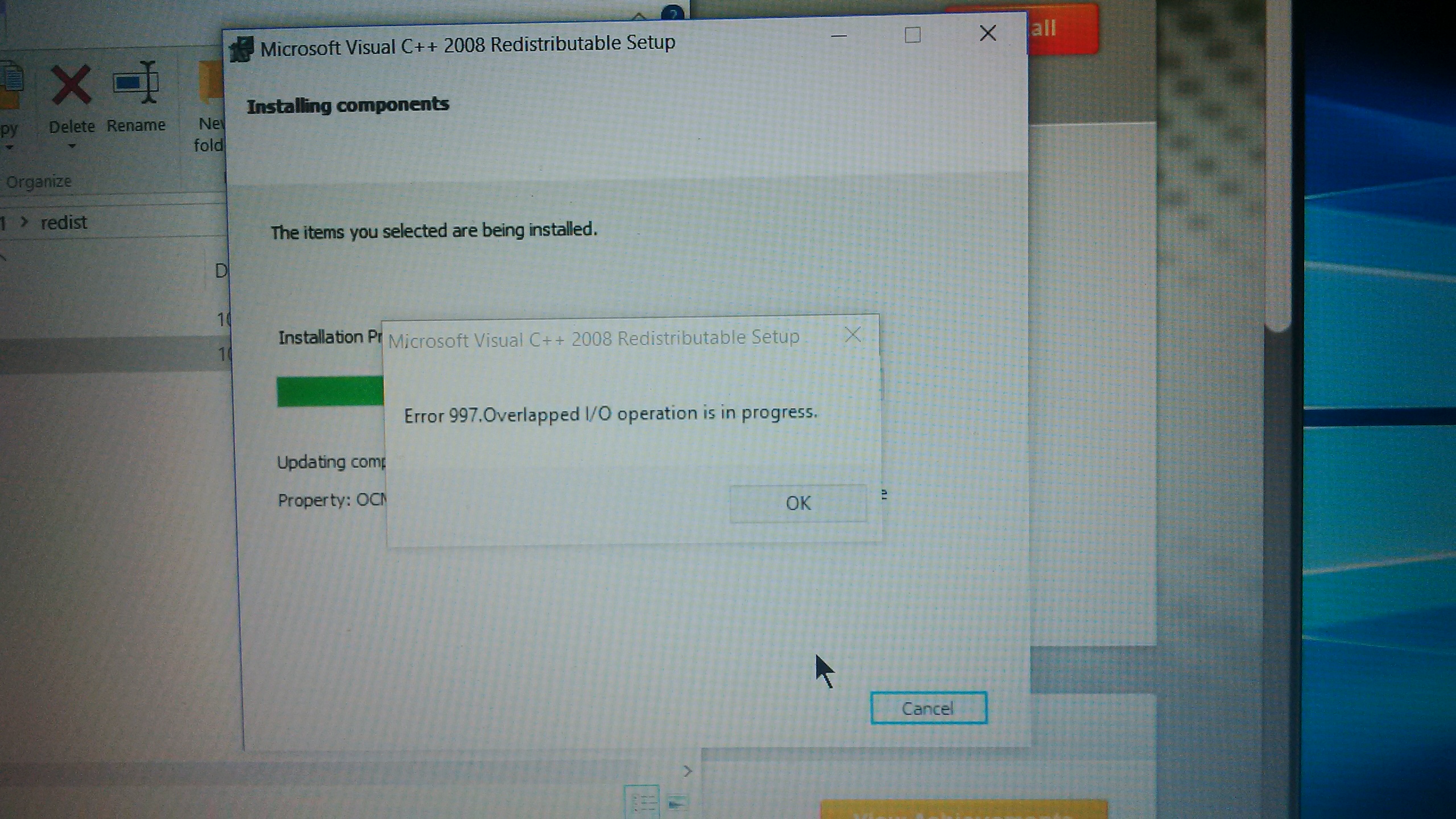
- Anonymous9 years agoWhen I try to install x64 and x86 a message pops up it says "error 997 . overlapped i/o operation is in progress"
- Anonymous9 years ago
I don't have "VC2012Update3", I have "vc2010sp1" and "vc2013". Which one do I go into or do I not go into any?
- I had the same problem . I downloaded from Microsoft's website package Visual C ++ https://www.microsoft.com/ru-ru/download/confirmation.aspx?id=30679 , set and rebooted . For me helped .
- Anonymous9 years ago
this is happening to me and all of my 20+ games arnt installing and everything they tell me to do dosent * work
- Anonymous9 years ago
Hey @cm1202000,
what exactly were you told to do?
I can't figure out how to help you when I don't know what you already tried.Cheers,
Val - Anonymous9 years ago
well i was told to install vc++ from a link i was provided and restart, ok that seemed like it would work but no and it still dosent work and now i cant install my other games because of it, and so i called back and was told to download this link ( another vc++ download and clear the cashe ok seems like it would alos work it didnt....

Featured Places