[HowTo] Playing BF3 in 2022 with new EA App


There is an easy fix for the,
"we could not activate battlefield 3 on this computer" problem. Just found it now on this thread.
Solved: I Bought BF3 On Steam But It Keeps Asking A Product Key - Page 19 - Answer HQ
The fix is this:
Same issue here, haven't been able to play for months. We paid for the game and want to play it, get to work @EA!!!
EDIT:
I FIXED IT!!
GO TO C:\ProgramData\Electronic Arts\EA Services\License AND MOVE 71067.dlf or 71069.dlf (IN MY CASE IT WAS CALLED 70619.dlf) TO ANOTHER FOLDER, RESTART EA APP AND LAUNCH BF3
PLEASE LET ME KNOW IF IT WORKED FOR YOU TOO!
CREDITS TO Alan Keyes: techyv.com/questions/battlefield-3-could-not-be-activated/


Still Unable to play... Thru the EA app.

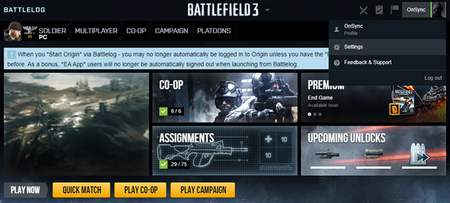
Today, I contacted support directly from the EA games site and he told me that the servers were now closed, but that I could find a way to enter this site and access the servers, and so I came to this site . İ sthere any way to play bf3 ? I've been able to play BF3 using the EA app. What I do is load Battlelog in Internet Explorer mode in Microsoft Edge.
When I switch to the mode you mentioned in Battlelog, the page refreshes and asks me to log in again, but when I log in again, it exits the internet explorer mode ☹️
@istanbul_1920Yeah, I had that, too, but then the game worked normally, launching from Battlelog on Edge without IE mode.
What I had for my previous setting was to get the Battlelog launch page to display in IE mode - in Edge, go to Settings, then Default browser, then add the Battlelog launch page address to Internet Explorer mode pages.


Decided to play BF3 tonight -- I couldn't ; getting the same messages as others...
Followed the advice from @TinyLeaves --- worked first time !!!!
Thanks