Forum Discussion

Anonymous's avatar
Anonymous
9 years ago
Solved

(PC) 'You have lost connection to the EA servers'. Can't connect to anything

For the past 20+ hours the game has been running smoothly and multiplayer was working well.

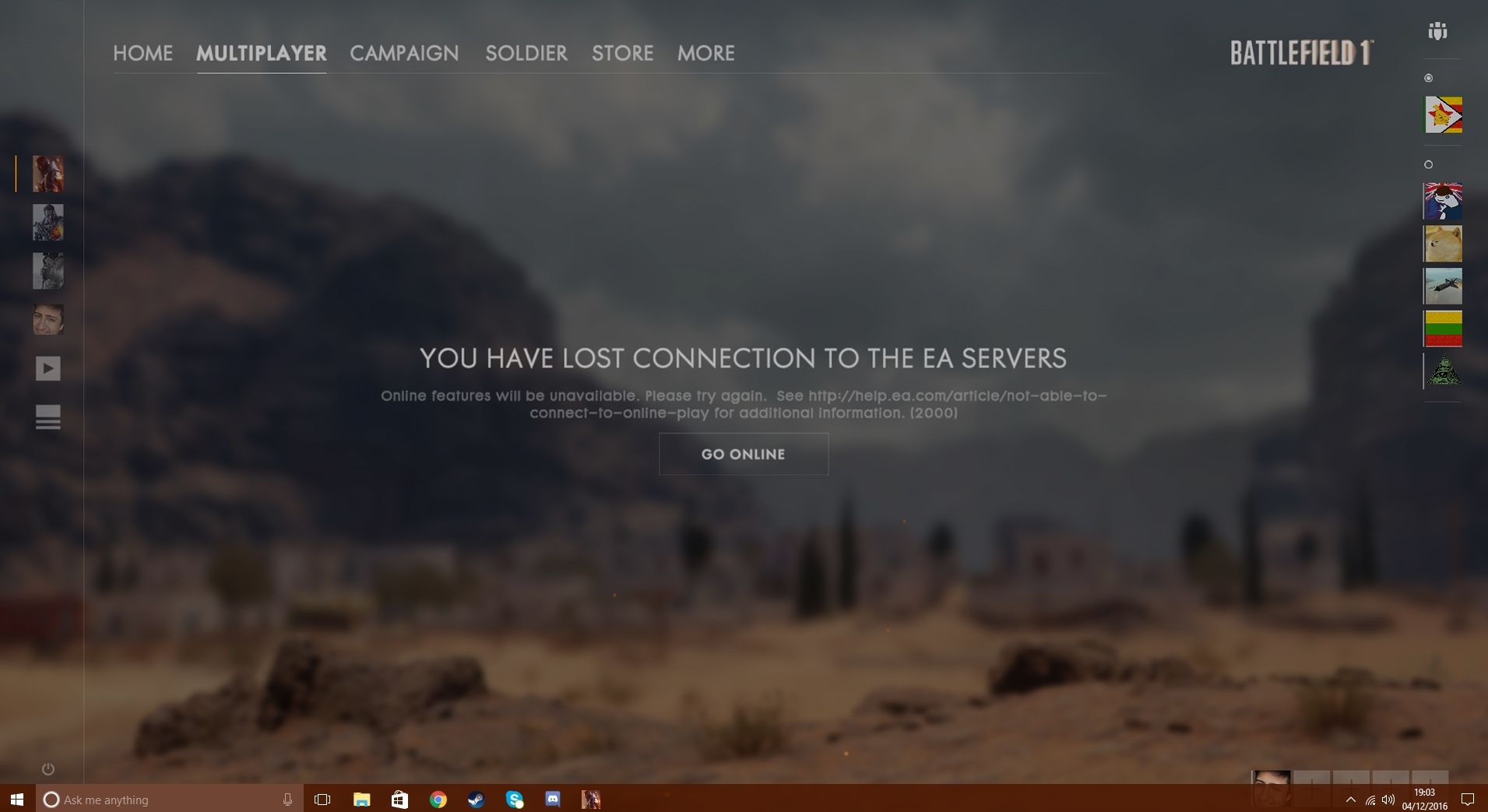
But then, ever since then whenever I open up Battlefield 1 I get this dreaded notification:

'You have lost connection to the EA severs'. For some reason I apparently have lost connection to the EA servers and cannot play multiplayer battles.

My router is working fine and my adaptor receives the signals well, but I still cannot connect to the servers.

But once I joined my friend who was in the middle of a match and I was able to connect and play the game with no disturbances, apart from the black loading screens and ending results just not being there (Battlepacks, MVP's etc.).

This makes no sense, if I really was disconnected from the EA servers I wouldn't be able to join my friend at all but I was somehow able to.

I tried a lot of things such as restarting my router a couple of times, logging out and in and uninstalling the game which all had no effect.

It also takes longer to 'Connect' in the loading screen.

This issue has been going on for 5 days and I have no idea what to do, so EA I need your guidance please.

  • @FromPong1 Were there any updates to your security software? I'd guess that your game is being blocked by something local, and sometimes updates can cause previously whitelisted games to be blocked again. 

    You can try removing and re-adding the game to your firewall exceptions and try temporarily disabling your anti=virus, and see if that has any effect on the issue. 

15 Replies

  • Salutations on this, the eve of war on the Battlefield V!

    Today, I want to share with you a simple idea that seeks to uplift all of us together. For the past month, as well I've been disconnected from EA server for a hundred time's. These incidents have been minor and of an accidental nature. The trend is now be de-activated at each 15 minutes. I have attempted all possible remedies from EA/DICE forums.  Technical support have not produced any results.

    What was the Windows Task Manager talking? I noticed Windows One Drive service immediately. The Windows One Drive service showed a high consumes an enormous amount of Internet bandwidth.

    Then Battlefield’s V client is disrupted before game is finished, allegedly my Internet connection is broken. Manual disablement of the OneDrive by the hands had not solved the problem.

    There is nothing in the world that would make DICE think that not relate to gender gap. At the same time, nothing in the world is perfect, and I am afraid that OS Windows too.

    And I searched, and searched and, at last, I discovered a drug of great interest. We need to change  Speed & Duplex of the physical network adapter. It may sound strange, but disconnetc bug has been fixed.

    1) To do so, open the Windows Explorer (win+E) and right click My computer and click on Properties.

    2) System Properties window will appear, click on Hardware tab and then click Device Manager.

    Note: Of course you can always use different methods to open this Device Manager.

    4) Go to Advanced tab of network card’s properties window, here you can locate the entry to check or change the speed/duplex setting, normally it can be Speed & Duplex, Link Speed & Duplex, Link Speed/Duplex Mode, etc. You have to change the setting to 10Mbps full duplex. Finally click OK and close all windows.

    Well, I hope that helps. [LAND] Cpr-Shephard

  • just disable the rule in firewall for battlefield 1 it will 100% work

  • just disable the firewall rule for bf1 it will 100% work and make it in window mode the game

  • EA_Atic's avatar
    EA_Atic
    Icon for DICE Team rankDICE Team
    5 years ago
    I'm closing this thread to stop it being necroed.
     
    If you have any issues with Battlefield 1 please make a new topic about the issues you are having and what kind of steps you have tried to solve it.
     
    /Atic