Community Manager
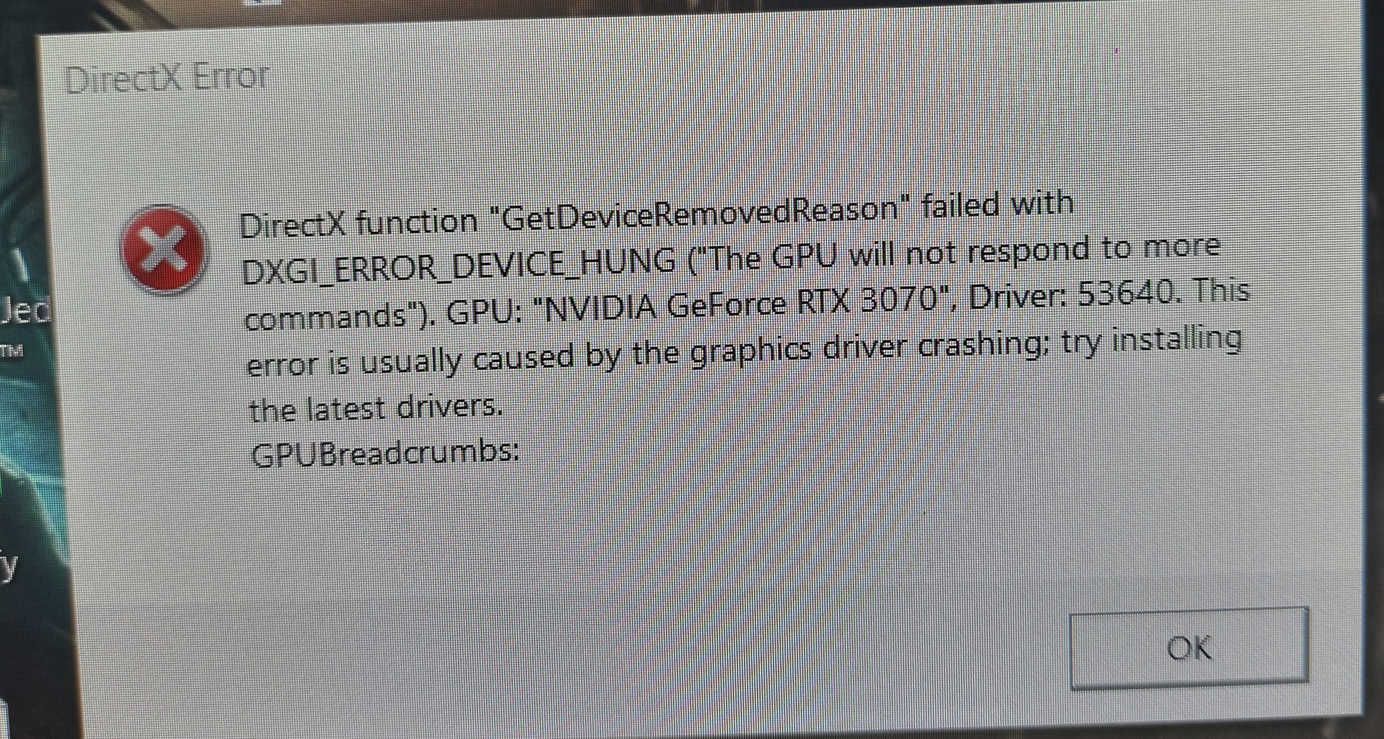
Re: [Old Report] Dead Space Remake Freezing computer / DirectX Error / Driver Crash
Hey everyone,
I wanted to jump in on this and let you know that this is being reviewed by the team. All of the feedback around this has been forwarded on. As with any issue, updates to a game do not always get pushed as quickly as we would like them to.
As of now, there has not yet been an update on this specific issue. So what now? Well, I have put together a list of steps that have helped resolve these issues for players. Many of these you may have completed, and they may have not worked. That’s okay. There may be some here that have not been tried and they are a good point of reference to mark off as tried and did not work.
Let’s run through the basics, shall we?
Launcher
- Repair/Verify your game based on which client you are launching from
- EA App - Repair (My Collection > Tile Dots > Repair)
- EGS - Repair (Library > Tile dots > Manage > Verify)
- Steam - Verify in your library
Windows
- Run the System File Checker tool then Check for Windows and GPU updates
- Default your game to the high-performance GPU, AMD Settings | Nvidia Settings | Windows Settings
- Guide for Troubleshooting Graphics issues
- Install/Repair your VC++ files for the game (Microsoft VC++ Link)
- Put your device in a Clean Boot then launch the game
- Try the Game in different Compatibility settings
- Remove any over-clocking or undervolt settings or software and check if the issue continues.
- Check for other applications that may be limiting EA App or Game performance
- Connection and Advance Connection Guides
- Untick the options in LAN Settings (make sure nothing is checked under Proxy Server)
- Change DNS settings (You can use the public Google DNS primary: 8.8.8.8, secondary: 8.8.4.4, unless there is a different DNS you would rather use)
- Try a new user account
- Reset Windows Host File
- Change UAC Controls
Registry clean-up
One thing I would like to try is to install CCleaner (it's free) from here
- Clear your registry first.
- Run cleaner
- Check fix all
- Back up no
Once you mark off each one, another good way to get that fixed is to simply install another EA title you have as it also updates the same files and checks if you have them running properly.