Forum Discussion

AdviCookieee
1 month agoNew Novice
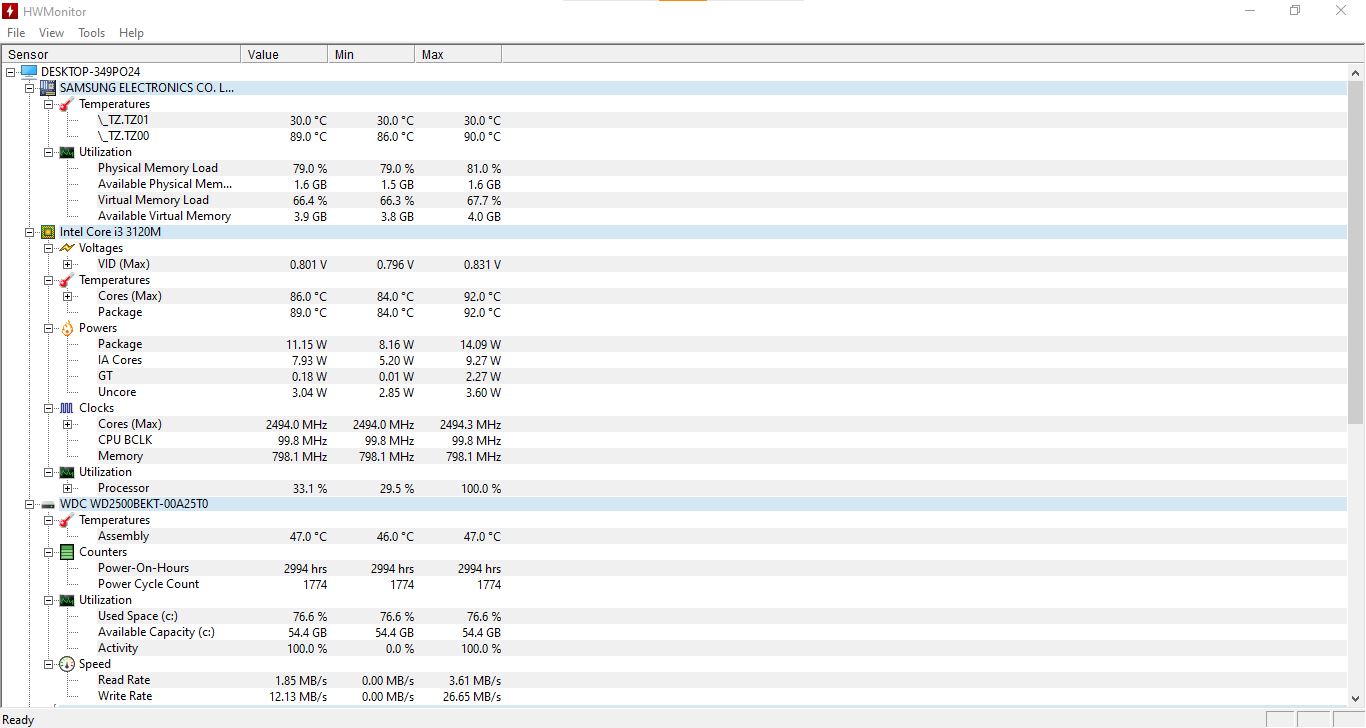
this screenshot ocurred while i was instaling ts4 on my samsung computer and this is the proof

EA_Leeuw Community Manager
1 month agoCommunity ManagerHi again,
Thank you for clarifying.
If this screenshot was taken while installing The Sims 4, higher CPU and disk usage can be expected. Game installation involves file extraction, verification, and disk writing, which naturally increases system resource usage for a period of time.
However, the screenshot still does not show which specific process is responsible for the resource usage. Without seeing the process list sorted by CPU (or Disk) usage, we cannot determine whether the EA app, the game installer, or another background process was using those resources.
To properly assess this:
- Open Task Manager.
- Go to the “Processes” tab.
- Click the “CPU” column to sort from highest to lowest.
- Share a screenshot that clearly shows the process names and their usage percentages.
Also note that high resource usage during installation does not indicate a breach or malicious behaviour. It typically reflects normal installation activity.
If you can provide a sorted process view showing unusually high usage from the EA app specifically, we’ll gladly investigate further. If not, then we'll leave this here.
Featured Places