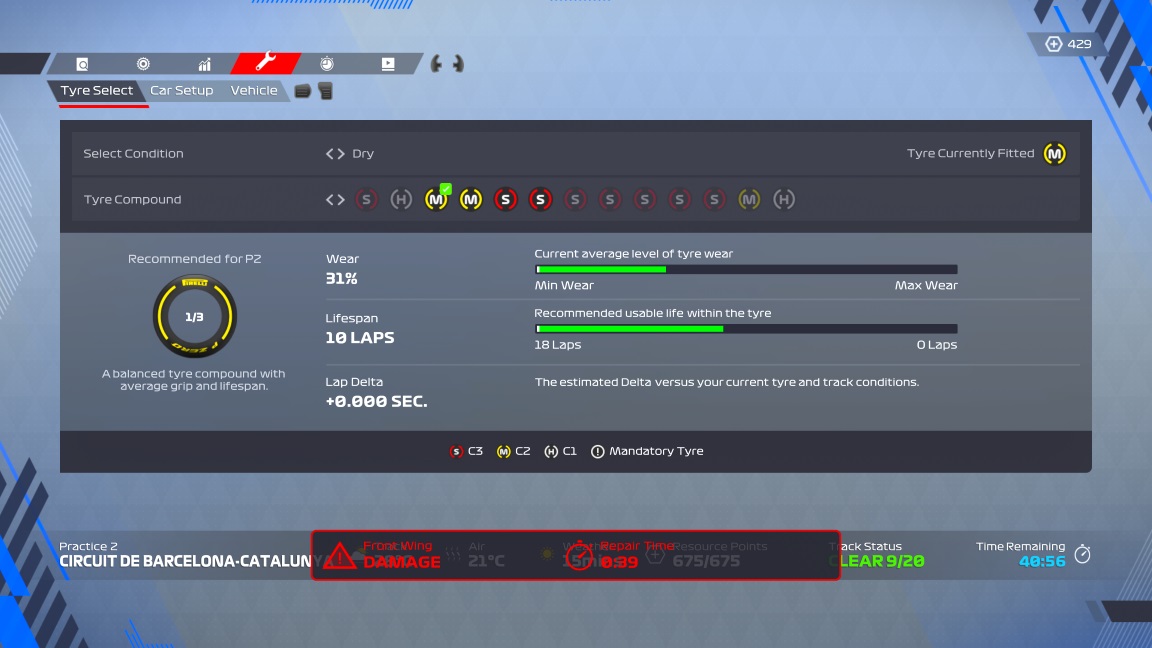
Can't navigate tire selection after returning to the garage
Product: F1 22
Platform:Xbox Series X
Summarize your bug You're not always able to navigate between available tire compounds after returning to the garage
Which area is the bug/glitch in? Driver Career
How often does the bug occur? Often (50% - 99%)
Steps: How can we find the bug ourselves? Enter co-op career, single player career or My Team. Enter a practice session (FP1/FP2/FP3). Start a practice program (e.g. track acclimatization or race strategy). Complete the program (or not, I don't believe this is necessary) and return to the pit lane manually. Upon entering the garage and regaining control, enter the session info screen and immediately try to change the selected tire compound. Sometimes you're not able to do so.
What happens when the bug occurs? Instead of being able to change between the available tires, there is no selection mechanic (no tires are highlighted as 'currently selected'). The control to move between the tires do not do anything, and you cannot gain information about the different compounds you have remaining (see screenshot). Note: You can reset the state of this by moving to other areas of the game. For example, entering the car setup and then returning to the tire selection seems to clear the issue a lot of the time.
What do you expect to see? You can immediately move between the tire selection as normal.
NOTE: I don't think this issue is limited to the career modes, or just to practice sessions. I'm pretty sure I've seen it in multiplayer/league races during longer qualifying sessions too, maybe when switching from Q1 to Q2.
NOTE2: I think this issue has been around for a few games now and has never been addressed. I definitely saw it in F1 2021 multiple times, and I remember seeing it in a previous game too (possibly 2019 or 2020).