Forum Discussion

EA_David's avatar
EA_David
Icon for Community Admin rankCommunity Admin
9 years ago

Re: Cannot Authorize DLC by logging into alliance network

Thanks for the extra detail, it certainly sounds like something is blocking your games' access to the servers. 

Do you use anti-virus software? If so can you try temporarily disabling it? Sometimes they can also block games, so it's worth checking. 

You mention being on a college network, I wonder when did you play on W7 last?

Perhaps if it was during the last academic year, new restrictions were put in place on the network and you'll need to talk to your admin? On the other hand if you played on your older machine last week, that's probably not a factor. 
13 Replies

  • DeusVult1ng's avatar
    DeusVult1ng
    Rising Novice
    9 years ago

    Hey sorry I waited until this long to get back, I wanted to see if it would work outside of school, I'm now at my own apartment with Xfinity and NO anti-virus software and I still can't access the ME3 servers so that I can use my DLC

  • holger1405's avatar
    holger1405
    Hero+
    9 years ago

    @DeusVult1ng

    Restart your router.

    If that not helps, shut down your Windows firewall. (just for testing purpose, don't forget to activate the firewall and the antivirus software later on.)

    Should it work after you disabled the firewall, here is a description how to allow a program to communicate through the firewall.

    This ports must be open on your Router:

    Origin Ports
    TCP: 80; 443; 9960-9969; 1024-1124; 3216; 18000; 18120; 18060; 27900; 28910; 29900
    UDP: 1024-1124; 18000; 29900
    Me3 Port
    Port 3659

    Clearing your DNS cache. or testing a google DNS could also help.

    If that not helps here is a EA connection troubleshooting guide.

  • DeusVult1ng's avatar
    DeusVult1ng
    Rising Novice
    9 years ago

    Almost all the DLCs except for a few multiplayer ones and no mods, This issue has followed me on three different Internets and two different PCs, im beginning to think its an account issue

  • holger1405's avatar
    holger1405
    Hero+
    9 years ago

    @DeusVult1ng

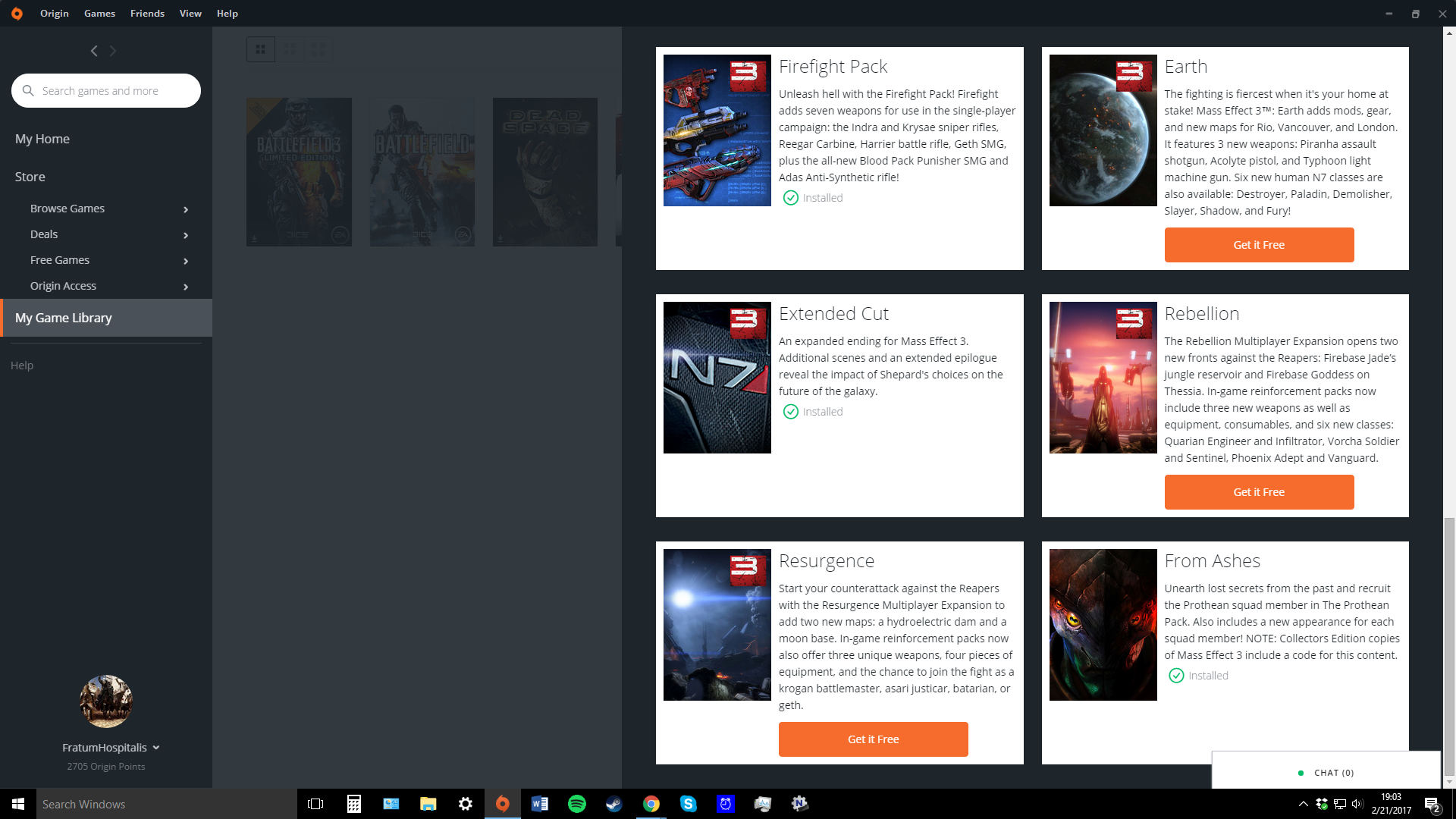
    Please provide screenshots of the Origin ME3 "extra content" section so that I can see that you own them.

  • DeusVult1ng's avatar
    DeusVult1ng
    Rising Novice
    9 years ago

    Sure thing, Here you go 

  • holger1405's avatar
    holger1405
    Hero+
    9 years ago

    @DeusVult1ng

    OK, go 

    Scroll down to "DLC Patcher" and download the "" for ME3.

    Unzip the RAR file and put both DLLs int your ">drive<:\Program Files (x86)\Origin Games\Mass Effect 3\Binaries\Win32" folder (override).

    This will authorize the single player DLCs. I use this DLLs myself for my modded game but as always with third party software I have to tell you that you use this DLLs on your own risk.

  • DeusVult1ng's avatar
    DeusVult1ng
    Rising Novice
    9 years ago

    OH MY GOD IT WORKS, HOLY * I WANT TO KISS YOU RIGHT NOW, TWO YEARS OF AGONY GONE

  • holger1405's avatar
    holger1405
    Hero+
    9 years ago

    @DeusVult1ng

    Thanks, but I think my Wife would object. 😉

    Sorry that I can help you to access MP, but that is a different beast and the connection error can have a lot of reasons.

    You're welcome, and thanks for the XP.

  • Anonymous's avatar
    Anonymous
    7 years ago
    Approved
    Thank youu!
  • "Scroll down to "DLC Patcher" and download the "" for ME3." Scroll down where? On what website?

  • holger1405's avatar
    holger1405
    Hero+
    4 years ago

    @JustWilhelm 

    This was a specific solution for a specific player, that's why I deleted the link.

    Do you have the same problem?

Featured Places

Node avatar for Mass Effect Franchise Discussion

Mass Effect Franchise Discussion

The fate of the galaxy lies in your hands. Join the Mass Effect community forums and tell us how you'll fight for it.Latest Activity: 33 minutes ago
19,309 Posts