Forum Discussion

LikeSwoosh's avatar
LikeSwoosh
New Novice
1 month ago
Solved

Login Error

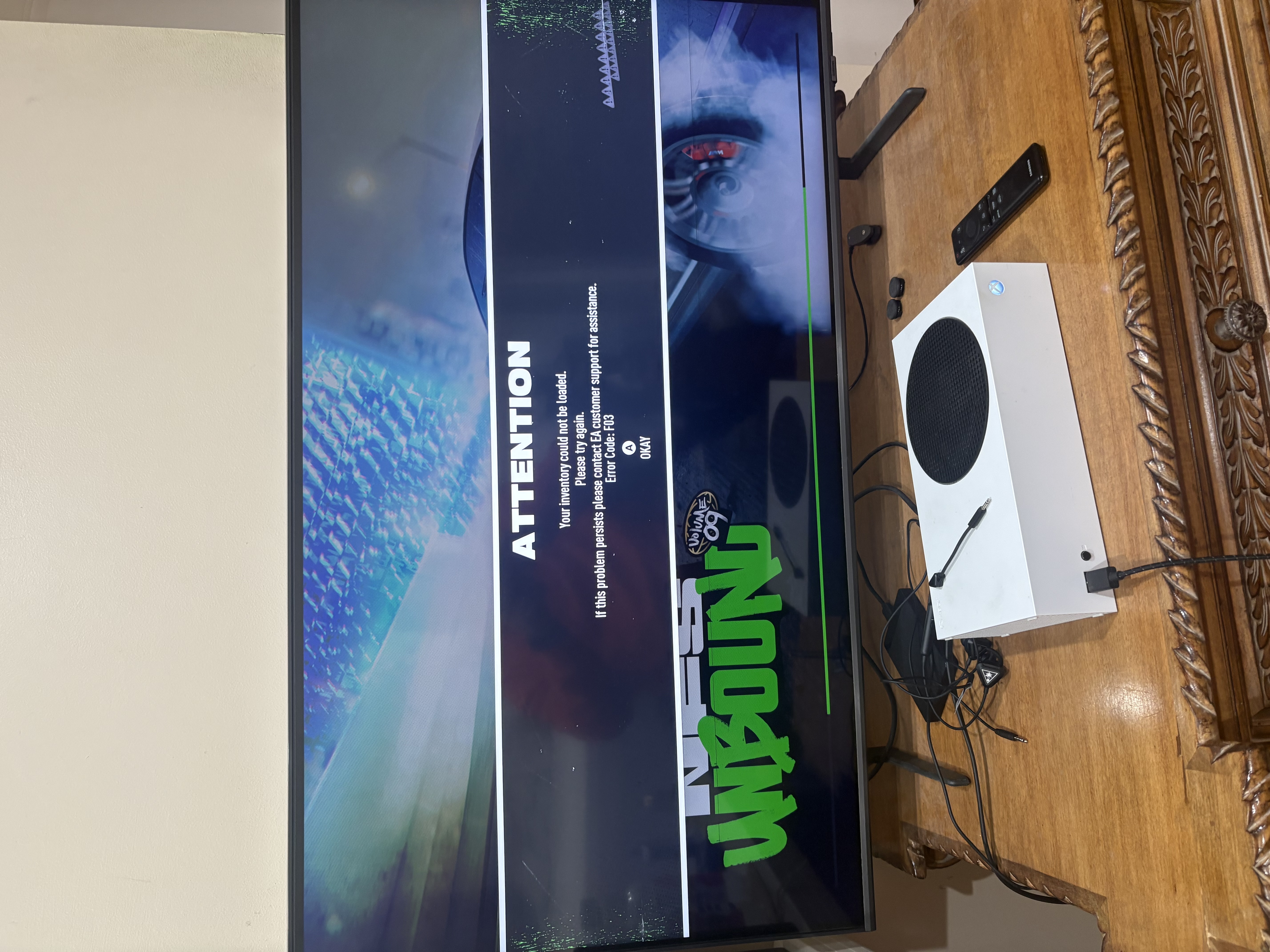
I cant log into my account on need for speed unbound on xbox. Also some or most of the things ive unlocked or even payed for seem to be locked.

  • Hello LikeSwoosh​,

    could you try following these steps to see if that fixes the issue?

    1. Log into the game
    2. Disconnect from the internet
    3. Reconnect
    4. Go back to Unbound and make sure it's in offline mode
    5. Click to go back online


9 Replies

  • EA_Pythia's avatar
    EA_Pythia
    Icon for Community Manager rankCommunity Manager
    1 month ago

    Hello LikeSwoosh​,

    could you try following these steps to see if that fixes the issue?

    1. Log into the game
    2. Disconnect from the internet
    3. Reconnect
    4. Go back to Unbound and make sure it's in offline mode
    5. Click to go back online


  • LikeSwoosh's avatar
    LikeSwoosh
    New Novice
    1 month ago

    Hi I went to the EA forums and told them my issue and they had a fix for me. I tried it and it worked but I had to go to each individual car and customize the wheels, projections, license plates, and driving effects all over again. Some cars it even took the wide body front and back fenders off or even the hoods of the cars were different. It took me 2 hours to customize my cars back to normal. So I thought to myself it's ok this one time is fine. But then it happened again. Now I have to spend another 2 hours just customizing my cars again because it happened again. I wanted to know if I can just get 1 million in game money for all my troubles. This is very inconvenient to me but I like the game a lot and want to continue playing it. It would mean a lot to me if you can do this for me and also get a permanent fix for this issue.

    Thank you.

  • LikeSwoosh's avatar
    LikeSwoosh
    New Novice
    1 month ago

    Hi I went to the EA forums and told them my issue and they had a fix for me. I tried it and it worked but I had to go to each individual car and customize the wheels, projections, license plates, and driving effects all over again. Some cars it even took the wide body front and back fenders off or even the hoods of the cars were different. It took me 2 hours to customize my cars back to normal. So I thought to myself it's ok this one time is fine. But then it happened again. Now I have to spend another 2 hours just customizing my cars again because it happened again. I wanted to know if I can just get 1 million in game money for all my troubles. This is very inconvenient to me but I like the game a lot and want to continue playing it. It would mean a lot to me if you can do this for me and also get a permanent fix for this issue.

    Thank you.

  • EA_Pythia's avatar
    EA_Pythia
    Icon for Community Manager rankCommunity Manager
    1 month ago

    Heya LikeSwoosh​,

    so the solution in this thread only worked once and then not again? Or do you mean that afterward, while you can log in, your car customization needs to be fixed each time? 

    Are you getting some kind of error message still? Are you customizing cars in-between/creating new customizations before the issue starts again?

  • LikeSwoosh's avatar
    LikeSwoosh
    New Novice
    1 month ago

    So the very first time I had the issue I used the fix that u recommended and it worked. But then the same issue happened. And the big problem with this issue is that the game doesn't recognize that I have purchased some content and it deletes it from my customized cars. Then I have to go to all the cars and re-customize them with the purchased content that I had on them.

  • EA_Pythia's avatar
    EA_Pythia
    Icon for Community Manager rankCommunity Manager
    1 month ago

    Please try these things:

    Make Sure You’re Online Before Launching

    • Confirm Xbox is connected
    • Confirm Xbox Live services are up
    • Then launch the game


    Disable Quick Resume for NFS Unbound

    Do this every time:

    • Xbox Home → highlight NFS Unbound
    • Menu → Quit (don’t suspend it)
    • Launch fresh

    If you see it in Quick Resume:

    • Remove it manually


    Sign-Out Revalidation 

    • Press Xbox button → Profile → Sign out
    • Hold Xbox power button → Turn off console
    • Wait 30–60 seconds
    • Power back on
    • Sign back into your profile
    • Launch NFS Unbound (fresh, not Quick Resume)


    Make sure you back up your saves before you try any of the suggestions. Let the game sync to cloud after everything looks correct and if things break again, don’t overwrite cloud saves immediately.

Featured Places

Node avatar for NFS Unbound Technical Issues & Bugs

NFS Unbound Technical Issues & Bugs

Need support with tech, game or connectivity issues in Need for Speed™ Unbound? Join us to discuss troubleshooting.Latest Activity: 1 day ago
2,328 Posts