Forum Discussion


EA_Barry Community Manager
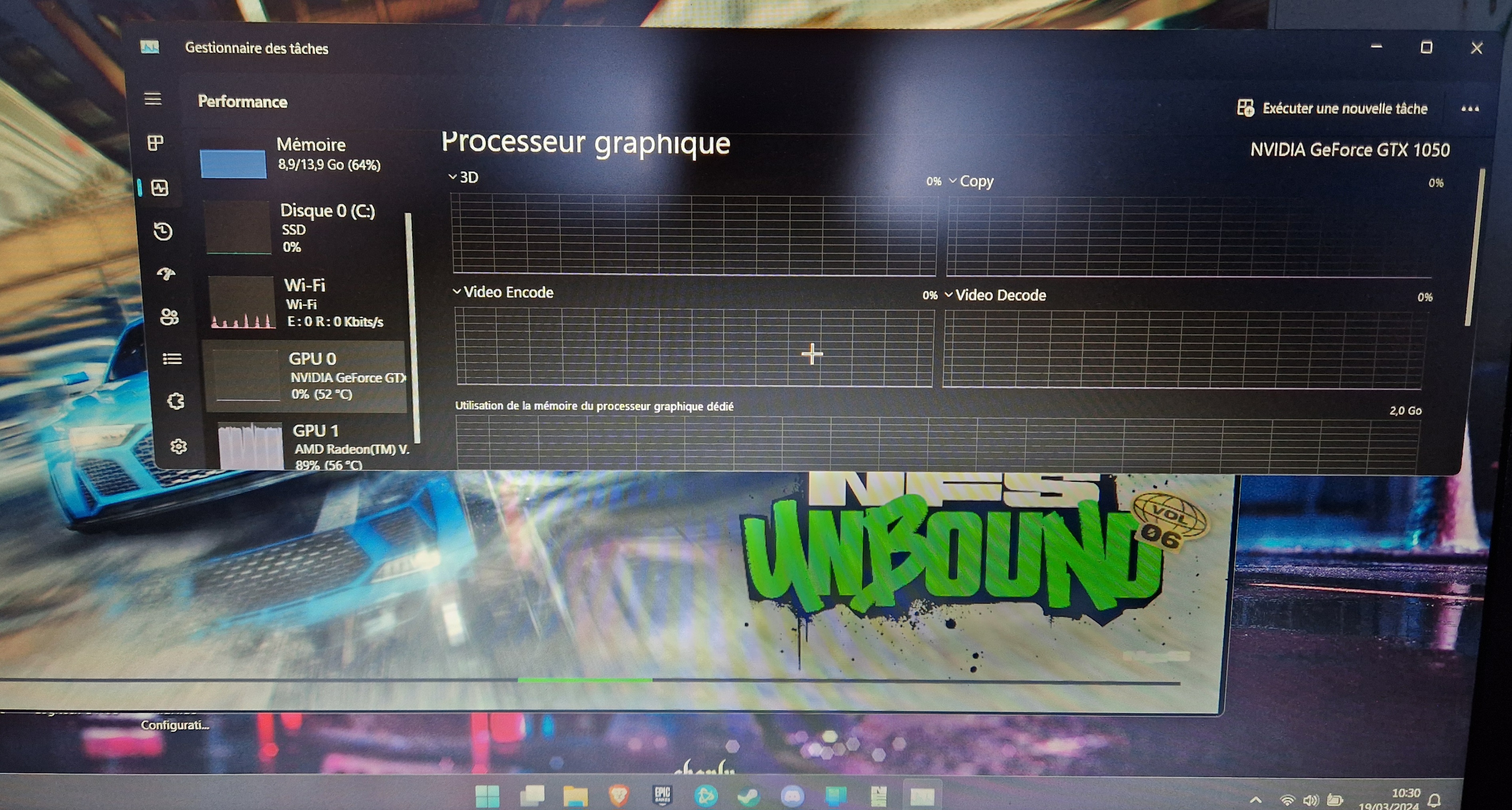
2 years agoCommunity ManagerAt the top right of the NVIDIA control panel, click on Restore Defaults and then at the bottom, click on Apply.
Check to make sure 100% your display is connected to your GPU and not the motherboard video output.
Thanks.

2 years ago
I tried what you told me, but it didn't work. Thanks anyway.
 2 years ago@Racerx31x Go to Windows display settings and than Graphics settings. Scroll down and browse for you NeedforSpeedUnbound.exe, click options and chose High Performance NVIDIA GTX 1050. Doing this via the control panel doesn't work good for a few years now already.
Featured Places