Forum Discussion


EA_Barry Community Manager
2 years agoCommunity ManagerAt the top right of the NVIDIA control panel, click on Restore Defaults and then at the bottom, click on Apply.
Check to make sure 100% your display is connected to your GPU and not the motherboard video output.
Thanks.

2 years ago
@EA_Barry You are better of recommending people to switch GPU per application in the Windows Graphics setting under the Windows Display settings. Doing it via NVIDIA control panel doesn't work that well for a few years now.
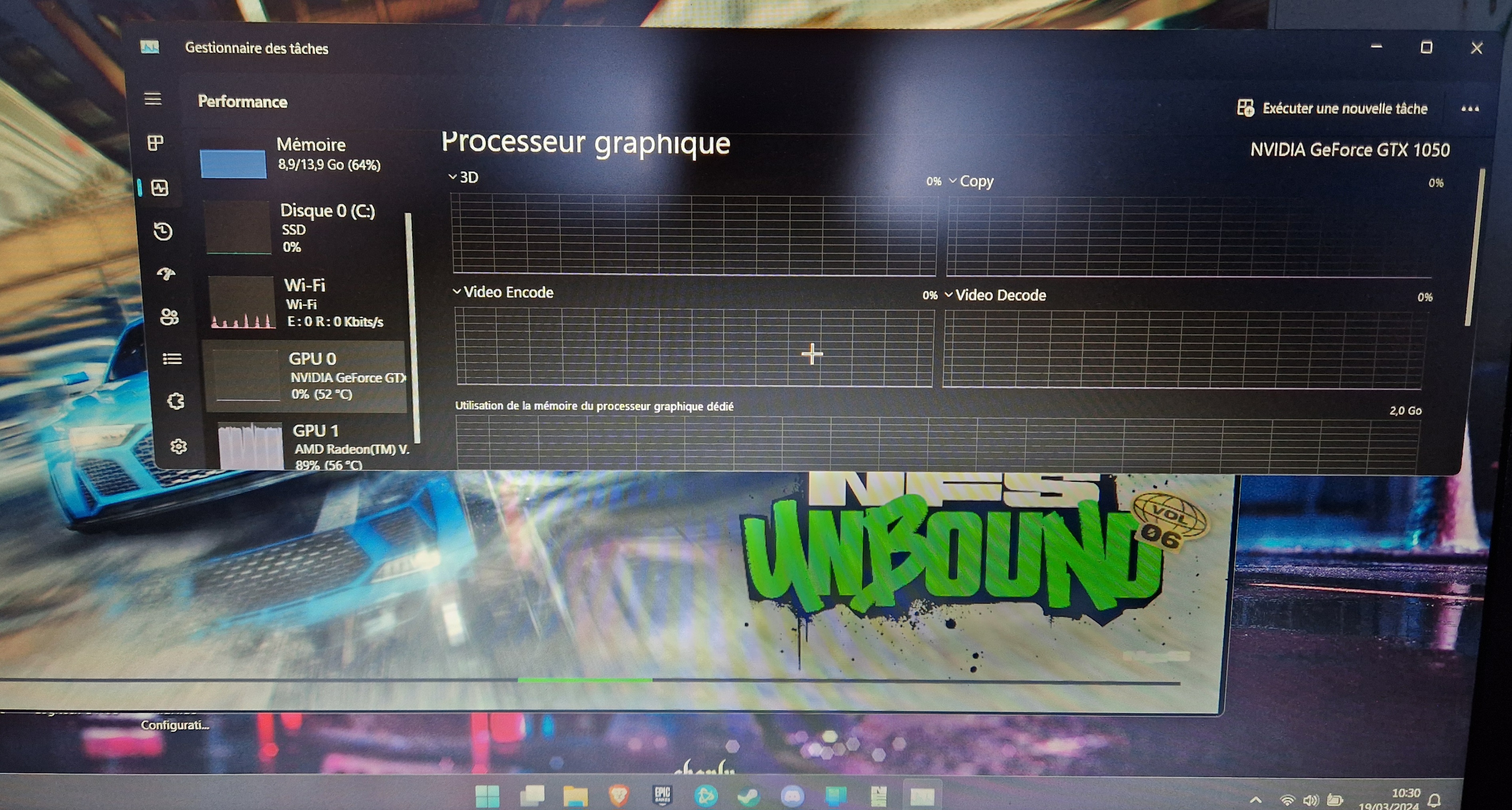
 2 years ago@Sjonny30 I put 3 photos, one of which shows that I have already tried what you recommend me. Sorry but it don't work for this game. Thanks anyway
- 2 years ago@Racerx31x at this point I can just recommend reinstalling you graphics card drivers. Uninstall NVIDIA first and than AMD. When AMD drivers are uninstalled, reinstall them using Windows update. Than install the NVIDIA drivers manually by downloading them from the website.
Featured Places