Forum Discussion

13 Replies
 EA_Illium1 year ago
EA Staff (Retired)
Would it be possible to get the following bits of information?
- Platform (or client):
- EA ID (PSN ID/Gamertag):
- Are you getting an error message?
- Does this happen in SP or MP?
- If possible, share a Screenshot or Clip...
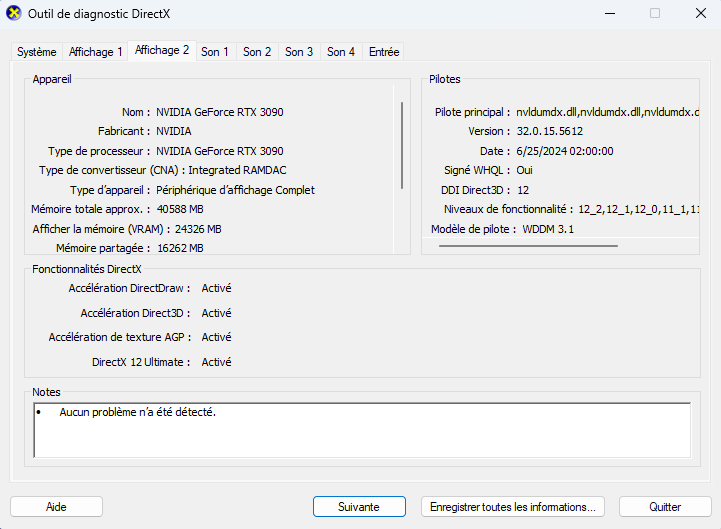
- If on PC, please share a DxDiag file and an EA app Error ID Number
We can use this information, to help make the team aware of the issue and to further investigate.
Cheers!
- Platform (or client): EA plateform
- EA ID (PSN ID/Gamertag): Kwin369
- Are you getting an error message? No The juste crash
- Does this happen in SP or MP? Same in SP and MP
- EA_Illium1 year ago
this ?
Sorry i ting is this you need. sorry for my English
- EA_Illium1 year ago
Hey @kwin369
Based on your Dxdiag I can recommend a few things to try.
- Default your PC to the dedicated Graphics card: Troubleshooting Graphics issues
- Default to your Nvidia card, instead of your Intel card
- Check for other applications that may be limiting NFS Unbound
- Try running the client and game as an admin
- These should help if any other software is blocking or conflicting with NFS Unbound or the EA app
- Run the System File Checker tool, then Check for Windows and GPU updates
- Restart your device in Clean Boot mode first then try again.
- Once in a clean boot only launch EA app and NFS Unbound with nothing else running to check if this continues.
Thanks!
- Default your PC to the dedicated Graphics card: Troubleshooting Graphics issues
@EA_Illium Sorry for the late reply.
- Platform (or client): Steam
- EA ID (PSN ID/Gamertag): XxFE4RL35SxX
- Are you getting an error message?: Just crash
- Does this happen in SP or MP? : Both SP and MP.
- EA app Error ID Number: 38cf0aab-4842-40f9-9b3b-c30ca9fbdbf3
- @XxFE4RL35SxX this game is so broken
- @Retrans_2007 Yeah, it seems like that
it's been months and yet the same issue has not been fixed. there is a thread which has gone stale with the exact same problem and EA just keeps giving random answers pointing to issue on our end rather than fix the actual problem with game files
If I can run forza horizon 5 why is this crashing so much
+++ I bought new Monitor to play and relax by playing. Unfortunately i was able to play only 5-6 mins and game crashed. Since i can't even play.
- EA_Illium1 year ago
Hey Everyone,
Updating this thread, the team has released Vol 8 with various fixes. You can read the patch notes here.
I wanted to check if anyone has noticed any issues with NFS unbound after grabbing the latest update.
Cheers!
No, it has not helped. Game is 2 years old and you cant fix it cause you are too focued on freaking making money through speed pass. You guys are horrendous. It crashes even more after update. Last 2 hours of play consisted of turning off my pc with button repeatedly. Soon i will crash my ssd and who will be responsible for this? Who will give me back my stuff from ssd and the price i paid for it?


Featured Places