Forum Discussion

alwayzgo2aC's avatar
alwayzgo2aC
Seasoned Newcomer
4 years ago

Pogo game size is too big for iPad screen

All of the sudden yesterday my Pogo games were too large to fit on my iPad screen. I did nothing to my iPad but the games don’t fit. My downsize button (usually below the home button) is gone. I can’t play some games because ehay

t I need to click (like restart a game) isn’t showing on my screen. EA support says “wait for it be fixed”

45 Replies

  • What is going on with the Pogo main page and each game page???  Everything is blown out of proportion.  

    I'm using my Windows PC with a 21 inch monitor.  This has been getting increasingly worse over the past 2 to 3 days.

    And yes, I've done all the restart, clear cache BS.

    So when will this be fixed .......... 

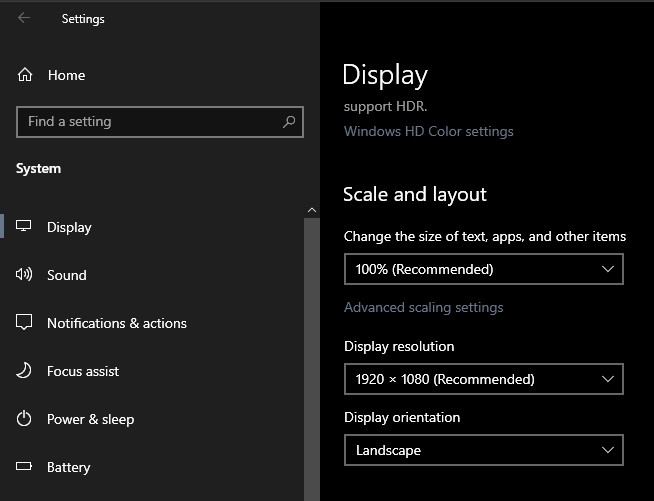
  • Make sure you check display settings to make sure your scaling is set to 100% which is recommended. Also check your ease of access and make sure it is set to 100% also. Check your browser settings (click on the 3 dots top right) and make sure it is set to 100% also. Make sure you don't have magnifier on.

  • On iPad swipe up on the menu bar.  That’s all you need to do.

  • On iPad swipe up on menu screen.  This will bring the whole game up.

Featured Places

Node avatar for Pogo Technical Issues & Bugs

Pogo Technical Issues & Bugs

Join the Pogo community to talk about game issues, browser and HTML5 troubleshooting, and report bugs in the games.Latest Activity: 48 minutes ago
5,321 Posts