Forum Discussion

6 Replies
 kome_kohagi6 years agoNot applicable
thanks
Browser cache deleted But I can't log in...
@kome_kohagi Please try a different browser. If that doesn't help, try changing your password on ea.com, and clear your browser caches again. For the new password, use only letters and numbers, no special characters; even though it might be less secure, it's good to test temporarily.
If that doesn't help either, let me know what country you're in, and which browsers haven't worked.
- kome_kohagi6 years agoNot applicable
Thanks
I tried another browser, cleared the cache, but can't log in.I changed my password and did the same.....
Country: Japan
Browser: Chrome, edge, FireFoxby the way
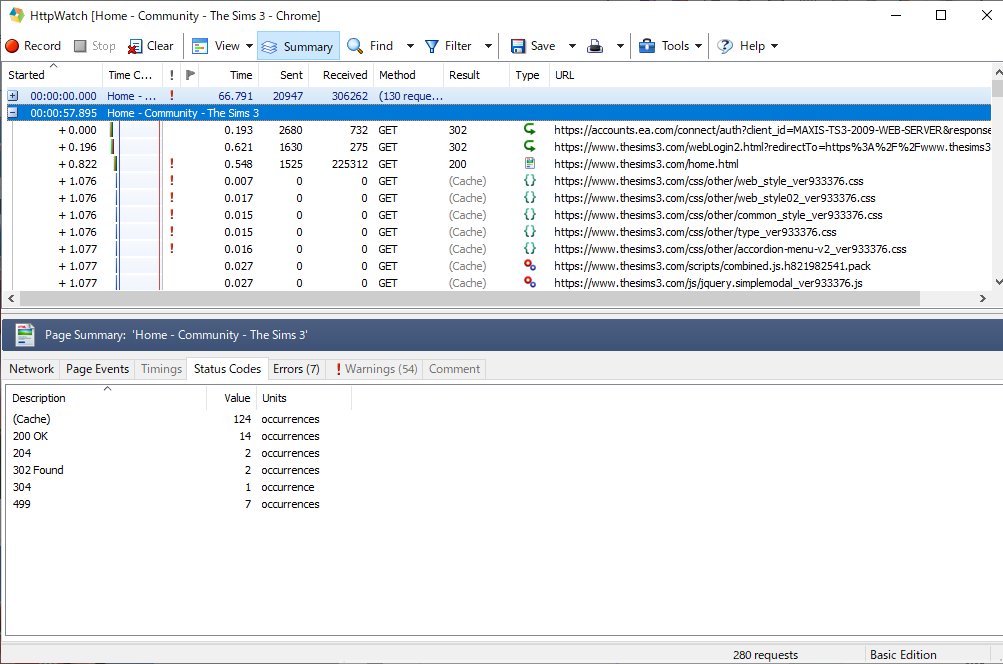
accounts.ea.com redirected to www.thesims3.com/webLogin2.html
Is this behavior not good?| https://accounts.ea.com/connect/auth?client_id=MAXIS-TS3-2009-WEB-SERVER&response_type=code&redirect_uri=https%3A%2F%2Fwww.thesims3.com%2FwebLogin2.html%3FredirectTo%3Dhttps%253A% 252F% 252Fwww.thesims3.com% 252Fhome.html
| https: //www.thesims3.com/webLogin2.html? redirectTo = https% 3A% 2F% 2Fwww.thesims3.com% 2Fhome.html & code = ...
- kome_kohagi6 years agoNot applicable
sims3 game launcher also not be able to log in !!
@kome_kohagi This definitely sounds strange, and I wonder if there's a problem with your account. When I clicked the first link (weblogin2), I was redirected to thesims3.com, not signed in; when I clicked the second link, I went to the same site but was already logged in. (My AHQ and Sims 3 accounts are the same, so this is normal.)
The only other thing I can think of, besides an account issue, is that your ISP is blocking some EA sites. If your phone uses a different ISP, try logging in there, or using it as a mobile hotspot for your computer. It's certainly not a permanent solution, but it's a good test at least.
If this doesn't help either, please contact EA customer support and ask if there's some problem preventing you from logging in.
- kome_kohagi6 years agoNot applicable
thank you very much
Another ISP was the same ...Contact EA customer support
Featured Places