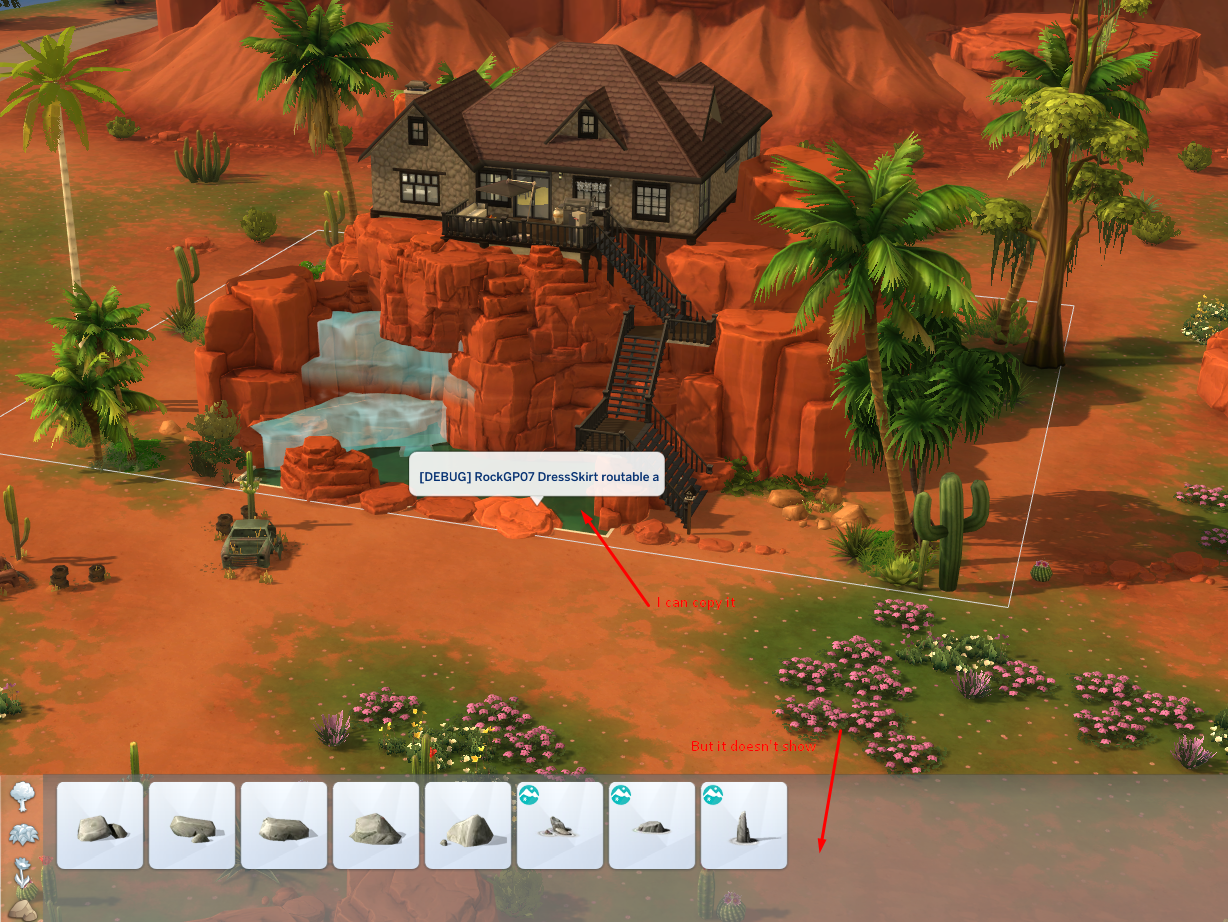
Product: The Sims 4
Platform:PC
Which language are you playing the game in? English
How often does the bug occur? Every time (100%)
What is your current game version number? 1.110.265.1030
What expansions, game packs, and stuff packs do you have installed? all except bust the dust which is permanently disabled
Steps: How can we find the bug ourselves? type in: bb.showhiddenobjects on bb.showhiddenobjects bb.showliveeditobjects bb.ignoregameplayunlocksentltlement after turning on cheats search the word debug in the filter
What happens when the bug occurs? only 7 rows of items show in basegame instead of the usual with no plants or trees
What do you expect to see? I expect to be able to access debug plants and trees when I type in cheats to access debug
Have you installed any customization with the game, e.g. Custom Content or Mods? Not now. I've removed them.
Did this issue appear after a specific patch or change you made to your system? Yes
Please describe the patch or change you made. 10.22.24
there is one more row I can get aside from these 6 but it's only h alf a row - and it won't let me add anymore screenshots. it seems as if it's not an issue with intel processors? at least my friend with intel can still access debug, but me and my amd cannot.