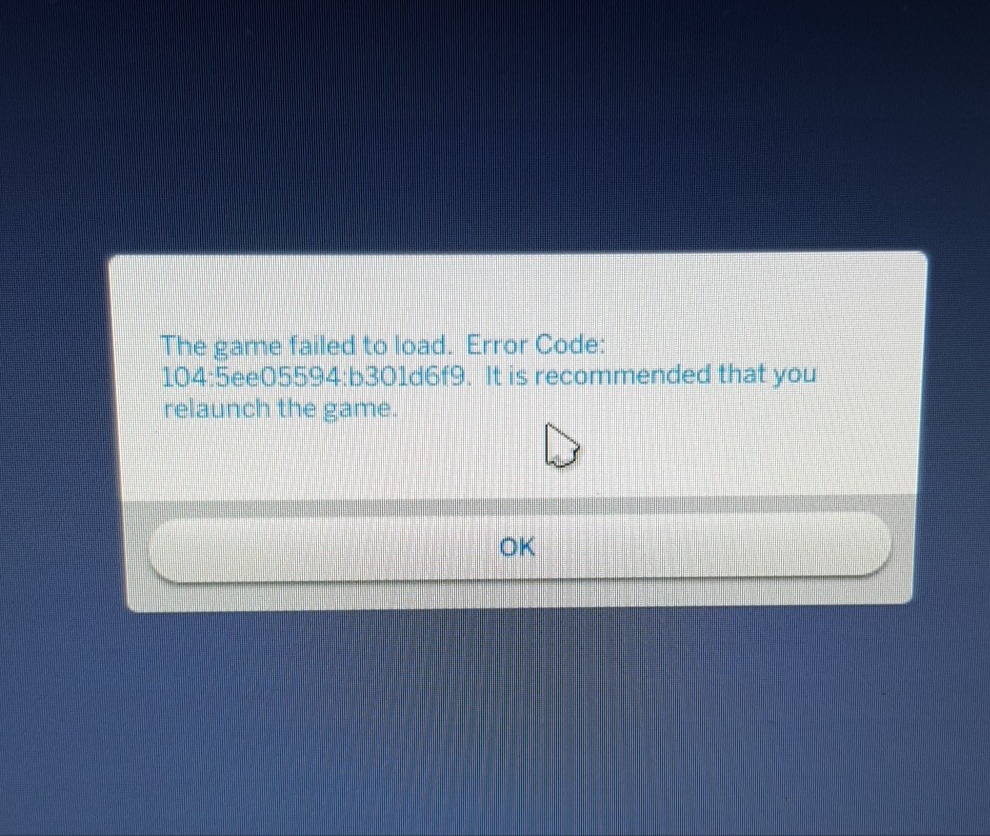
Game failed to load. Error Code
Product: The Sims 4
Platform:PC
Which language are you playing the game in? English
How often does the bug occur? Every time (100%)
What is your current game version number? 1.48.94.1020
What expansions, game packs, and stuff packs do you have installed? All except 7
Steps: How can we find the bug ourselves? I don't know. I don't know if it is localised to my save files or if a recent patch has caused an issue. I just don't know.
What happens when the bug occurs? Try to load a game that I was able to load yesterday. It will take me to the world screen to select which household to play then a jumpy loading screen then boots me to the worlds menu where it displays an Error Code (104:5ee05594:b301d6f9) and tells me to relaunch the game. As well as a nice little note in the top right-hand corner telling me that oneof my triplets has been taken into care. It only happens to this save file and i can play on but the game has literally taken away one of my triplet.
What do you expect to see? I expect for it to load me into my game/household lot where my family is exactly how i left them (I.e. all present and happy and none being taken away by social workers)
Have you installed any customization with the game, e.g. Custom Content or Mods? Yes
Did this issue appear after a specific patch or change you made to your system? Neutral/Not Sure
Here's a picture of the error code message and the copy of the game file link I'm trying to load (don't know if this will help or not) - C:\Users\AgentAW\Documents\Electronic Arts\The Sims 4\saves\Slot_00000006.save
I severely hope this bug can be easily fixed as I've put a lot of time into that save file.