[MOD RELATED] Sims disappeared from household/Blue flashing square on map
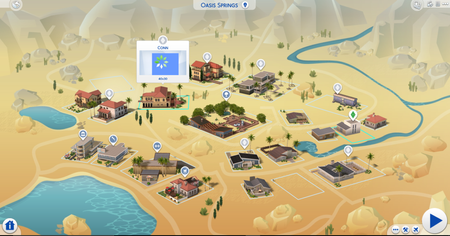



@crinrictI managed to track down NOT the mod causing it in my game but the moment this problem is happening... I had a mod to make the royalties be given only Friday, it was not causing the problem, but it was masking it. the problem in my game happens when a Sim that's supposed to get the royalties is in the household, the moment the royalties are meant to be given, an LE is generated by the game that among other things, tells me that the error happens when it tries to _update_cached_home_lot_value and run a Simoleon Test. Now the LE mentions a Mod, but it doesn't seem to be the problem. I managed to make a save just before the Error once I found out the time it was happening, took out all mods and verified that the error was not happening, then quit without save and put the mods back one folder at time, each time verifying if the error was going to happen at the same time, but even this way, I couldn't reproduce it even though I put back exactly the same mods I had when the error was generated.
- Some more finding:
the LE doesn't happen right away on loading the household.
the LE is happening for me only on one family of the 2 I'm playing right now. Now, one of the sims inside the household was in the other household before, and I though I fixed the issue by removing mods in the other one, while in fact I had solved the issue by removing the Sim.
the LE happens always on adding/removing founds from the household.
now what that sim has different from the other sims in both the household was a career and a bank account. He doesn't have a career anymore since he got fired, I now tried to close the bank account and remove the mod (that's the one in the LE) to see if something changes.
removing the mod makes the LE disappear but not the problem.
noextramoneyonpromotion_v2 by Bienchen has absolutely nothing to do with this problem in my game, apparently.
Alright, so when the LE happens, the problem already occurred... the bank mod gets caught in, but I think it fails to update that thing about money because the household is already gone. The problem may not have to do with money at all.

I got solve my problem in update 1.58.69 for TS4. I updated all my script mods and I restored my save for a point before the problem happens. Works perfectly and my two students come back to their household.
For me, closing the account, taking out the bank mod, play without it for a bit and putting it back seems to have solved the issue, without other changes made.
Last evening updated my game to 1.58.69 and it seems to have fixed this one, all saves work fine now. I'll just blame previous patch and/or aliens on this one.
Some of the LE's didn't even make much sense so i guess it was just the game having trouble loading all stuff properly.
If someone still has issues, i suggest to take all tuning/script/custom trait mods out of mods folder and updating them/removing if not confirmed working and deleting localthumbcache.package
Load save with issues and save it as new one, then quit game and put new updated mods back in and play. This should fix this issue.