Forum Discussion
5 years ago
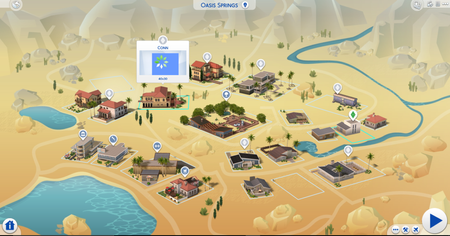
i got in my game and i tried to play with my household but when i clicked on it, the sims were missing and there was a blue flashing square instead. i don’t know how to fix it. i removed my mods folder to my desktop and tried to see if it would help, but my household remained the same. please help!!
Trismagistos
5 years agoHero
@emmymaurice Did you also delete the file 'localthumbcache.package' from the folder: \Documents\Electronic Arts\The Sims 4?
When you only remove the contents of the mods folder or the folder itself the remnants of the used mods are still in this file. As soon as you restart your game it will install a clean localthumbcache.package for you to play on.
May be it will help.
Have fun playing. 😉
When you only remove the contents of the mods folder or the folder itself the remnants of the used mods are still in this file. As soon as you restart your game it will install a clean localthumbcache.package for you to play on.
May be it will help.
Have fun playing. 😉
- 5 years ago@Trismagistos i removed the mods folder and my localthumbcache from my folder and then got back in my game. nothing changed, my household is still missing and there’s still a blue flashing square