Solved
Forum Discussion


holodeckx87
4 years agoNot applicable
Product: The Sims 4
Platform:PC
Which language are you playing the game in? English
How often does the bug occur? Every time (100%)
What is your current game version number? 1.89.214.1030
What expansions, game packs, and stuff packs do you have installed? All Expansion Packs; All Game Packs except Journey to Batuu; All Stuff Packs; All Kits except Decor to the Max, Moonlight Chic and Little Campers.
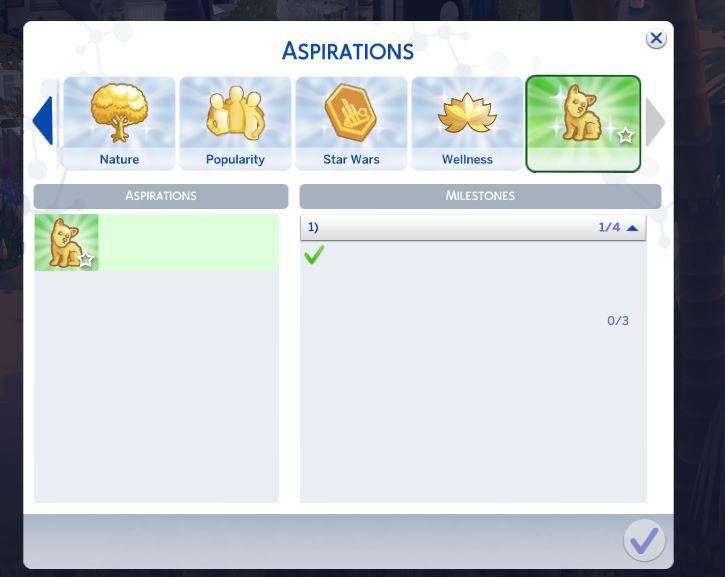
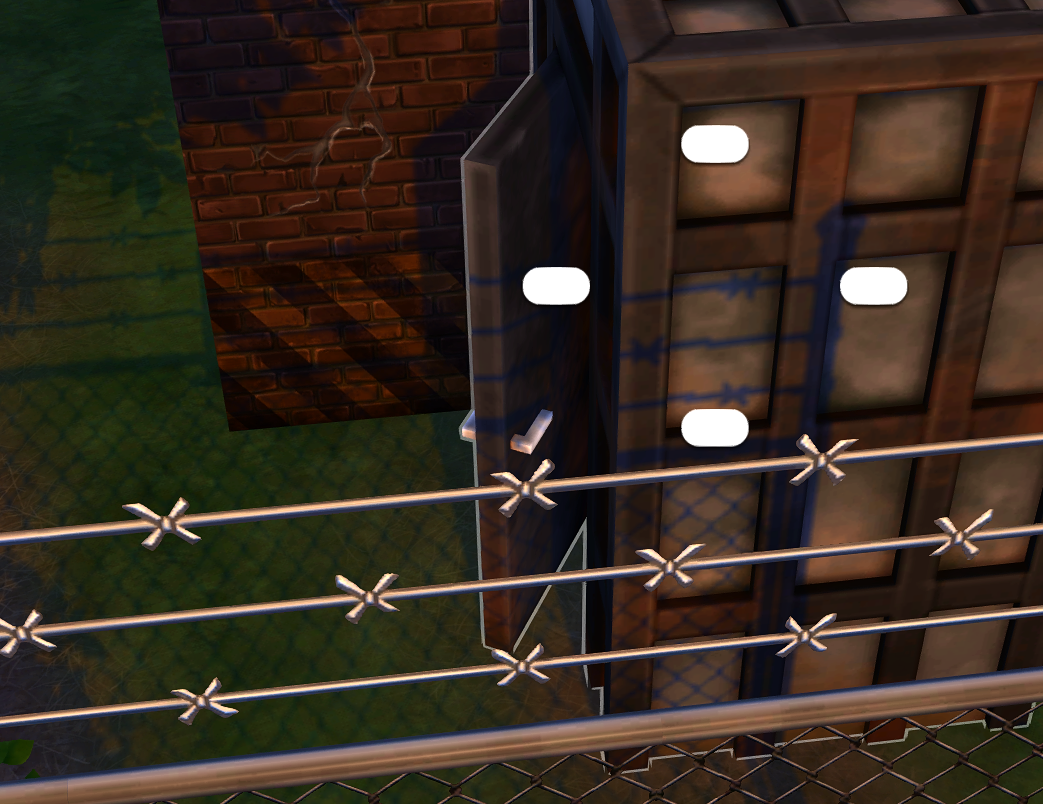
Steps: How can we find the bug ourselves? When entering Build Mode, after installing the Werewolves Game Pack, I noticed all the new Build/Buy items all had **DEBUG** in place of their names and descriptions. (picture attached) Entering CAS, the new Aspiration has no description. (picture attached) This does not appear to have affected any of the other packs/kits.
What happens when the bug occurs? No lastexception is generated, and nothing game breaking, as far as I can tell - the pack items are just missing their descriptions.
What do you expect to see? Descriptions in place of the **DEBUG** placeholders/missing descriptions.
Have you installed any customization with the game, e.g. Custom Content or Mods? Not now. I've removed them.
Did this issue appear after a specific patch or change you made to your system? Yes
Please describe the patch or change you made. After installing the Werewolves Game Pack/ Patch 1.89.214.1030
. Descriptions for the Werewolves pack do not appear on the Aspiration in CAS, and appear as **DEBUG** in the Build/Buy catalogue and do not appear properly after all the attempts to fix the issue listed below:
- Have attempted loading the game without mods.
- Deleted localthumbcache.package and avatarcache.package.
- Deleted Resource.cfg from the Mods folder.
- Repaired the game through Origin.
- Tried Rolling Back my current save file.
- Tried running a Save As version of my current save file.
- Tried loading a new save.
- Cleared Origin cache.
- Attempted a Sims 4 Folder Refresh.
 crinrict4 years agoHero+
I merged your post with the main thread on this. Could you please try all the suggestions in the first post.
Sine a repair didn't work, try changing language and back if you can. xoGerardine4 years agoRising Traveler
Hey! I'm having the same issue as @BubbleQueeeen
I've tried everything, removing all mods and CC, repairing the game, deleting localthumbcache.package and avatarcache.package, changing the language and nothing is working for me.
- crinrict4 years agoHero+@xoGerardine What language are you playing in ?
Are you using EA App or Origin ?
Featured Places