Mods didn't show up in game... now game wont open
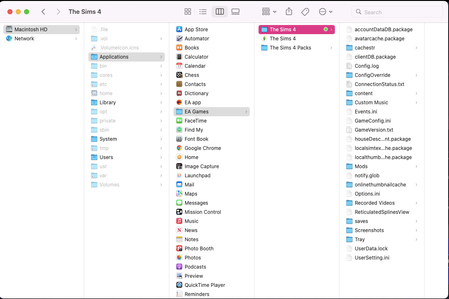


aambush_ It's likely to, if you've put files where they don't belong. But there can be multiple reasons the game doesn't open. Getting rid of one can mean you hit a different one, which is likely to give you a different kind of error/appearance.
Ok so I put the files in the correct folder. I removed my folder and started the game up so it could generate a fresh folder. I put my saves and other files in the new folder. NOW its saying it can't load the game because its out of memory. I have space on my computer so that can't be the issue. It's like one issue after another with this game. UGHHHHHH.
aambush_ Can you screenshot both the message you're getting and your memory info please?
Sorry for the late response! Since you wrote this I uninstalled the Sims game--not the EA app. It shows I have decent amount of storage but not enough to install the game and run the game.
aambush_ If you'd like to solve this, you can try reinstalling the game. Rename the user folder first. Let me know if you want more support and I'll get you to the right people.