Forum Discussion

6 Replies
 crinrict5 years agoHero+
Try resetting your user files as described in the factory reset described in this post: http://answers.ea.com/t5/The-Sims-4/FAQ-Troubleshooting-Steps-amp-Known-Issues/m-p/3621199
You won't loose anything. Just make sure to not delete any files and make a backup.
After renaming, repair your game by right clicking on the game in Origin.
Try on a new game with nothing added back first (start new game). If it works, put back your save game and try again. If it still works, you can start putting stuff back.
- Options.ini (or just re-set all your settings manually)
- Tray Folder
- Screenshots/Videos/Custom music
- Rest of the save games (leave out slot_00000001.save which is the autosave and no longer needed - if you still have it)
- Custom content like clothing, hair, skins, make up ....
- ConfigOverride, if you have your own configuration files.
- Mods (one by one, making sure they all still work)
The rest does not need putting back, cause they are mostly cache files that recreate or log files that are not needed for the game.
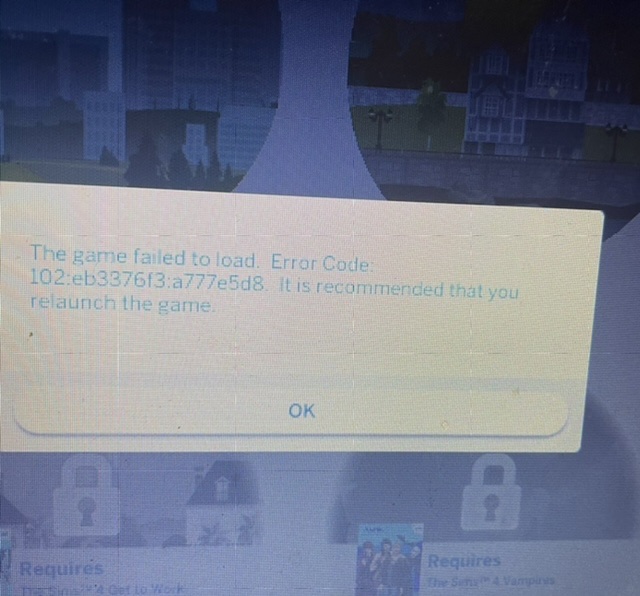
@crinrict Hi! i tried , i tried 20x since you posted this wednesday. i tried different things, i tried adding a few items a a time. when i played vanilla it worked. I added my saves and had problems, even when i started a new game. I took the saves out, and only added a few CC , no mods, and got another error code. I have lost all hope honestly. everything was fine until i downloaded/bought BOWLING STUFF. I promise after that and the update but game stopped working.
I thank you for all your help, i have given up and maybe ill try again from scratch. which sounds like hell right now.
- crinrict5 years agoHero+@Ronceronce Did you just add saves or the whole saves folder ? There's several folders from mods in your saves folder. Maybe those are causing issues.
@crinrict first i added the most recent one 11/27 then that didn’t work so then I added the regular saves that weren’t in the folder and then my two saves came back and when I clicked one save, the family was naked and pitch black and then I continue to try and play and got the error again.
- crinrict5 years agoHero+@Ronceronce I do get the error on your save as well but loading the lot again got rid of the error for me. I have not played long though as I'm a bit short on time to test atm.
Will pass on your save to EA but it's strange that it happens on a new save too. @crinrict thanl you so so so much, you are so appreciated.

Featured Places