
3 years ago
Sims 4 gameplay bug/issue after Highschool Years
Hey everyone, Today 28th July 2022 I downloaded the new expansion pack - Highschool Years and unfortunately, everytime I go into the live mode and try to play sims, my screen looks as below - see ...
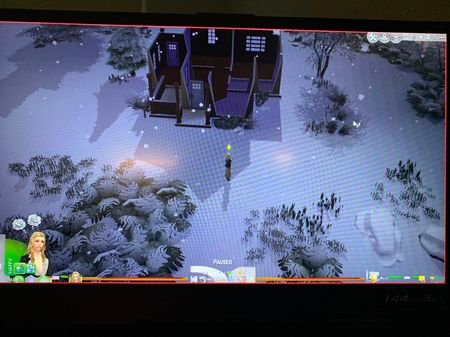
 3 years ago
@marinadxc Please remove all your mods, as in, move the Mods folder to the desktop, and delete localthumbcache.package, then test the game. If everything is back to normal, you can use the 50/50 method to sort through your mods:
https://modthesims.info/wiki.php?title=Game_Help:Finding_Problem_Custom_Content#The_50.25_Method
If the game doesn't look normal even with no mods installed, please clear Origin's cache:
https://help.ea.com/en/help/pc/how-to-gather-dxdiag-information/
and repair the game: open your Origin game library, right-click on the Sims 4 icon, and select Repair.


