Solved
Forum Discussion


Bluebellflora
2 years agoHero+
Here you go 🙂 https://bluebellflora.com/2021/10/17/using-terminal-to-locate-your-sims-4-files-and-folders/

2 years ago
Thank you so much!
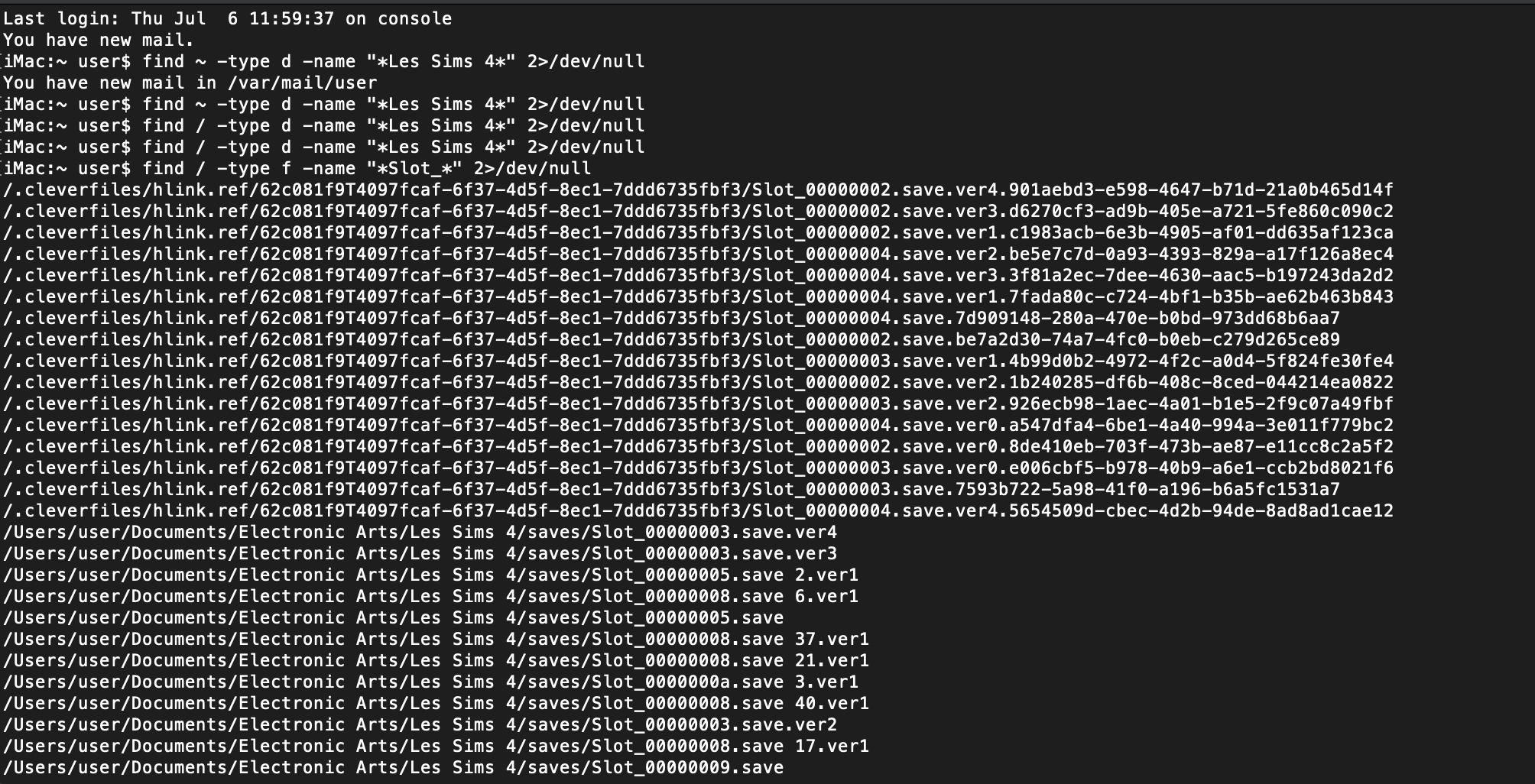
I've tried each of the commands in Terminal and it still doesn't seem to be working. I changed "The Sims 4" to "Les Sims 4" because my game is in French. It didn't pull up anything.
I tried searching using "Slot_" to find the save files, and it only pulled up the save files I had already found on my hard drive, no new ones.
I looked up how to unhide all files and they have now been unhidden. I tried the command again and still nothing.
I also tried substituting "The Sims 4" in the command with "Electronic Arts" and "Library" and didn't find anything.
I would ask Chat GBT but I'm not even sure what to tell it.
- Bluebellflora2 years agoHero+@gmsi19fn8yoi
Thanks 🙂 In point 3 you said you deleted the EA folder. That would have contained the TS4 folder which has saves etc in it. The only way to get it back would be if you have a backup from before you trashed it.- 2 years ago
Before I deleted it, I copied everything over from my laptop to my new iMac. It looked like an exact replica. And it worked with the first iMac (saves and mods pulled up without having to move them), but I exchanged that iMac for a new one.
The only difference the second time I transferred everything over was the new Origin update.
I didn't delete anything from my laptop until after that, and all the saves and mods should've been on my iMac at that point. I just don't get why it worked for one iMac and not the other.
- Bluebellflora2 years agoHero+@gmsi19fn8yoi
The only thing I can think is that files inadvertently got removed somehow in the iCloud or migration process. Which OS was the first iMac running and which OS is the one you're now using running?
Origin doesn't touch the Sims 4 folder, at least, it shouldn't do but Origin is horrible and a buggy mess......
Featured Places