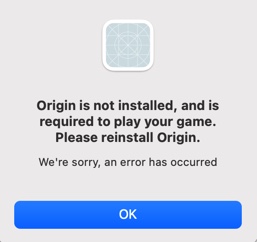
Origin is not installed…” error. How do I fix…?
Was happily playing TS4 when the game crashed and sent me back to my Mac’s login screen with the error “Origin is not installed and is required to play your game. Please install Origin”.
So I deleted it, and downloaded the latest version (plus the Origin reset tool). Ran the reset tool, and tried running Origin again to be greeted with…
“You can’t open the application ‘Origin’ because someone else is using it. Please ask the other user to quit the application, then try again”.
This is literally impossible as there in only one login on this machine - mine.
So I deleted Origin, ran the reset tool, and tried again. Same error (this application is being used by someone else).
So I delete it again, and created a new user login. It’s now completely wiped from my login and is only installed under the ‘Origin Troubleshooting’ login, yet I’m still receiving the error that it’s in use by someone else.
At this juncture, I don’t really care if I have to lose all my families and houses but, as I have every single expansion, game pack, stuff pack and kit, and a connection which makes early 90s dialup seem like high-speed fibre, I’m really not relishing the thought of spending the next week downloading everything and reinstalling (why can’t Maxis allow us to download the installation files and keep them, rather than have to go through this rigmarole every time the game fecks up…?).
2016 MacBook Pro. Latest version of Big Sur. Is there a (fairly) painless way to fix this, please…?