Forum Discussion

Re: No EA Folder in External Drive but Cannot Reverse. Files Scrambled

@crazyheartsimmer 


The Issue:

I left the game installed on my external hard drive but deleted Origin. 


Your game can stay on the external drive. When you next installed Origin you should simply go into Origin > Installs & Saves > Game Library location and choose the external drive.


I believe at some point in college I had deleted the EA folder in documents or sent it somewhere. When I opened the game through the external drive, my EA folder was in the cloud. I dragged and dropped it back under the documents. I turned off optimization in settings. I also turned off sync on my OneDrive.


The Electronic Arts folder, located in your User > Documents folder, is completely separate from the Origin game installation location. They are in no way connected.


Are you referring to iCloud Drive or OneDrive or both? If both, what is the link between them?


 The game first ran but it would not show any Mods I had in the game. All mods were unzipped and no more than 1 file deep. 


Forget about Mods at the moment, getting your game to launch and the Electronic Arts > The Sims 4 folder to be created is the first issue to be resolved


I tried many of the fixes other people tried but I realized even the expansion packs were not showing up and the expansion pack folder was outside of the EA folder.


If by "Expansion Pack folder" you are referring to the Sims 4 Packs folder as shown in your screenshot then yes, this should be outside of the Documents > Electronic Arts folder. See my previous comment above.


So I uninstalled the game by dragging and dropping it in the trash


This is not how you uninstall the game. You should uninstall via the Uninstall option in Origin. Your screenshot shows that the game is still on your external drive. What exactly did you trash?


The only files in my external drive are the actual Sims 4 App/Icon and the Sims 4 folder for my expansion packs.


As per your screenshot, yes. When you load Origin, with automatic updates turned off, follow my instructions above to change the game library location. 


The EA folder is now missing. I tried to reverse the symlink but it said “no file”.


Your screenshot shows it says "permission denied", not "no file". Which is it?

4 Replies

  • @Bluebellflora 

    I am appreciative of your responses.


    Your game can stay on the external drive. When you next installed Origin you should simply go into Origin > Installs & Saves > Game Library location and choose the external drive.


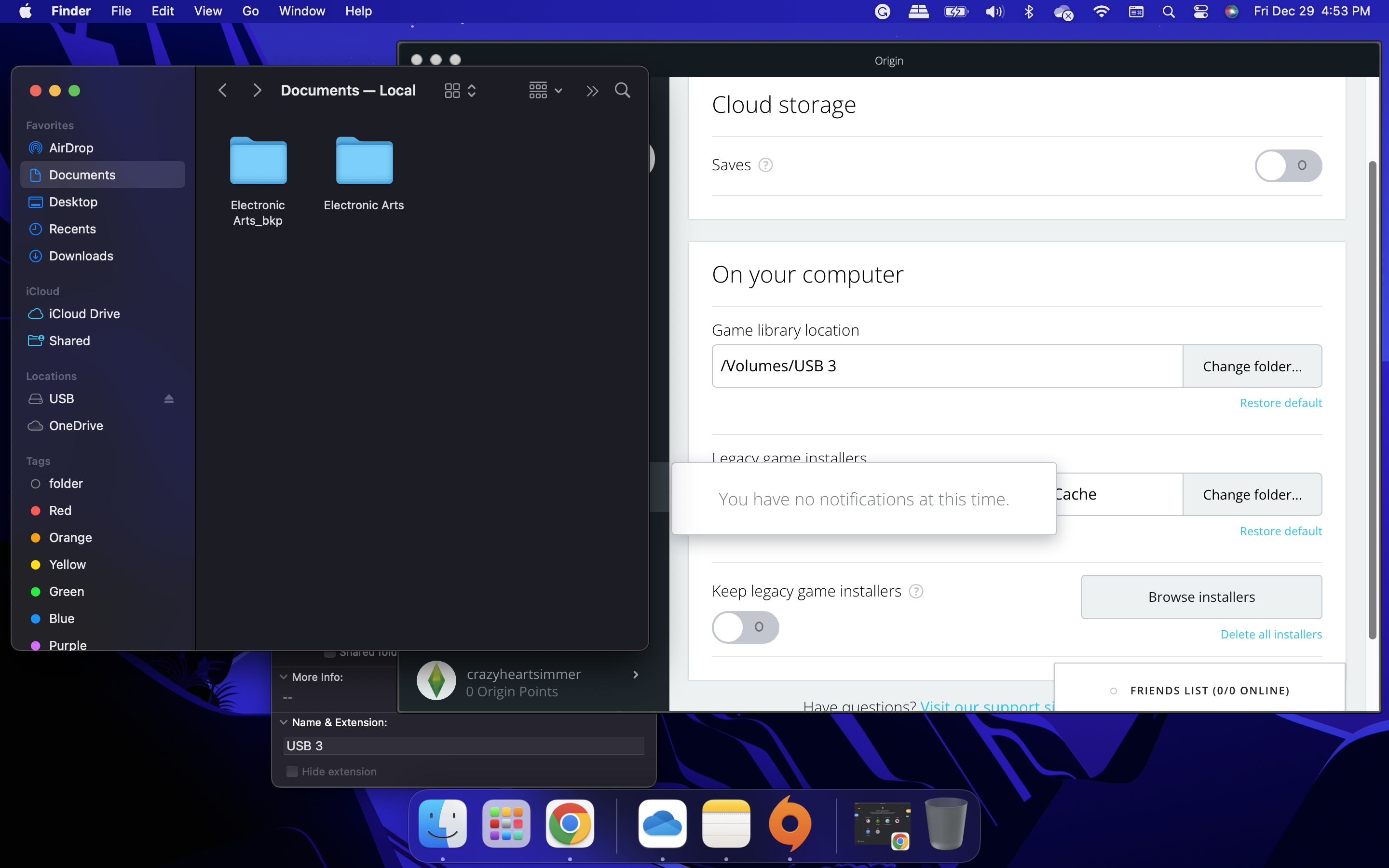
    Yes, it is connected to the external drive. For some reason every time I uninstall and reinstall through Origin the external drive changes to USB 1, then USB 2 now it is USB 3. I am not sure if this matters. It is now installed under Volumes/USB 4

    When I very first installed it, it was just USB.


    The Electronic Arts folder, located in your User > Documents folder, is completely separate from the Origin game installation location. They are in no way connected.


    Are you referring to iCloud Drive or OneDrive or both? If both, what is the link between them?


    Ah ok, no I meant I thought my iCloud may have synced it and unloaded it. At some point, I also dragged and dropped all my documents into my OneDrive to save space but I do not recall seeing the EA folder in there. But it’s safe to say it is not.


    This is not how you uninstall the game. You should uninstall via the Uninstall option in Origin. Your screenshot shows that the game is still on your external drive. What exactly did you trash?


    I had trashed the Sims 4 App/Icon and the Sims 4 folder for my expansion packs. I had also trashed the EA folder which was also separate from the Sims 4 App sitting outside the folder.


    As per your screenshot, yes. When you load Origin, with automatic updates turned off, follow my instructions above to change the game library location. 


    After uninstalling properly through Origin and reinstalling, I had auto updates off but still no EA folder. I now see two files in my Mac Documents: Electronic Arts_bkp and Electronic arts.


    I have shared the screenshots.


    The EA folder is now missing. I tried to reverse the symlink but it said “no file”.


    Your screenshot shows it says "permission denied", not "no file". Which is it?


    Apologies that was the wrong screenshot, I did not have room for more than three screenshots.


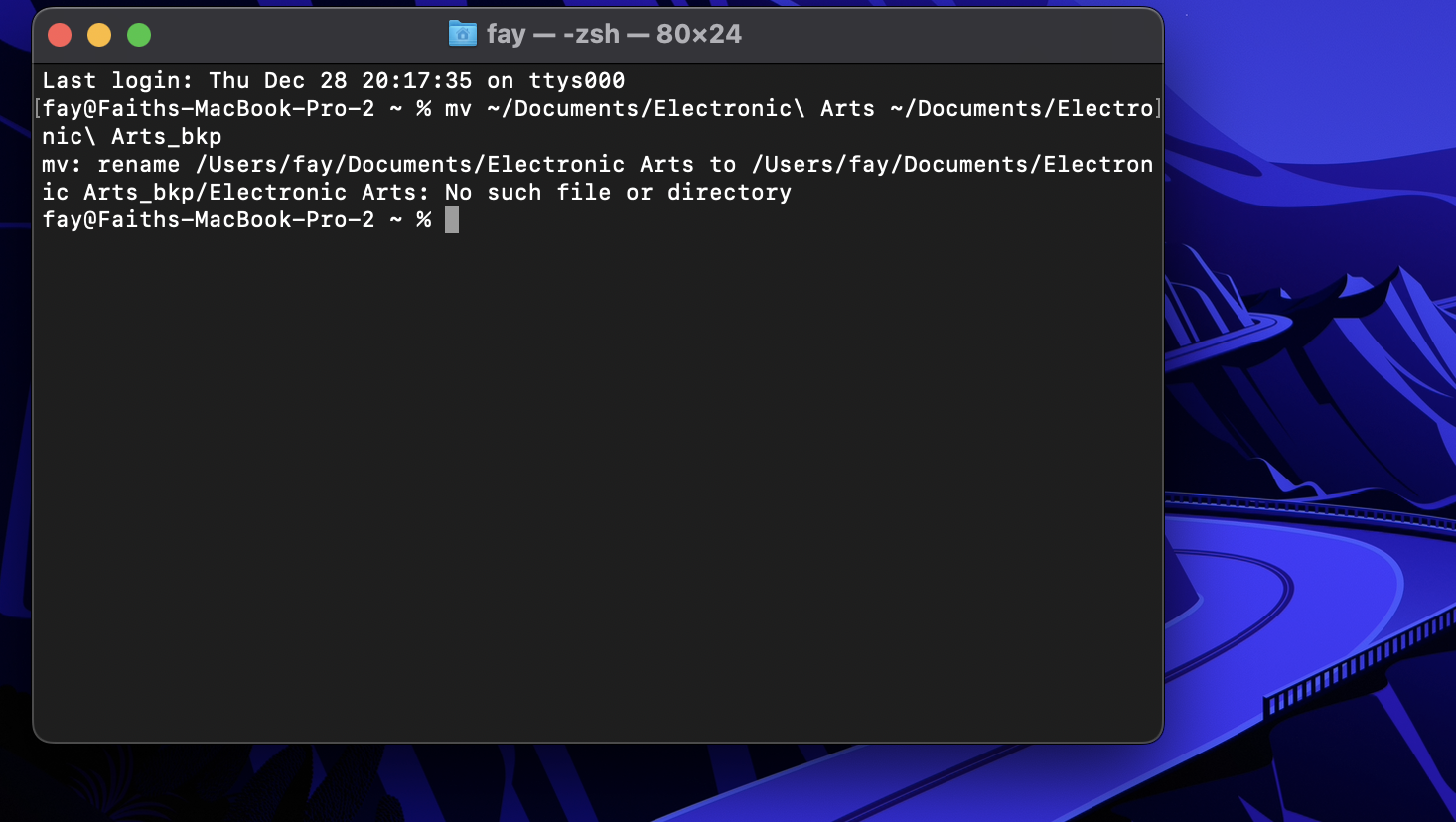
    There were two errors, one from attempting to reverse and another from trying to search for the EA folder. 


    rename /Users/fay/Documents/Electronic Arts to /Volumes/USB/Electronic Arts:

    Permission denied


    rename /Users/fay/Documents/Electronic Arts to /Users/fay/Documents/Electron ic Arts_bkp/Electronic Arts: No such file or directory

  • Bluebellflora's avatar
    Bluebellflora
    Hero+
    2 years ago

    @crazyheartsimmer 

    Have you partitioned your hard drive? The external drive name should not change. Yes the name matters. If you are directing Origin to look in a drive called USB for your game but that drive does not exist with that name it will default to your User Applications folder and prompt to re-download. Similarly with the symlink. The file path has to be exact. 

    I can't help with OneDrive, I hate it and never use it. Your Sims 4 folder must be in Documents > Electronic Arts for the game to load your user data. If you have moved these folders around to other locations, including shared drives, the game will not see it.

    The presence of the Electronic Arts_bkp folder indicates that you have reversed the symlink. The Electronic Arts folder in the same location is probably the new folder the game has created?

    Permission denied - means that you have not given Terminal proper access to the external drive. This is all covered in my symlink guide, if that is the one you used.

  • Happy New Year! Thanks for your help!

    I was confused with the main issues I was having and thought I would mess up my mac and game with any changes after not seeing simlar issues with other.

    I was able to successfully reverse the symlink and start over. Everything is running from my external drive once again including my mods. The sims 4 application and The Sims 4 Packs folder are all on my Mac but I dont mind, as the main consuming folder was in successful copying to the external drive.


    I realized the external drive number kept changing because it kept ejecting due to the cable being loose and causing an error. Ejected the drive ->Restarted->Then everything worked on restart.

Featured Places