Forum Discussion

Sugar_Apple_Pie's avatar
9 years ago
Solved

Sims 4 Won't Open Due To Corrupted Files

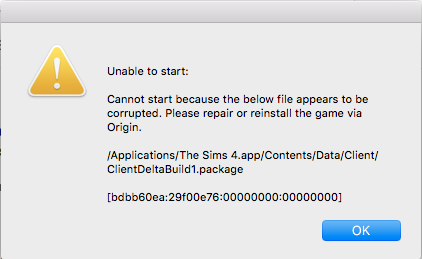
When I try to open Sims 4, I get this message:

Unable to start:

Cannot start because the below file appears to be corrupted. Please repair or reinstall the game via Origin.

/Applications/The Sims 4.app/Contents/Data/Client/ClientDeltaBuild1.package

[bdbb60ea:29f00e76:00000000:00000000]

Is there any other way to fix this other than reinstalling the game as that takes a really long time and if I do reinstall the game will my data be deleted?

  • fons_garmo's avatar
    fons_garmo
    9 years ago

    Hi @Sugar_Apple_Pie,

    Go to Origin -> Right click on The Sims 4 cover -> Repair. This will repair The Sims 4 installation without having to reinstalling the whole game 🙂

99 Replies

  • Your solution was the only one that worked, thank you so much!

  • izihlahla's avatar
    izihlahla
    4 years ago

    for anyone still struggling with this, i solved my issue by doing this--

    (this is probably optional, but i did this and will include it anyway. i repaired my game by right-clicking the TS4 cover in my origin game library, and enabled all incoming connections to origin and TS4 in my firewall.)

    then i opened up Finder, pressed Command+Shift+H, then opened Applications<The Sims 4. from there, i moved the folder 'The Sims 4 Packs' to my desktop. next, i went to Documents<Electronic Arts<The Sims 4 and moved the 'Mods' and 'Tray' folders to a flash drive and deleted them from my desktop.

    the game finally started for me and i moved my mods and other CC to their new folders in Documents<Electronic Arts<The Sims 4 in small batches/individually and deleted any ones i didn't need. i closed and reopened the game to make sure they still worked and deleted the ones that were corrupted and messed with the game.

    for reference, i'm running the latest version game as of 7 july, 2022 (1.89.214.1230) on a 2015 MBP with all DLCs and several GB of mods.

    thank you @Tremayne4260 for the help :-)

  • mistystorms28's avatar
    mistystorms28
    New Novice
    3 years ago

    I don't have Origin only the EA app and I'm also on windows 11. do you know how to help?

  • Okay so as someone who tried literally everything in this entire thread as well as changing the registry on my computer and using the DISM tool, I think I just fixed the issue for myself by doing the simplest thing.

    Everyone who is still struggling, check if all your mods/cc are sorted into folders. I have been getting error messages from numerous folders saying there were corrupted files there constantly, even after removing them, not just from the folder but from my computer entirely. I decided to test all mods/cc by moving them in batches. I moved all the ones not sorted into folders into the mods folder and everything worked fine. I was surprised because there were so many items there and not a single one had an issue.

    I then decided to see if moving the files out of their folders would change anything. I selected a folder that was constantly showing up as having a corrupted file (which I know wasn't corrupted because I just transferred it over from my old laptop and the game is frequently updated, all the mods are functional and kept up to date). Lo and behold, after moving the files into the mods folder outside of their secondary(?) folder, it worked just fine and the game started up.

    This might help some of the people still struggling like I was for the entirety of last night. Good luck guys!

    (I'll also be checking later to see if it's possible to reorganise the mods later as not having things in their usual folders is annoying for me.)

  • Hello, its been years since i checked up on this page and ive seen that people havent really found a solution. I get the same isse when i try to start the game, i have no mods/add ons on the game just the sims4. I Downloaded EA since origin dosent work anymore. I wonder if anyone truly know the solution to this isse. Ive deleted and reinstalled the game, ive repaired the game, ive deleted the sims4 files and installed the game after that again. Nothing seems to work. 

    If someone knows how to fix it please help out!

Featured Places