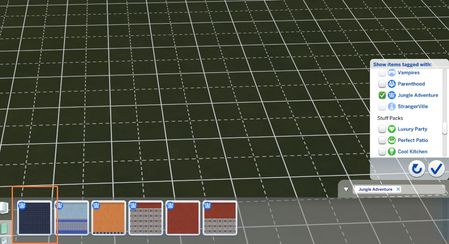
@jiejonesSomething is wrong here. You still should have these options. Looks like same files in your current game folder responsible for these options are damaged. Repairing the game will not help you because it fixes only files in your installation folder, not in your current game folder in the Documents.
But TS4. this is such a strange game that can regenerate itself and fix itself. You just need to help her a little. EVERYTHING that is in the game folder in Documents can be thrown into the trash basket but as soon as the next day you turn on the game there will be a miracle - everything will be shown there again. Of course, all but the contents of the folders that you filled up. So there will be a Tray folder - this is your library but empty. The same applies to the saves folder and mods folder. So the only three folders that you need to protect are saves, mods, and Tray. Why do you need to copy the TrayDeleteItems file? You can skip it but in this file are all the houses that Maxis once placed in your library and you threw them out. If this file is not copied, again these houses will fill your library and if you will like to throw away this "gift", it will take you 15 minutes.
Go to Documents/ElectronicArts - inside will be The Sims4 folder
Step 1. Rename The Sims4 folder to "The Sims4 old"
Step 2. Fix the game in Origin
Origin/Library - right-click on TS4 - option "Repair game"
You have to wait until Origin will fix all packs, not only the base game.
Step 3. Turn on the game - a new game folder will be created and you will have two - one old, one new
Step 4. Check if you still have this problem in the newly created game folder. Start a new game with a random sim, go to the building mode and check if it is working properly now. If yes
Step 5. Delete in the new game folder following folders:
"saves" and Tray.
Step 6. Go to "The Sims 4 old" folder and copy - your "saves " folder.
Step. 7, Paste this folder in a newly created game folder.
Step 8. Do the same with Tray folder and TrayDeleteItems file
Step 9. If all is OK - delete The Sims4 old folder.
I don't work for EA