[CURRENT ISSUE] Sims 4 saves/user content disappearing (PC)
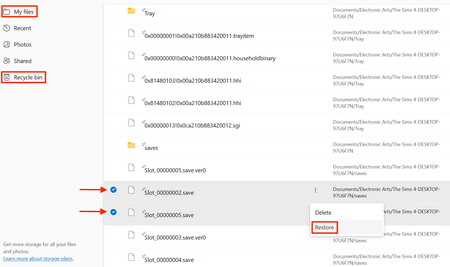


Kamiccola Yes, you can replace the saves folder with your previous one. There's no need to replace the Tray folder, as its contents are independent of the autosave bug.
Before you give up on your save though, try looking for a backup the manual way:
https://sims4.crinrict.com/eng/2014/09/recover-backup-save-game/
Whether you're looking for a backup or trying to figure out which files to transfer, the modified date on a given save may make it clear which save you're looking at. If not, you can always pull ALL the saves except for the one you're wondering about, then load the game and see which one it is. All saves with the same internal number refer to the same save; the ones with extra characters (.verx or the daily/weekly/monthly versions) are backups the game keeps for you. The autosave issue may have overwritten your most recent save, but it shouldn't have touched all of the backups. You might only have to go back a day or two to find one that's still intact.

Thanks for replying.
So I can just copy the .save file that I think it might be and put it in the saves folder? And that's it? It looks like it's the same slot number now so if I want to keep both, I have to save the other one as a new save.
By the way, what are those ffffff saves that I'm seeing since after the update? Is that normal or is it a sign that something else is still off?